
SpecClear earns a commission if you buy through Newegg links on this page, at no extra cost to you.
Bluetooth gaming earbuds are fine for music. They’re not fine for PC gaming. The latency on Bluetooth, typically 150-300ms, is noticeable the moment audio needs to sync with what’s on screen. You hear footsteps after you’ve already been shot.
The category you actually want is 2.4GHz wireless earbuds with a USB dongle. Plug the dongle into a spare USB port, pair the earbuds, and get sub-30ms latency that’s indistinguishable from wired for gaming purposes. All the options below use this approach. None of them are Bluetooth-only units, and none of them are aimed at mobile gaming.
Here’s what’s worth buying in 2026 if you want low-latency 2.4GHz buds instead of Bluetooth.
SteelSeries Arctis GameBuds: $192, The Default Recommendation
If you don’t want to think too hard about this purchase, buy the Arctis GameBuds. They work with PC, PS5, Xbox, Nintendo Switch, and mobile via the USB-C dongle (a USB-A adapter is included). The 40-hour combined battery life, 10 hours on the earbuds, three full recharges from the case, is class-leading. The case supports Qi wireless charging. The pick is the SteelSeries Arctis GameBuds ($192).
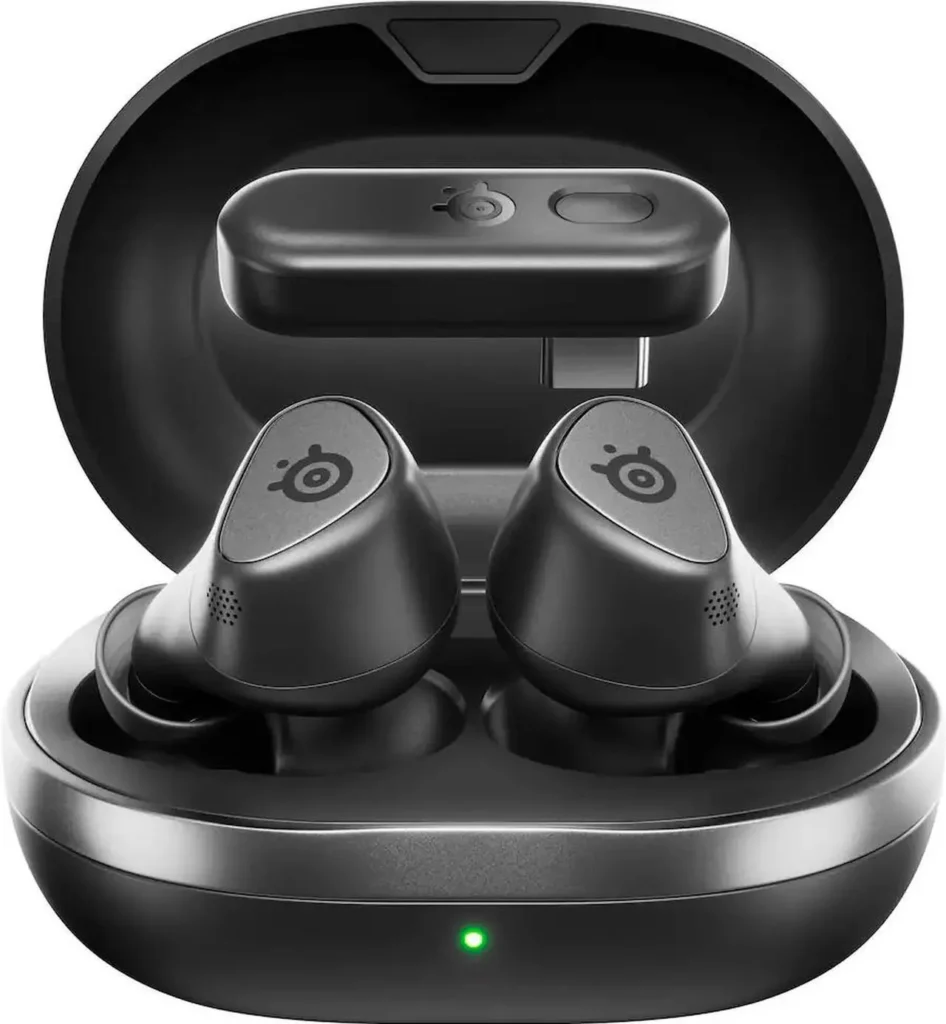
SteelSeries ships 100+ game-specific audio presets you can load through the GG app on PC. Whether you want the footstep emphasis a competitive shooter needs or a wider soundstage for an open-world RPG, the presets save you the EQ tuning time. Custom EQ profiles are fully adjustable if you’d rather do it yourself.
ANC is solid. Not Sony or Bose levels of isolation, but effective enough that you can wear these in a shared space without the surrounding noise ruining the game audio. IP55 dust and water rating covers sweat and the occasional splash.
The one honest limitation: the bass isn’t deep. These aren’t audiophile earbuds. The sound signature is clean and clear, tuned for gaming rather than music enjoyment. If you use your earbuds for music as much as gaming, that’s worth knowing before you buy.
ASUS ROG Cetra True Wireless SpeedNova: $160, The PC-First Premium Pick
If audio fidelity matters to you and your build is PC-centric, the ROG Cetra SpeedNova is the one to get, and at about $160 on Newegg it now costs less than the GameBuds. ASUS uses 14.2mm drivers with a diamond-like carbon coating, noticeably larger than most gaming earbuds, producing cleaner highs and more defined bass than the GameBuds. ASUS ROG Cetra SpeedNova (about $160)

The SpeedNova’s standout technical feature is its bone-conduction AI microphone. Rather than using traditional microphone capsules that pick up ambient noise along with your voice, the SpeedNova uses jawbone vibration to isolate your voice. In testing, mic clarity is the best of any wireless gaming earbud in this category. If you do a lot of voice communication in games, this difference is real.
Battery life is 46 hours combined. ANC is adaptive, it adjusts based on how well the eartip seals against your ear canal, which helps if you’ve historically had trouble getting a consistent seal with other earbuds.
The honest caveat: the SpeedNova used to cost about $200 more than the GameBuds, but on Newegg it’s now about $30 cheaper, sold by a marketplace seller. The audio quality difference is real in music and casual use. In a competitive gaming session, you probably won’t notice it. If you’re PC-only, that price flip makes the SpeedNova the better buy, especially if mic quality matters for streaming or coordinating in competitive games. The GameBuds still make sense if you want their broader platform support.
Razer Hammerhead V3 HyperSpeed: The Multi-Platform Pick
The Hammerhead V3 has the broadest platform compatibility of anything here. The USB dongle works across PC, PS5, PS4, Nintendo Switch, and mobile. If you switch between platforms regularly, this matters. Newegg only lists the Razer Hammerhead V3 HyperSpeed refurbished right now, at about $70 from a marketplace seller, so check the warranty terms before you buy.

Razer’s sound tuning has always leaned bright, elevated highs compared to a neutral signature. For competitive gaming, particularly titles where audio directionality and high-frequency sound cues matter (footsteps, reload sounds, gunshots), that tuning is an advantage. For casual listening it can feel fatiguing over long sessions.
ANC is present and functional. Battery life is 10 hours per charge, 40 hours with the case. The companion app lets you configure EQ profiles and low-latency gaming modes. Razer integrates game-specific lighting via Chroma if your peripherals are in the Razer ecosystem, though for audio it doesn’t change anything.
One practical note: the Hammerhead V3 uses a USB-A dongle rather than USB-C. That’s not a problem for desktop PC use, but if you’re planning to use these with a Steam Deck or PS5 directly, you’ll need an adapter.
HyperX Cloud MIX Buds 2: The Compact No-Fuss Option
The MIX Buds 2 is for the person who wants working wireless gaming earbuds in the smallest possible form factor. The case is noticeably smaller than any of the competition, genuinely pocket-sized in a way the SteelSeries case isn’t. Newegg does not list the HyperX Cloud MIX Buds 2 right now.
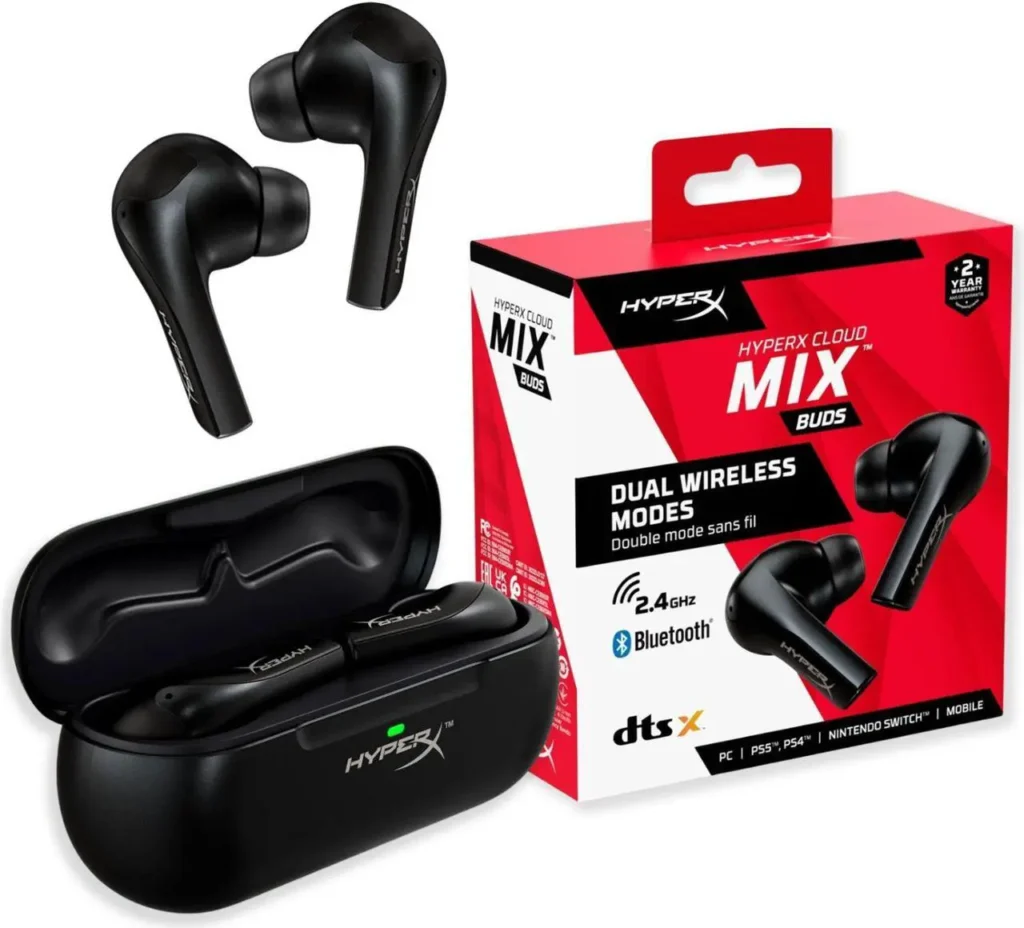
Sound tuning is intentionally flat and neutral. Not bass-heavy, not Razer-bright, just balanced across the frequency range. That works well for gaming without needing to touch EQ settings between sessions. If you play a mix of competitive titles, RPGs, and occasionally listen to music or podcasts, the neutral tuning handles all of it without feeling wrong in any context.
The USB-C dongle gives you PC, PS5, Switch, and mobile compatibility. DTS Headphone:X spatial audio is supported, which adds virtual surround for games that benefit from positional audio. Battery life is 10 hours per charge with 33 hours total from the case.
HyperX’s companion app is simpler and lighter than ROG Armoury Crate or SteelSeries GG. If you’d rather not deal with heavyweight software installs just to manage earbuds, that’s a meaningful practical advantage.
Soundcore VR P10: $100, The Budget Pick
The Soundcore VR P10 from Anker is the only option here under $100 that uses a genuine 2.4GHz dongle rather than Bluetooth. It was originally designed for Meta Quest VR but the USB-C dongle works equally well plugged into a PC. Soundcore VR P10 (about $100, currently out of stock)
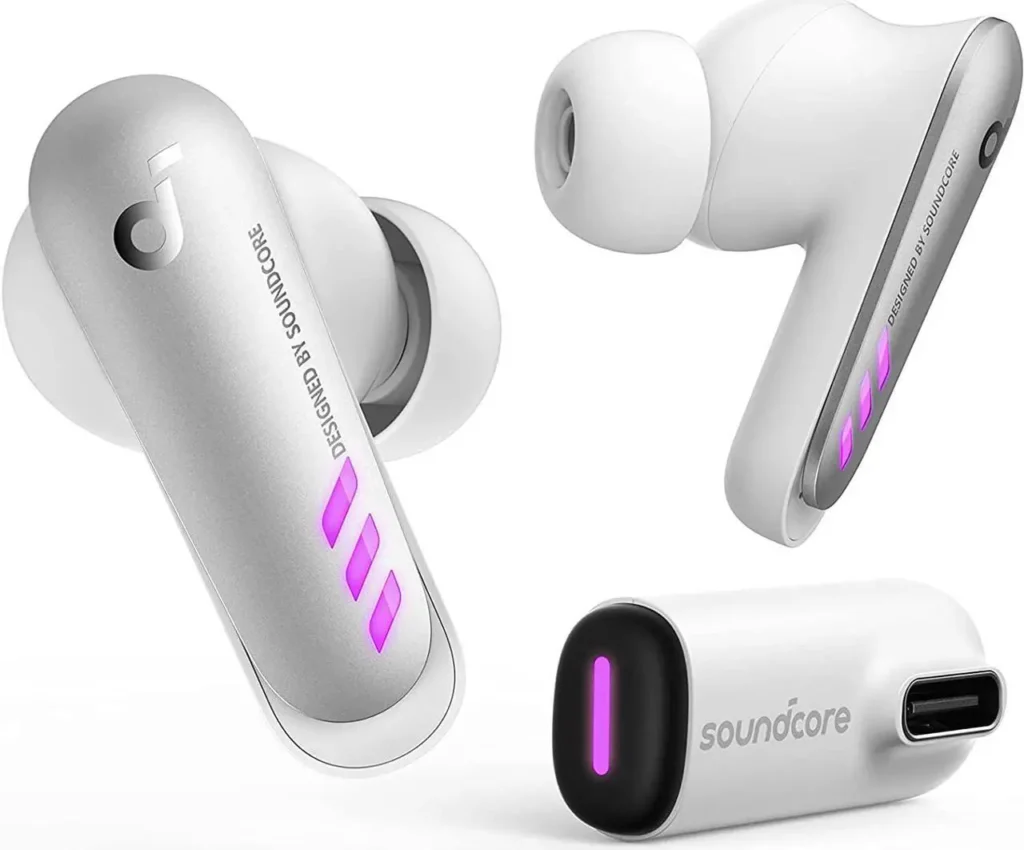
Latency is under 30ms on the dongle connection, the same claim as everything else here, and consistent with what independent testing shows. Sound quality from the 11mm drivers is solid for the price, with Anker’s BassUp processing adding low-end emphasis that the sound signature needs at this size.
What you give up at about $100: no ANC, no premium feel in the build quality, and a simpler EQ situation. The Soundcore app gives you EQ presets but the tuning options are less granular than the premium options above. Battery is 6 hours per charge with 24 hours from the case, the shortest in this group.
For a first foray into 2.4GHz gaming earbuds, or a secondary pair to keep at a second desk, the VR P10 punches above its price. Don’t expect it to feel like a $160 product. It doesn’t. But the core function, low-latency wireless audio for PC gaming, it does correctly.
Which One to Buy
Start with the SteelSeries Arctis GameBuds. Broadest platform support, best battery life, proven software, and about $190 is a fair price for what you get. That’s the answer if you play on more than one platform.
Choose the ROG Cetra SpeedNova if you’re PC-only. It’s the cheaper of the two right now, and its mic is the better choice for streaming, competitive voice chat, or a lot of time on Discord.
Choose the Razer Hammerhead V3 if you switch between PC and console regularly and want everything handled by one dongle ecosystem.
Choose the HyperX Cloud MIX Buds 2 if portability is the deciding factor and you want the lightest possible software footprint.
Choose the Soundcore VR P10 if about $100 is the ceiling and you’re not willing to use Bluetooth for gaming. It does the job once it’s back in stock.
What none of these replace is a proper over-ear gaming headset for critical competitive play. The wider soundstage from 40-50mm drivers gives over-ear headsets a directional audio advantage that in-ear drivers can’t fully replicate. If you’re playing at a level where positional audio is the difference between winning and losing, the headset remains the right tool. These are for everyone else, which is most of us.