
The sub-$100 case market in 2026 is genuinely competitive. Three or four cases earn a recommendation at this price, and which one is right depends on exactly what you’re building and what you care about most.
One significant addition since this article was last updated: the NZXT H6 launched in June 2026 at exactly $99.99. It’s the most visually distinctive case at this price point and the first sub-$100 case with a seamless curved glass panel and native back-connect motherboard support. It earns a spot on this list. Where it sits in the rankings depends on what your build priorities are.
Here’s the updated picture.
Lian Li Lancool 207 — ~$122: Best Pure Airflow Under $200
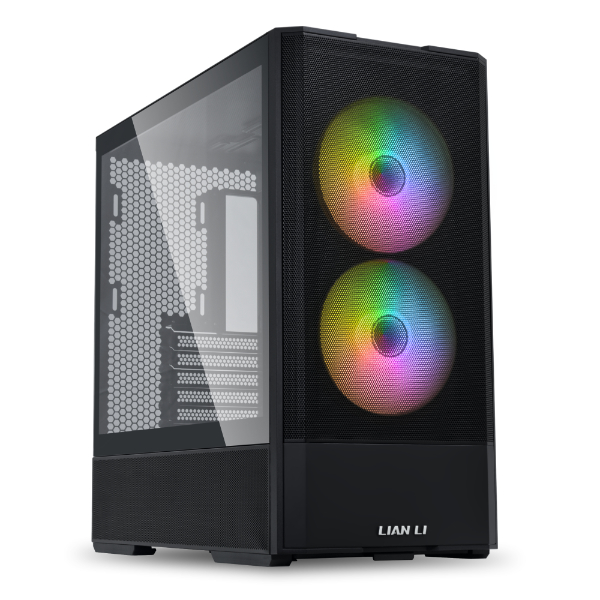
GamersNexus tested the Lancool 207 against every major competitor in this price range and it came out on top for noise-normalized thermals. The CPU result beat the Corsair 4000D RS Frame, the Phanteks XT Pro Ultra, and most other mesh cases in its class. GPU thermals ranked in the top three of their test suite.
The design is unconventional. The PSU mounts at the front of the case rather than the rear, which creates room at the back of the case for two additional fans that blow directly onto the GPU rather than into general case airflow. It sounds odd. The thermal numbers say it works.
Four fans included in the box — two standard intake and two dedicated GPU-facing. At $80 you’re getting four fans plus one of the best airflow results in the sub-$100 category.
The downsides are real. The front PSU placement complicates cable routing and limits how tightly cables can be packed in the secondary chamber. The side panel can bulge if cables aren’t managed carefully. Building in it takes more patience than a traditional layout. If you’re a first-time builder, the conventional layout of the 4000D or H6 is friendlier.
Don’t buy it if: you want a clean showcase build, you prioritise ease of build over thermal performance, or you have a PSU longer than 200mm.
Do buy it if: thermal performance per dollar is your primary requirement and you’re comfortable with a non-standard build process.
Phanteks XT Pro Ultra — ~$80: Best Value for RGB Builds
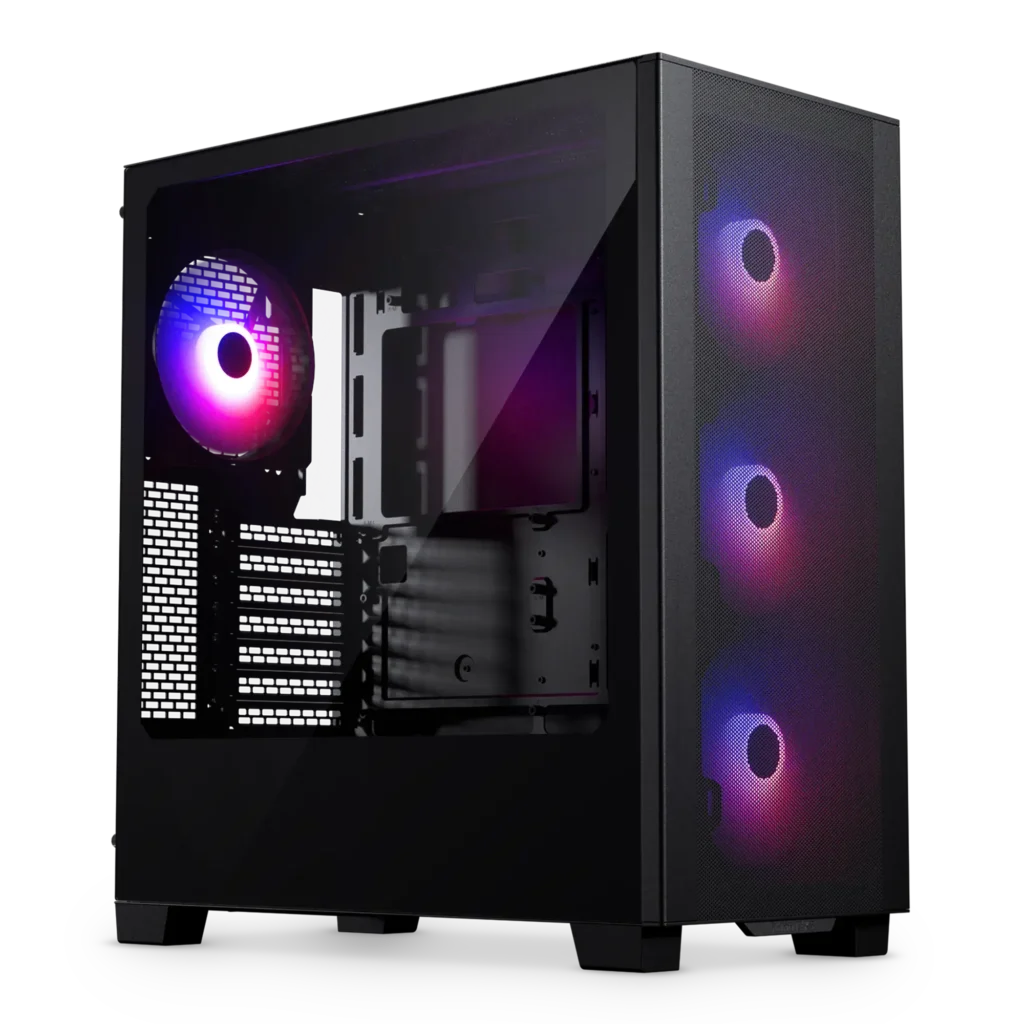
Four 140mm ARGB fans, tempered glass, back-connect motherboard support, and a price around $80. Tom’s Hardware calls it one of the best values in the PC case space. The ARGB fans alone would cost $60–70 bought separately.
Thermal performance is strong not Lancool 207-level, but competitive with everything else in this price range. For a gaming build where you want RGB out of the box and back-connect motherboard compatibility without spending $200, nothing at this price matches the Phanteks XT Pro Ultra on included value.
The build experience is straightforward. Standard ATX layout, generous cable management channels, clear side panel. It’s the case that asks the least of you at this price point while still delivering good thermals.
Don’t buy it if: you want the best possible thermal performance regardless of aesthetics the Lancool 207 is better there. Do buy it if: you want a ready-to-go ARGB build with minimal fan investment at $80.
Corsair 4000D RS Frame — ~$114: Best Build Experience Under $150
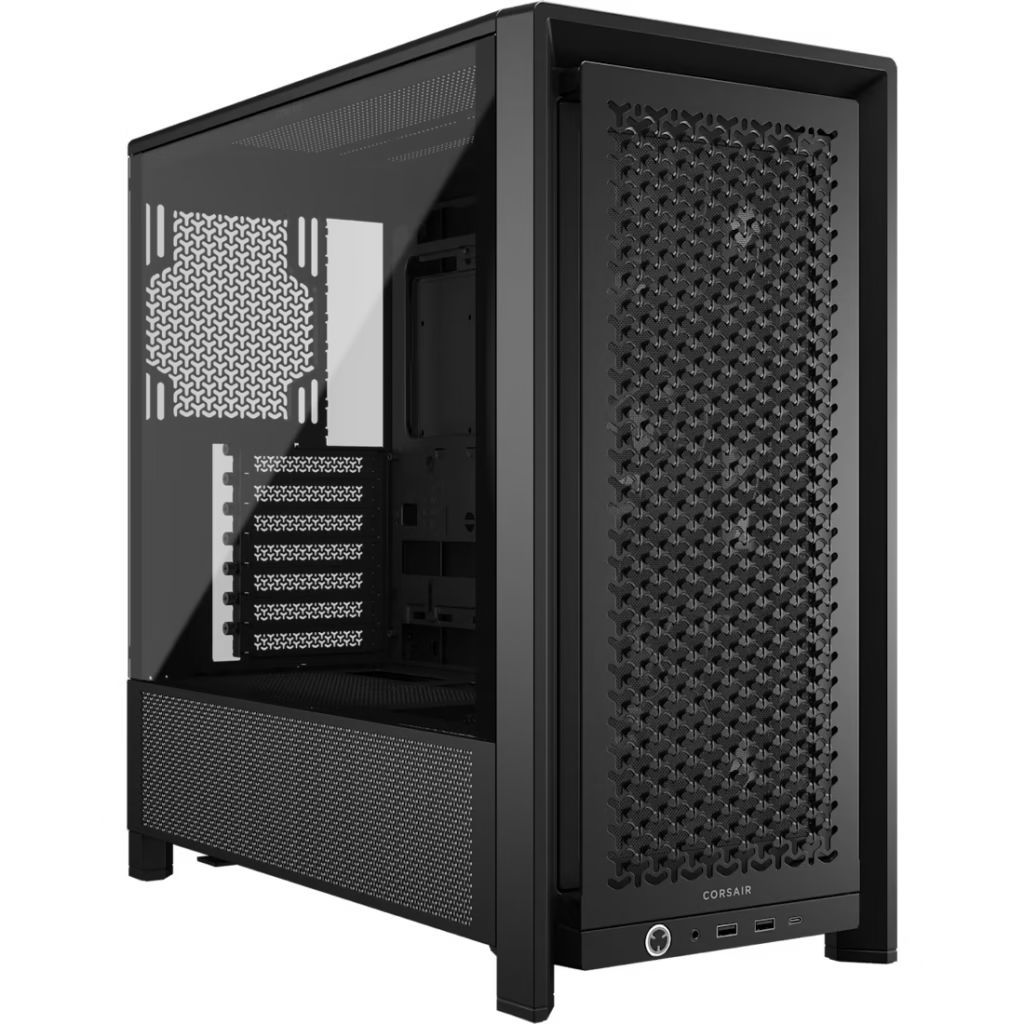
The 4000D Airflow has been one of the most recommended cases in the sub-$100 bracket for years. The RS Frame variant updates it with SHIFT PSU compatibility meaning if you’re running a Corsair HX1000i SHIFT or similar side-mounted PSU, the cable routing works properly without the awkwardness of fitting a SHIFT unit in a standard case.
The build experience is class-leading for the price. Wide cable management channels, Velcro tie-downs, easy panel removal, and generous clearances throughout. If you’ve never built a PC before, this is the case that makes the process least painful.
Thermal performance is strong consistently in the top tier of sub-$100 cases in independent testing, though the Lancool 207 beats it in noise-normalised results. The 4000D RS doesn’t include fans, so factor that into the real cost.
Don’t buy it if: you’re pairing with a standard non-SHIFT PSU and don’t need SHIFT routing the regular 4000D Airflow at a similar price is equally strong without the SHIFT-specific design. Do buy it if: you’re building a Corsair ecosystem setup, especially if pairing with a Corsair SHIFT PSU or AIO.
NZXT H6 — $99.99: Best Showcase Build Under $100
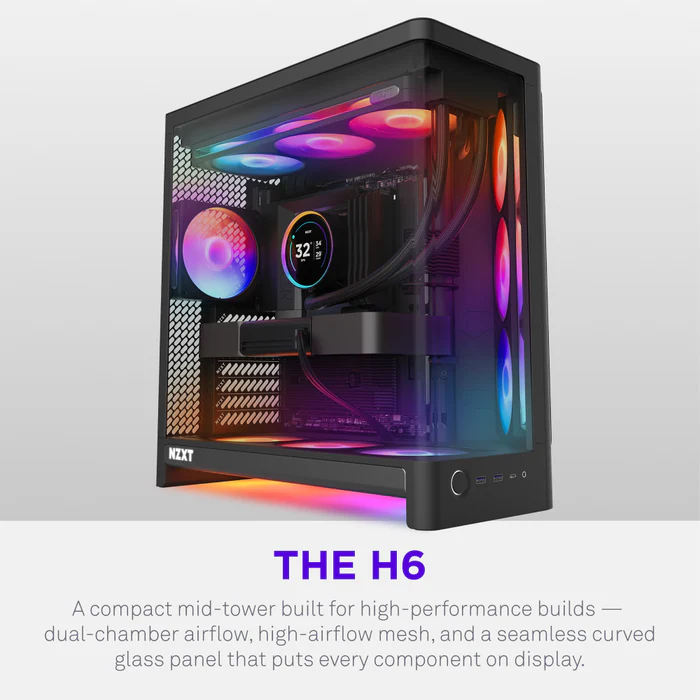
New for June 2026. At exactly $99.99 this is the most expensive entry on this list and the only one that ships without any fans included. Why does it belong here?
Because no other case at this price offers a seamless single-piece curved tempered glass panel, a dual-chamber layout that isolates PSU heat from the main component bay, and native back-connect motherboard support simultaneously. The H6 is the only sub-$100 case built explicitly for how serious builders are building in 2026.
The dual-chamber design keeps PSU exhaust out of the main airflow path. All ten fan positions are standardised 120mm compatible with every fan kit on the market. The angled front-right intake directs airflow diagonally across the GPU and CPU zone rather than relying on standard front-to-rear flow. TweakTown’s thermal testing of the H6 RGB+ (the pre-loaded version at $199.99) found GPU temperatures averaging 68.1°C normalised second place overall in their test suite.
The no-fans situation is the only thing keeping the H6 from being the outright recommendation at $99.99. To get airflow through it you need to spend more. A basic three-fan 120mm kit adds $30–50. That puts the real cost of a running H6 build at $130–150 before you account for cooling which overlaps with the H6 RGB+ territory.
The H6 makes sense at $99.99 if you already own fans specifically if you have a 120mm fan kit you’re happy with and you want the best-looking dual-chamber case at the lowest possible entry price. If you’re starting from scratch with no fans, either buy the H6 RGB+ at $199.99 or spend the $99.99 on the Lancool 207 and keep the extra $15 in your pocket.
Full review: see our [NZXT H6 Review: The Best $99 Case NZXT Has Ever Made].
The Quick Reference
| Case | Price | Fans Included | Best For |
|---|---|---|---|
| Lian Li Lancool 207 | ~$122 | 4 fans | Best thermal performance |
| Phanteks XT Pro Ultra | ~$80 | 4 x 140mm ARGB | Best value RGB build |
| Corsair 4000D RS Frame | ~$114 | 0 fans | Best build experience |
| NZXT H6 | $99.99 | 0 fans | Best showcase build |
All prices current as of June 2026 — verify before purchasing.
What to Look for at This Price
A few things that separate good sub-$100 cases from mediocre ones.
Front panel design matters more than anything else. Mesh fronts move significantly more air than glass or solid steel fronts. The difference between a mesh-front case and a glass-front case can be 5–10°C on GPU temperatures under sustained load. Every case on this list has a mesh or angled intake design. Avoid glass-front cases at this price range you’re sacrificing thermal performance for an aesthetic that more expensive cases handle better.
Fan count changes the real price. A $80 case with four included fans costs less than a $99 case with none if you need to add three fans at $15–20 each. Factor this in before comparing sticker prices.
Back-connect motherboard support. ASUS BTF, MSI Project Zero, Gigabyte Project Stealth these reverse-connector boards are increasingly common in 2026 builds and produce dramatically cleaner interiors. The NZXT H6 and Phanteks XT Pro Ultra both support them properly at this price point. The Lancool 207 does not.
Radiator support. All four cases support a 360mm top-mounted radiator. The Lancool 207 and Phanteks XT Pro Ultra also support front radiators. The NZXT H6 does not the angled intake design doesn’t accommodate a front radiator mount.
SpecClear participates in affiliate programmes. When you purchase through links on this site we may earn a commission at no additional cost to you.