
A PC case that weighs 33 kilograms before you put anything in it tells you everything about what MSI is attempting with the MEG MAESTRO 900R. This is not a case for building a PC inside; it’s a case for building a statement. At $699.99 on Newegg after its Q3 2026 launch, MSI is asking you to decide whether that statement is worth making.
For a specific type of builder, it absolutely is. For most people, it emphatically isn’t, and the rest of this piece is about drawing that line cleanly.
What the MAESTRO 900R actually is
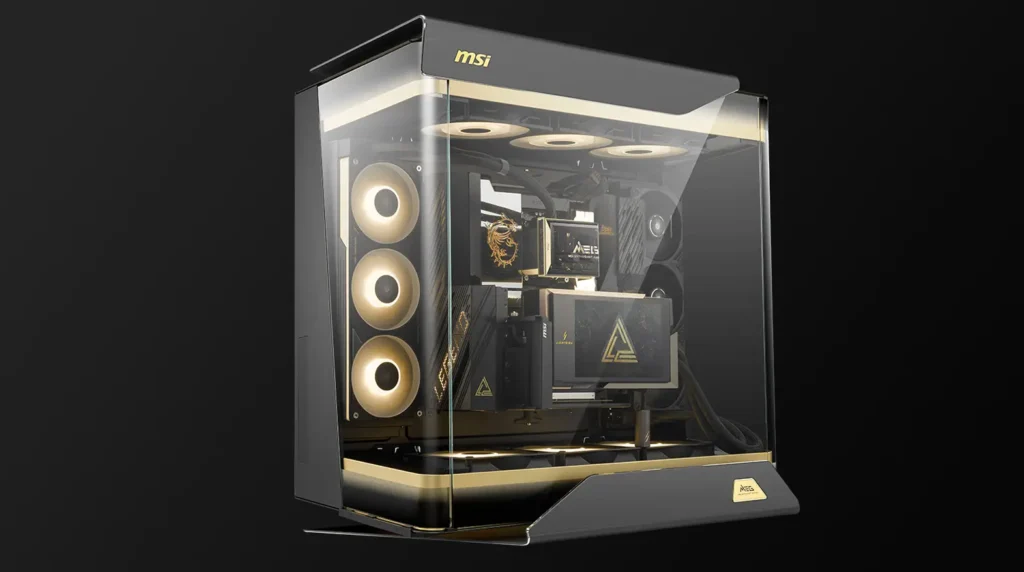
The MAESTRO 900R is a full-tower enthusiast showcase chassis built around a centred motherboard layout surrounded by triple-sided panoramic tempered glass. The glass isn’t an accent; it’s the entire design language. Every major component sits visible from three sides simultaneously. The GPU, CPU cooler, radiators, fans, and custom loop hardware are all on display, all the time, from wherever the case is positioned in a room.
The physical dimensions are 379mm wide, 695mm deep, and 671mm tall. That’s desk-dominating territory. The 33kg empty weight means you’re not moving this case around once it’s built, and once you factor in components you’re looking at 45kg or more for a complete system. Make sure your desk can handle it before ordering.
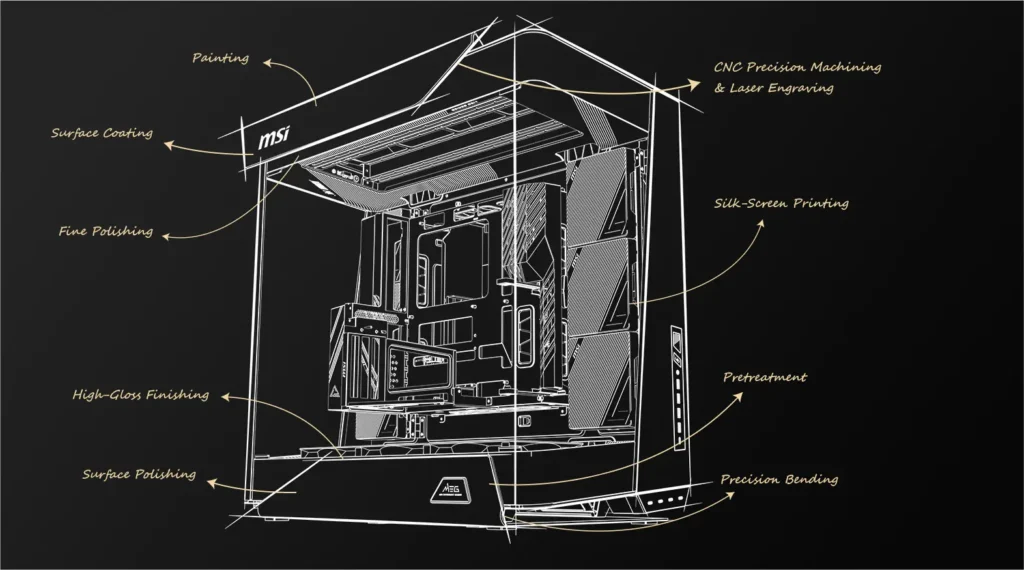
The materials justify the price in the context of flagship cases. CNC-machined 4mm thick aluminium panels, triple-sided curved tempered glass, a precision-vented right side panel with MSI MEG ARGB lighting patterns built in. This is not injection-moulded plastic with a glass window. The finish is genuinely premium and designed to age well rather than feel cheap after a year.
The feature that makes it genuinely different
Everything else about the MAESTRO 900R is impressive but comprehensible. One feature is genuinely novel and worth understanding before dismissing the case as overpriced aesthetics.
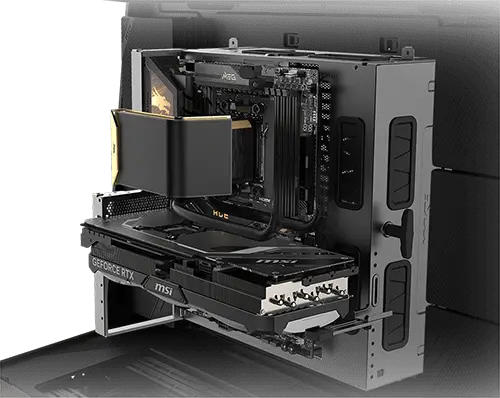
The motherboard tray is completely detachable and rotates into four orientations.
Remove it from the case entirely and it becomes an external test bench. You can mount your CPU, cooler, RAM, and GPU on the tray, boot into BIOS, run diagnostic tests, and verify everything works correctly before the tray and all its installed components slide back into the case for final installation. Cable everything clean on the bench, verify no DOA components, then drop the whole assembly into the chassis.
This is genuinely useful in a way that most case features aren’t. Anyone who has diagnosed a dead-on-arrival CPU or GPU inside a fully assembled system knows how miserable the process is removing the motherboard, tracking down which component failed, reinstalling everything. The MAESTRO 900R’s detachable tray doesn’t eliminate that problem but it significantly reduces the friction of diagnosing it before assembly is complete.
The four-direction rotation is the showcase feature: position the motherboard portrait, inverted, sideways, or rotated 90 degrees and the tray accommodates all of them. Most builders will use the default orientation and never touch this. But for custom loop builders designing a specific visual layout, or system integrators who want a case that adapts to their preferred build workflow, this is a meaningful differentiator.
Cooling support: more than most builders will ever need
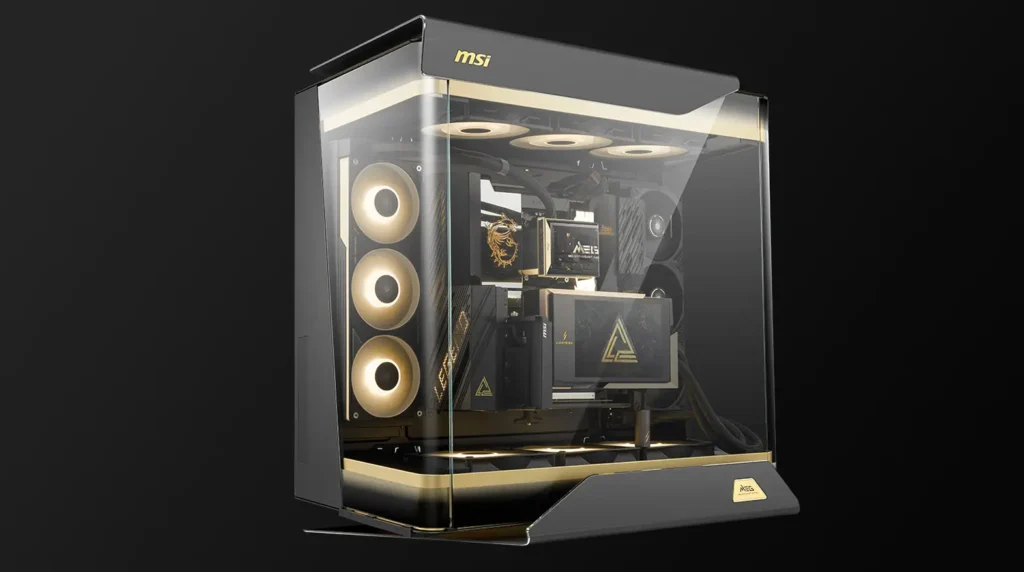
The MAESTRO 900R supports up to 14 fans simultaneously or a dual 420mm radiator configuration. For reference, a typical high-end gaming build runs three intake fans and one exhaust six fans at most in an aggressive configuration. The case’s cooling headroom is designed for extreme custom water cooling setups with multiple radiators, distribution plates, and reservoir combinations. If you are deciding between air and liquid cooling, our air cooler vs AIO guide breaks it down.
Three 160mm reverse-blade fans come pre-installed at the bottom for intake. The bottom-to-top heat dissipation path the case is designed around keeps the GPU cool first, then the CPU, then exhausts through the top: a sensible thermal architecture for high-end hardware under sustained load.
Support for four simultaneous radiators means you can run separate cooling loops for CPU, GPU, and whatever else your build demands. This is a custom loop builder’s case. An AIO builder can absolutely use it (the MEG CORELIQUID E15 360 was shown installed at Computex), but the case’s cooling architecture is designed for far more than that.
The vertical GPU mount comes pre-installed, and a PCIe Gen 5.0 riser cable is included in the box. MSI knows exactly who is buying this case and what hardware they’ll be putting in it. At $7,558 the RTX 5090 Lightning Z sits comfortably inside, which is precisely the build MSI showcased at Computex 2026.
The honest assessment, including the flaws
PC Gamer’s hands-on at Computex identified a legitimate aesthetic weakness: the mesh filter on the roof panel doesn’t extend the full length of the case, leaving a portion of the filter exposed and visible at all times. For a $699 case, an exposed mesh filter is a detail that shouldn’t escape the design team. It’s not a thermal problem; it’s an aesthetic inconsistency in a case where aesthetics are the primary product. MSI may clean this up in a later revision, but buyers of the launch version should know it exists.
The top cover material was also noted as feeling slightly plasticky compared to the aluminium panels elsewhere on the case. Again not a functional problem, but noticeable when you’re running your hands across a $699 chassis and expecting premium materials throughout.
Neither issue fundamentally undermines the case; they’re the kind of details a second revision would clean up. On the launch version shipping now, they’re real.
The PSU position is unconventional
Because the motherboard tray is the structural centrepiece and doubles as a test bench, the PSU mounts behind the motherboard rather than in the conventional base position. When the tray is removed from the case, the PSU mounting area is exposed at the rear. PC Gamer noted this looks slightly odd from the back: the PSU is essentially mounted to the case skeleton rather than behind a modular shroud.
Inside the completed build with the tray installed and glass panels closed, this isn’t visible. Still, it’s worth knowing before you take the tray out for maintenance the first time and see the PSU arrangement from an unfamiliar angle.
Who should buy it
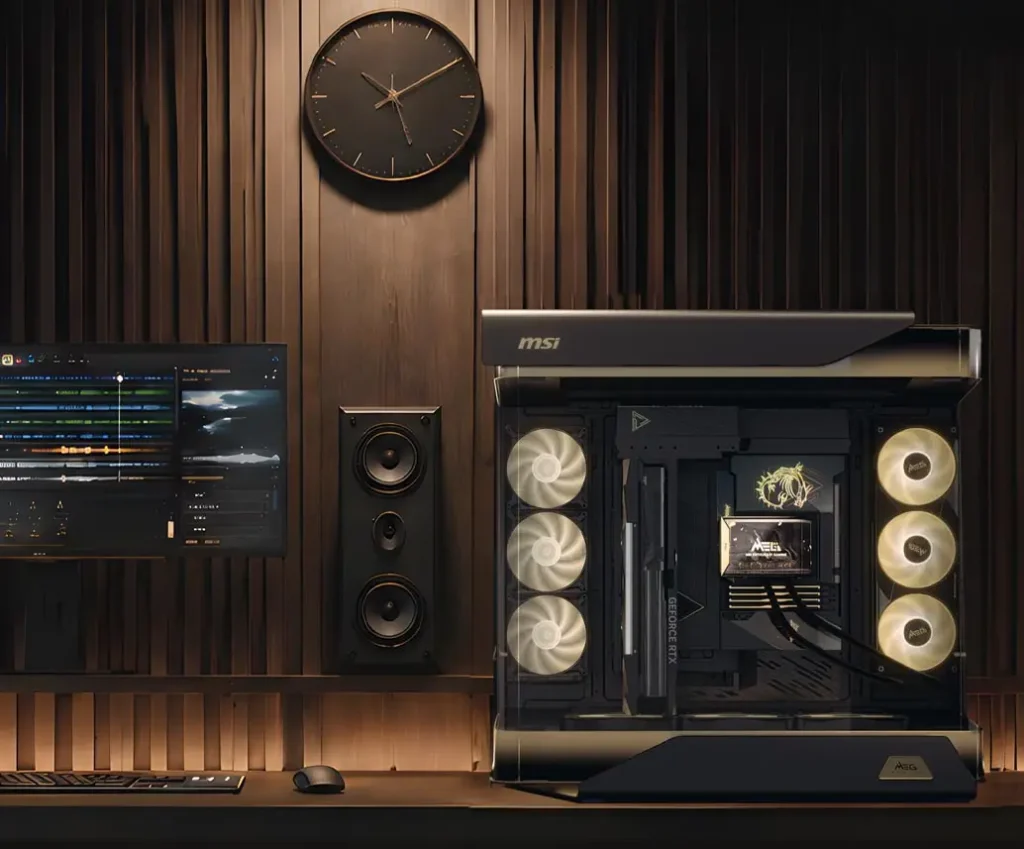
Custom loop builders, extreme enthusiast PC builders, system integrators building showcase machines for clients, and anyone who wants their PC to be a room feature rather than a piece of hardware tucked under a desk. If you’re reading a specification list looking for reasons to justify the $699 and finding it difficult, that difficulty is the answer. The MAESTRO 900R is a premium lifestyle product as much as it’s a PC case, and the purchase decision should be made on those terms.
For builders who want the best airflow per dollar, the Lian Li Lancool 216 at $90 or the Fractal Design Meshify 2 at $203 deliver thermal performance that the MAESTRO 900R’s significantly higher price cannot meaningfully improve on for standard air or AIO cooling setups. The MAESTRO 900R’s cooling headroom is there for the hardware that needs all 14 fan positions filled, not for a Ryzen 9800X3D and a single RTX 5070.
Buy it if you’re building a flagship system with custom loop cooling, premium MSI MEG components, and you want the build to be as visible as the hardware inside it deserves. That’s the case this was built for, and it knows what it is.