
Last updated 11/09/2026
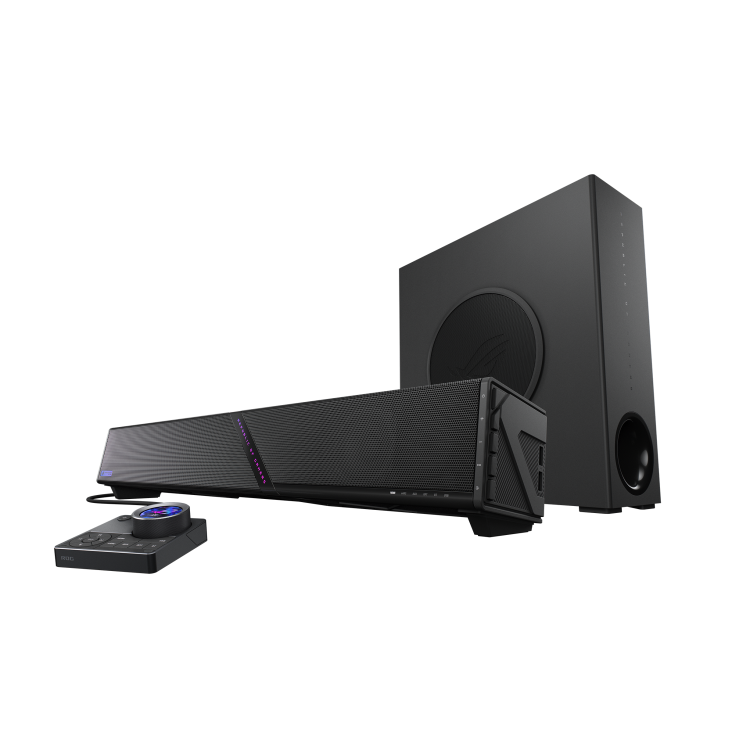
ASUS announced the ROG Gjallar on July 9, 2026, and it hit US retail around August 24 at $599.99 MSRP. That price is the first honest thing to say about it, because it immediately places the Gjallar in premium-soundbar territory rather than the “nicer than monitor speakers” midrange most PC desks actually need. The product fills a genuine gap between headsets and full speaker setups, but at $600 you should be picky about whether it earns the spend.
Here’s what the Gjallar actually is, what it’s competing against at the confirmed price, and whether a gaming soundbar belongs on a PC desk at all.
What ASUS built
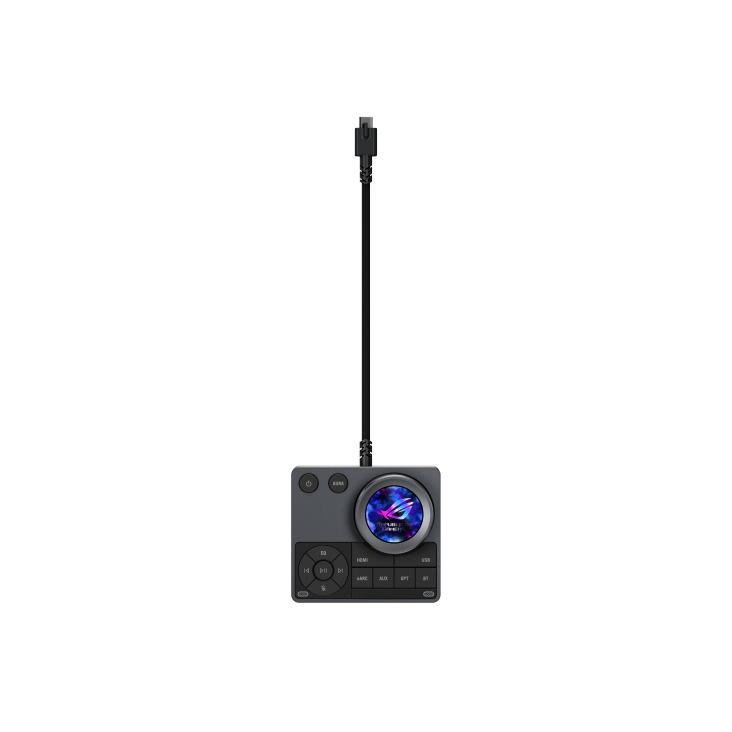
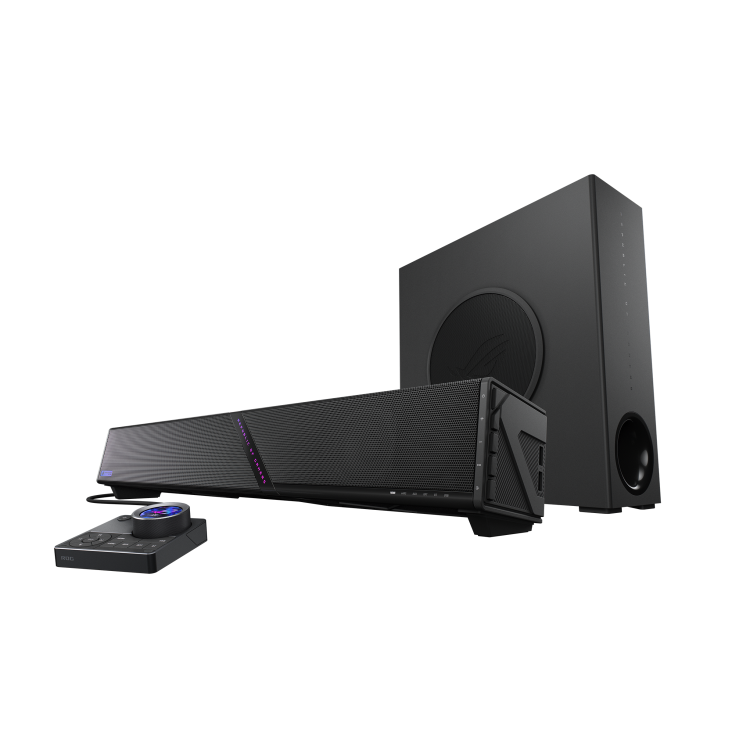
The ROG Gjallar is ASUS’s first standalone gaming soundbar. It’s a 2.1.2-channel Dolby Atmos system with three pieces: a compact soundbar, a wireless subwoofer, and a separate audio control hub.
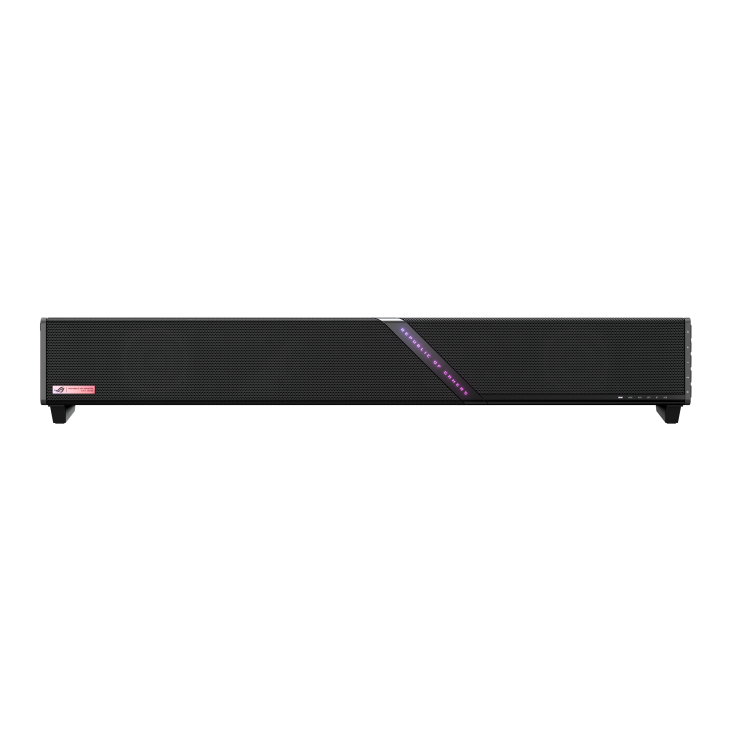
The soundbar measures 607mm wide, 92mm tall, and 82mm deep compact enough to sit under most gaming monitors without blocking the display or requiring a dedicated shelf. It weighs 2.4kg. The wireless subwoofer is a 6.5-inch driver rated at 65W (125 x 315 x 356mm) on a 5GHz wireless link for low-latency bass. The name comes from Gjallarhorn, the mythological Norse horn, and ASUS says it’s pronounced “ga-lar.”
Inside the soundbar are four 50mm full-range drivers, two 27mm tweeters, and two upward-firing channels for Dolby Atmos height effects. The 2.1.2 channel configuration means two channels of height audio on top of the standard 2.1 left-right-sub arrangement, giving you the vertical dimension that Dolby Atmos uses to place audio above and around you rather than just beside you.
The audio control hub is a separate desktop unit that handles volume, EQ profile switching, input source selection, microphone adjustments, and RGB lighting. It houses the built-in beamforming microphones (two of them) with Acoustic Echo Cancellation for voice chat during gaming. You speak toward the hub rather than the soundbar itself.
The connectivity is genuinely full
HDMI 2.1 with eARC and 4K 120Hz passthrough means you can connect the Gjallar between your PC and monitor: video signal passes through to the display while audio is handled by the soundbar. This is the correct way to connect a soundbar to a PC setup and eliminates the need for separate audio cables. Two USB-A ports on the side of the soundbar handle wireless dongles, USB headsets, or external storage, which reduces cable clutter on the desk considerably.
Additional connections cover USB-C, optical, AUX, and Bluetooth 5.3. The multi-platform support is genuine: PC, Mac, PlayStation, Xbox, Nintendo Switch, and mobile devices all connect without adapters. EQ settings, microphone adjustments, and RGB lighting are customisable through ASUS Gear Link via a web portal or mobile app without requiring software installation.
The category question: do PC gamers actually need a soundbar?
Gaming soundbars sit in an awkward spot between headsets and dedicated speaker setups, and this is where honest evaluation matters more than spec-sheet enthusiasm. A quality headset still delivers better positional audio for competitive play than any desk soundbar can; you can’t fake drivers sitting millimetres from each ear with speakers on your desk. The Gjallar’s Dolby Atmos processing can sound convincing for immersion, but room acoustics mean a headset keeps the competitive edge for footsteps and directional cues.
What a soundbar like the Gjallar does better than headsets is everything else: long sessions without ear fatigue, natural ambient sound during cutscenes and narrative games, music and streaming that fills the room instead of living in your head, shared listening when someone else is around, and conversation without ripping a headset off every two minutes. If you would still rather use a headset, see our best gaming headsets under $100.
The honest use case for the Gjallar is a builder who wants better audio than their monitor’s speakers (and essentially every gaming monitor has terrible built-in audio) without living in a headset for every session. Single-player gaming, RPGs, strategy titles, narrative games, movies, music playback. For competitive FPS players who care about hearing footsteps precisely, a headset remains the correct tool. The Gjallar isn’t replacing a headset. It’s replacing the scenario where you reach for one because your only alternative is the monitor speakers.
The competition it’s going up against
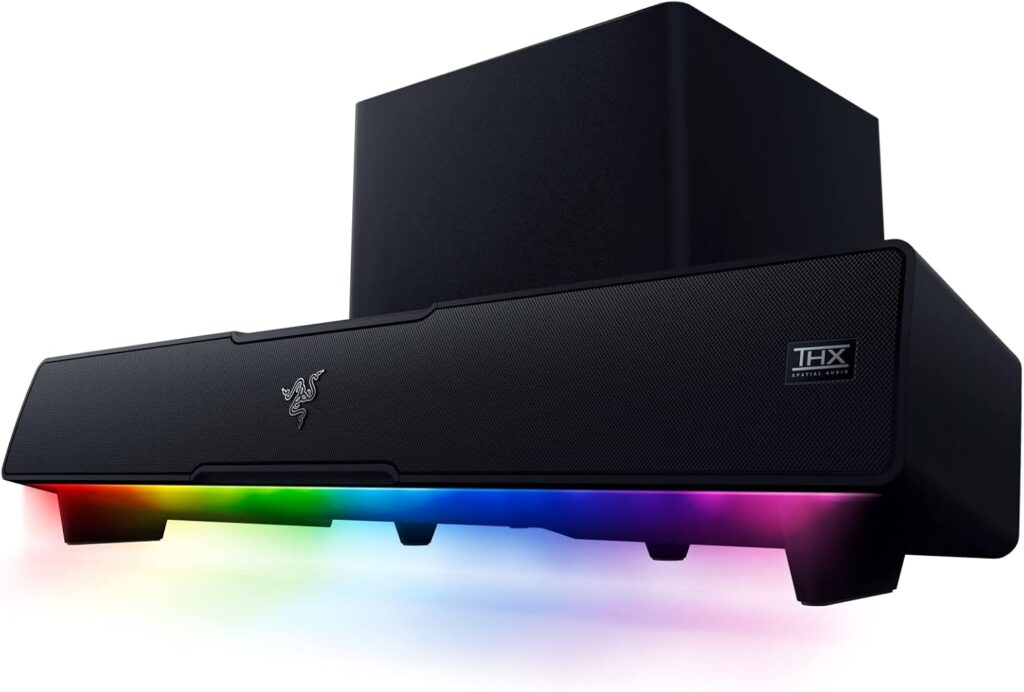
Razer’s Leviathan V2 Pro still sits around the high-$100s to low-$200s depending on the retailer and remains the value benchmark for PC gaming soundbars, with similar Atmos ambitions and a longer track record. Razer’s Nommo V2 Pro (wireless sub plus control hub) typically lands roughly $150 under the Gjallar’s $599.99 MSRP, which matters when you’re shopping the same desk-audio-with-a-sub idea. Creative’s Sound BlasterX Katana V2 remains a lower-priced alternative if you don’t need the ROG feature stack.
With pricing confirmed at $599.99, the competitive picture is no longer incomplete, and it’s not flattering on value alone. That’s more than twice what many solid 2.1 PC speaker kits cost, and independent coverage (including Tom’s Hardware’s August 24 review) has been lukewarm: decent sound for a soundbar, limited soundstage, awkward industrial design, and built-in mics that reviewers found hard to recommend. At this price the Gjallar needs to sound and feel premium; early reviews say it mostly sounds fine and feels unfinished in the software and mic department.
The Gjallar’s inclusion of HDMI 2.1 eARC and 4K 120Hz passthrough is still a genuine convenience win that many cheaper kits skip. For a PC gaming setup where a single HDMI cable handles both video and audio routing, that’s a meaningful convenience advantage.
The TechPowerUp community concern worth addressing
TechPowerUp’s coverage of the announcement included a reader comment thread where several experienced audio community members expressed scepticism about gaming soundbars generally noting that Dolby Atmos spatial processing from a desktop soundbar often produces muddy positional audio rather than the precise imaging the spec sheet implies, particularly in small room environments. For another ROG desk product, see our ROG Azoth Extreme Edition 20 and Harpe II review.
This is a legitimate concern. Dolby Atmos height channels in a soundbar work by reflecting audio off the ceiling which means ceiling height, room acoustics, and desk position all affect the result significantly. In a typical gaming room with 2.5m ceilings and mixed furniture, the height effect is modest rather than dramatic. The Gjallar’s upward-firing channels can also be turned off if the room doesn’t support them.
This doesn’t make the Gjallar a bad product. It means the experience will vary considerably by environment, and anyone expecting the Gjallar to replicate the positional precision of a surround speaker setup should calibrate expectations appropriately.
What to do right now
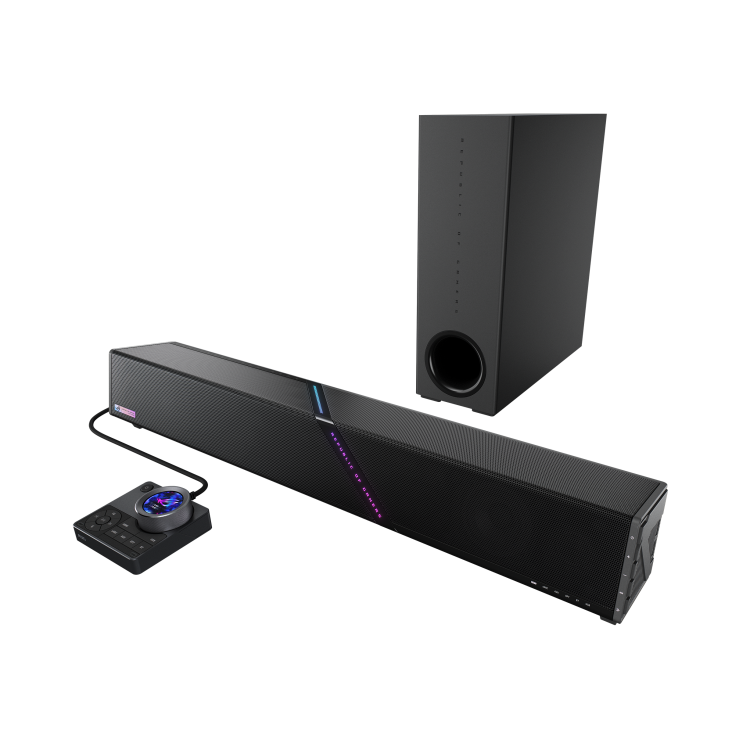
The Gjallar is available now in the US through ASUS and major retailers at $599.99, though stock has been patchy (sold-out and notify-me pages show up regularly). Compare it directly against a Leviathan V2 Pro or Nommo V2 Pro at current street pricing before you pay the ROG premium; that comparison clarifies the value case immediately.
If you want better desk audio without spending flagship money, buy a midrange soundbar or 2.1 kit first and keep a headset for competitive play. If you specifically want HDMI 2.1 eARC passthrough, the wireless sub, and the ROG control hub in one box, and you’ve heard it (or trust the early reviews enough), the Gjallar is the feature-complete option. Just go in knowing $600 buys convenience and branding as much as it buys sound quality.
The Gjallar is still one of the most feature-complete gaming soundbars shipping in 2026. At $599.99 it is not the best value soundbar of 2026, and you should only buy it if the HDMI passthrough, sub, and hub combo is exactly what your desk is missing.