
SpecClear earns a commission if you buy through Newegg links on this page, at no extra cost to you.
Most people who dismiss Redragon have never used one. The name sounds like a budget brand, the prices are suspiciously low, and the assumption fills in the rest: cheap switches, plasticky construction, e-waste in a box.
That assumption is wrong for keyboards and mice specifically, and right for some other things they make. This article is about what Redragon actually delivers at the price, where the brand genuinely competes, and where it doesn’t.
The short answer: if you’re building a capable gaming PC on a tight budget and have $30-$55 left for peripherals, Redragon keyboards and mice deserve serious consideration. They shouldn’t be dismissed. But you should know what you’re getting and what you’re not.
Who Redragon Is
Redragon was founded in 2012 and is a Chinese PC gear brand dedicated to gaming peripherals, mechanical keyboards, mice, headsets, and accessories. The brand specialises in the low to mid-tier budget segments, producing hardware that’s good quality but significantly cheaper than established brands.
They’ve been doing this for over a decade. The community around Redragon keyboards on Reddit and YouTube is substantial, more than 2,000 verified Trustpilot reviews and consistent coverage on Tom’s Hardware. This isn’t a fly-by-night brand shipping one product and disappearing. They have a catalogue of over 200 products and a track record long enough to evaluate properly. For how Redragon boards compare with other brands, see our best gaming keyboard picks.
The business model is straightforward: source competitive hardware from Chinese manufacturers, apply Redragon branding, sell at margins that undercut Corsair, Razer, and Logitech by 60-75% on comparable feature sets. The trade-off is build finish, software ecosystem, and customer support quality, not the fundamental functionality of the switches and sensors.
The Keyboards: Where Redragon Genuinely Delivers
Redragon keyboards are highly rated for their performance, affordability, and durability. Many gamers and streamers prefer Redragon over expensive gaming keyboards due to their reliability and feature-rich designs.
That’s not marketing, it’s consistent with independent community testing. Here’s why.
Mechanical switches are a commodity. The switch inside a $35 Redragon keyboard and the switch inside a $150 Corsair keyboard operate on the same fundamental mechanism, a spring-loaded mechanism that registers a keypress at a defined actuation point. Redragon uses their own branded switches (Red, Blue, Brown equivalents) on most models, and the actuation feel difference between Redragon Red switches and Corsair Red switches is real but subtle. Both register correctly. Both last millions of keystrokes. The budget buyer paying $35 is not getting a meaningfully inferior typing or gaming experience from the switch alone.
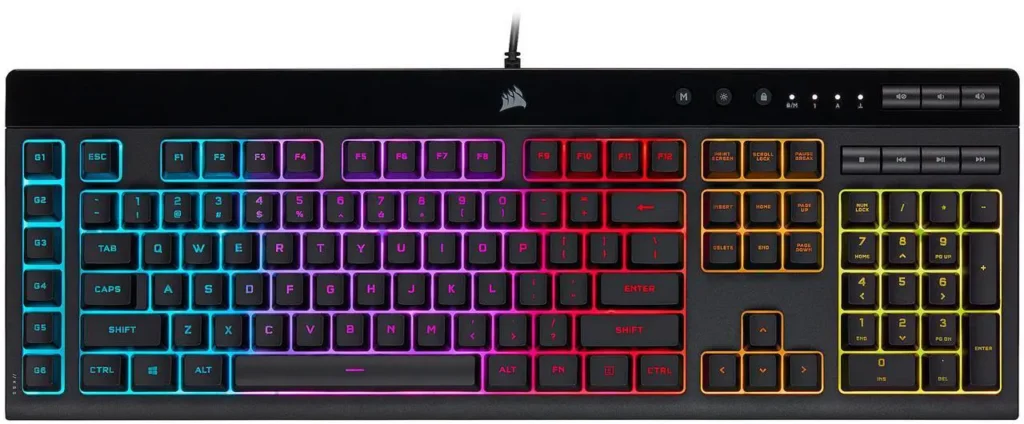
What the budget keyboard doesn’t give you is gasket mounting (the softer, more cushioned typing feel of premium keyboards), aluminium top plates (most Redragon boards use steel or plastic), PBT keycaps (most ship with ABS, which develops shine faster under finger contact), or hot-swap sockets on every model.
The K617 HE: The One That Changes the Conversation
The K617 HE at around $44 on Newegg is the Redragon product that most directly challenges the assumption that budget means compromised. It’s a 60% layout keyboard, no function row, no navigation cluster, arrows tucked behind modifier keys, with Hall Effect magnetic switches. K617 HE ($44)

Hall Effect switches don’t use physical contact to register a keypress. A magnet passes through a sensor. No wear, no contact degradation, no actuation point drift over time. Adjustable actuation from 0.1mm to 4.0mm. Rapid Trigger support, the switch resets at whatever point you define rather than a fixed reset point. These are the specifications of competitive keyboards costing $150-$200, on a Redragon keyboard at $39-$47.
The limitation is the 60% layout, not for everyone. Losing the function row and navigation cluster requires learning modifier key combinations for anything those keys normally do. For competitive gamers who never leave WASD, it’s a non-issue. For anyone who uses F-keys regularly for shortcuts or needs dedicated arrow keys, the full-size K552 or TKL K552-RGB at $35-$42 on Newegg is the right choice instead.
The K552: The Entry Point That Still Works
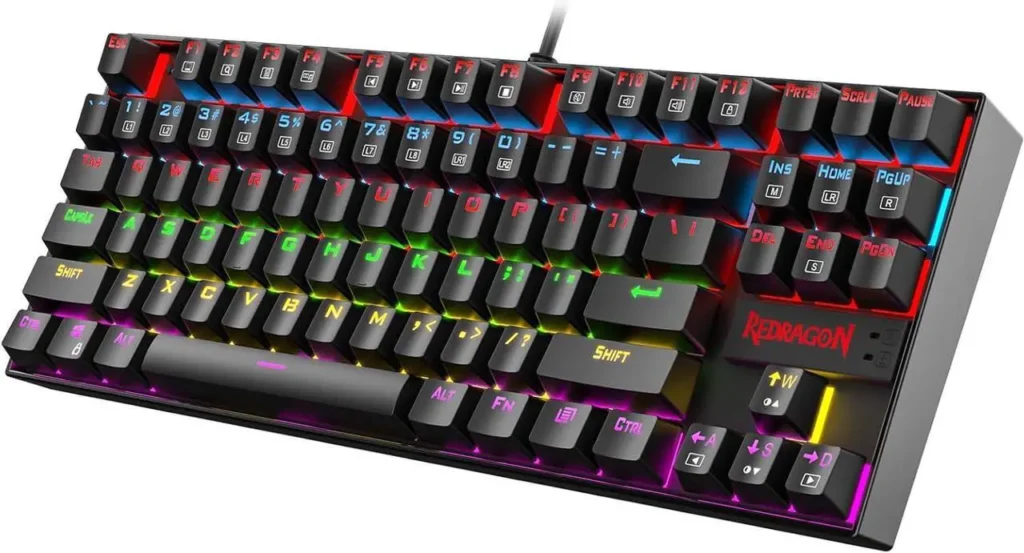
The K552 TKL at $ 55 on Newegg has been Redragon’s most recommended keyboard for years for a simple reason: it works correctly, it’s built on a steel plate frame that doesn’t flex, it has full anti-ghosting, and it comes with genuine mechanical switches at a price where the competition is membrane keyboards pretending to be mechanical. K552 TKL ($55)
The Redragon K552 features a compact 87-key TKL layout with no separate number pad. Red, Blue, or Brown switch options. Per-key RGB. Windows-lock key to prevent accidental minimisation during games. The build quality comparison to a $150 Razer BlackWidow is audible in the typing sound and tactile in the plate flex, they’re not the same product. The comparison to a $35 membrane keyboard is immediately and obviously in Redragon’s favour.
For a first PC build where the peripheral budget is $50 total: K552 for $35-$42, cheap mouse for the rest.
The DITI: One-Handed Gaming Keyboards Done Right
The Redragon DITI K585 is the one-handed gaming keyboard that LOBOTEX uses personally, and the hands-on experience confirms what the spec sheet suggests. The concept is straightforward, a left-hand keypad with only the keys a gamer needs, no right-side of the keyboard taking up desk space, mechanical switches with proper actuation.
Where Redragon hits the nail: the DITI’s build feels solid, the key spacing is correct for gaming hand positions, and the mechanical switches respond correctly. It doesn’t feel like a toy. For accessibility use cases, streaming setups with limited desk space, or gamers who’ve always wanted to ditch the right side of the keyboard during play, the DITI delivers on the concept at $45-$55 versus the $90-$120 that specialty one-handed keyboards from major brands command.
The Mice: Solid Sensors at Budget Prices
Redragon mice in 2026 are competitive in the entry-to-mid tier for one specific reason: they ship with reputable optical sensors at price points where competitors use inferior sensors or inflate margins heavily.
The M711 COBRA and M711-FPS at $19 on Newegg use optical sensors with genuine 10,000-16,000 DPI capability, not interpolated DPI that achieves the rated number by extrapolating from a lower native resolution, but actual native sensor resolution. At $19 these mice are legitimate gaming peripherals, not props. M711 COBRA ($19)
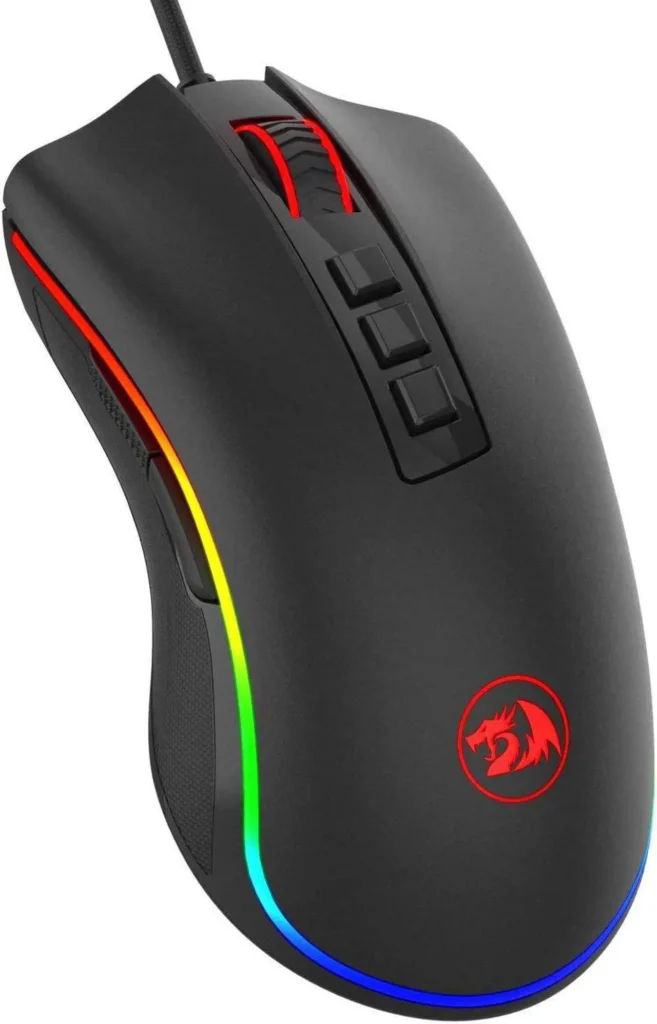
The honest limitation on Redragon mice is weight. Most Redragon gaming mice run 100-130g, solid and substantial, which some players prefer, but significantly heavier than the 46-60g ultralight competitive mice from Razer, Logitech, and SteelSeries. If weight is the priority, if you want to reduce arm fatigue during extended sessions or prefer the floaty movement of an ultralight, Redragon doesn’t compete in that segment. For a builder whose priority is “functional gaming mouse under $30,” Redragon is the right answer.
The scroll wheel and side button tactile quality are noticeably different from premium mice, softer clicks, slightly imprecise side button travel. These are the tells that indicate budget construction. In actual gaming use they don’t cause problems. In direct comparison to a $60 Logitech G305, the differences are immediately apparent.
Where Redragon Doesn’t Compete
This is the part most Redragon guides skip. There are categories where the brand’s budget positioning produces products that are genuinely inadequate rather than good-enough compromises. If you are building on a tight budget overall, our $800 gaming PC build shows where to spend and where to save.
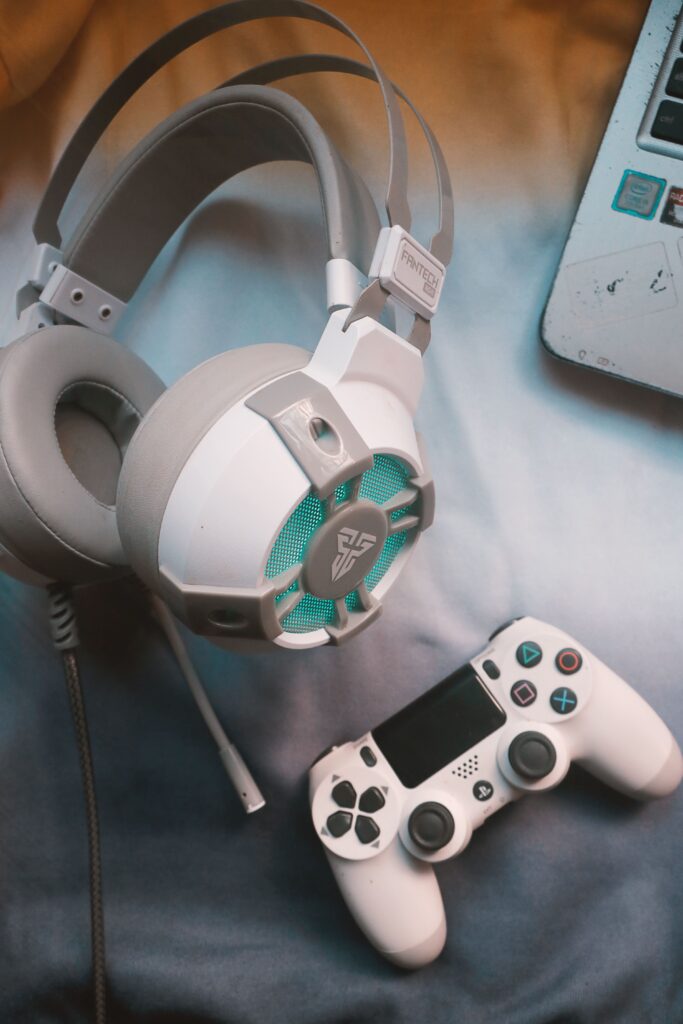
Headsets. The audio driver quality in Redragon headsets produces sound that’s noticeably muddier and less spatially accurate than even budget dedicated gaming headsets from Logitech or HyperX at similar prices. For gaming where positional audio matters, CS2, Valorant, any competitive FPS, the difference is functional, not just aesthetic. A Logitech G325 at $49.99 outperforms Redragon headsets in the same price range in audio quality and microphone clarity. This is the category to avoid Redragon. For better options at the same money, see our best gaming headsets under $100.
Microphones. The capsule quality in Redragon standalone microphones doesn’t capture the frequency range that makes a voice sound natural and present. Redragon microphones capture voice but the output sounds like a compressed phone call. For streaming, voice chat, or any content where audio quality is visible, these microphones underserve the use case. A HyperX QuadCast at $139 or a Blue Yeti Nano at $80 are the correct alternatives.

Mousepads. These are fine, cloth surface, stitched edges, reasonable materials. Nothing exceptional but nothing to avoid.
The Value Picture: What $50 Actually Buys
For a builder who has spent $800-$1,200 on PC components and has $50 left for keyboard and mouse:
Redragon K552 TKL (~$55 on Newegg) + Redragon M711 COBRA mouse (~$19 on Newegg) = $74 total. That’s a mechanical keyboard with full anti-ghosting and a legitimate optical mouse with accurate sensor tracking. Both will work correctly for years of daily gaming use.
The same $74 at Logitech buys a membrane keyboard and a basic wired mouse. The same $74 at Corsair buys a budget membrane keyboard. For mechanical switches at this price, Redragon has almost no competition from established brands.
The step up to name-brand quality, Logitech G Pro X TKL Rapid at $149 plus Logitech G305 X Superlight at $74, costs $223 total. The typing feel and mouse weight difference are real improvements. They are not $164 better for most gaming use cases.
The Honest Verdict
Redragon keyboards and mice are not e-waste. They are legitimate gaming peripherals built at price points that require compromises in materials and finish quality, but not in fundamental functionality. For budget builders, first-time PC owners, or anyone who wants working mechanical keyboards and accurate mice without premium brand premiums, Redragon delivers. For why budget brands can sell at these prices, read our explainer on how budget PC hardware is made.
Buy Redragon if: your peripheral budget is under $70 total and you want mechanical switches and a genuine optical sensor. The K552 TKL and M711 COBRA combination is the most value-per-dollar peripheral setup currently available.
Don’t buy Redragon if: headsets or microphones are the category in question. Those products underserve their use cases and better alternatives exist at similar prices from Logitech and HyperX.