
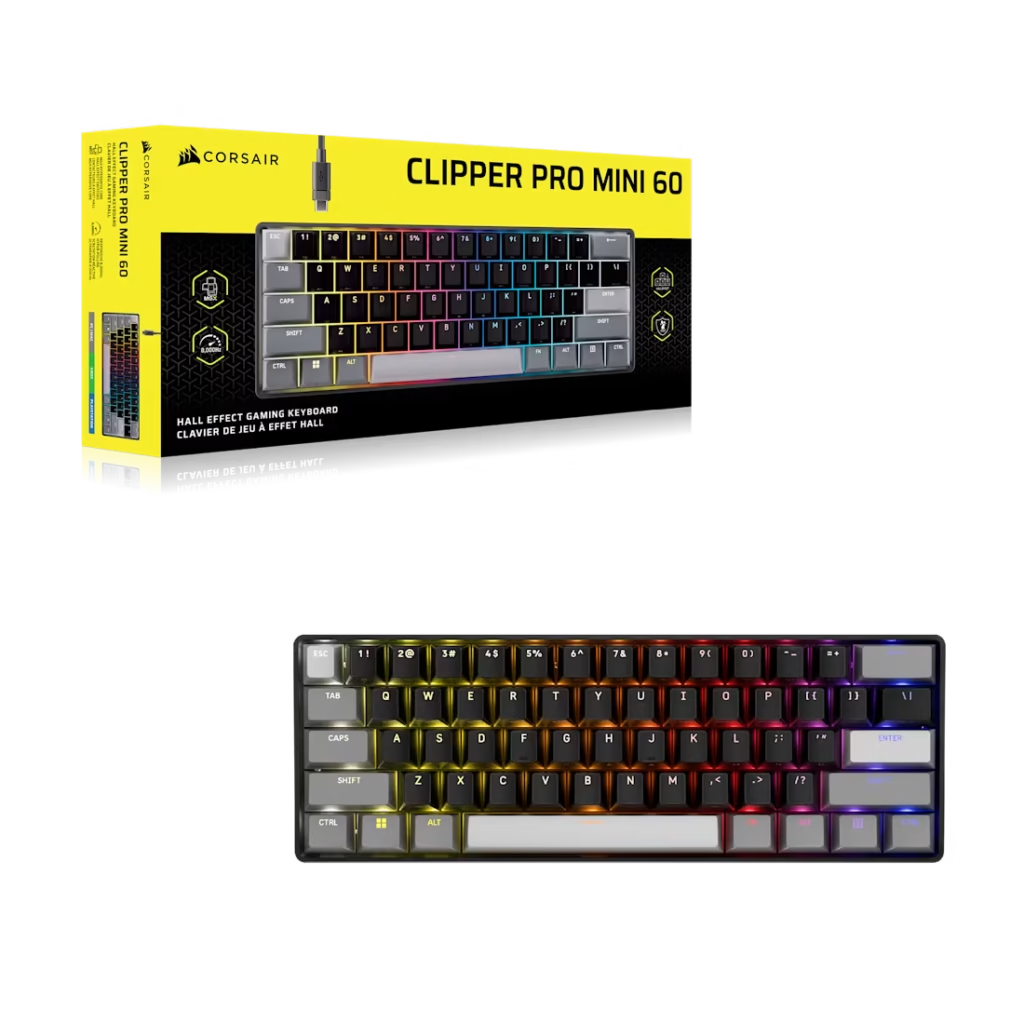
Sixty percent keyboards have always had one honest problem. You buy them for the desk space. You buy them for the wider mouse movement. And then you spend the next week fighting the muscle memory you built on a full-size board, hunting for arrow keys that aren’t there, and wondering why you thought this was a good idea.
Corsair’s CLIPPER PRO MINI 60 doesn’t solve that entirely. But it gets significantly closer than anything else at this price.
Released June 2, 2026 at $99.99 (Corsair also lists some configs near $89.99 as of September 2026), the CLIPPER PRO MINI 60 is a 60% Hall Effect gaming keyboard with MGX HYPERDRIVE CORE magnetic switches, 8,000Hz polling, IP57 water and dust resistance, and a set of Hall Effect features that address the specific frustrations of the 60% form factor in ways that previous compact keyboards haven’t. It’s one of the more interesting keyboard launches of Computex 2026 is not because it reinvents anything, but because it packages genuinely useful competitive features at a price that doesn’t require justification.
Corsair CLIPPER PRO MINI 60 — Full Specs
| Specification | Detail |
|---|---|
| Form Factor | 60% |
| Switches | MGX HYPERDRIVE CORE Magnetic Hall Effect |
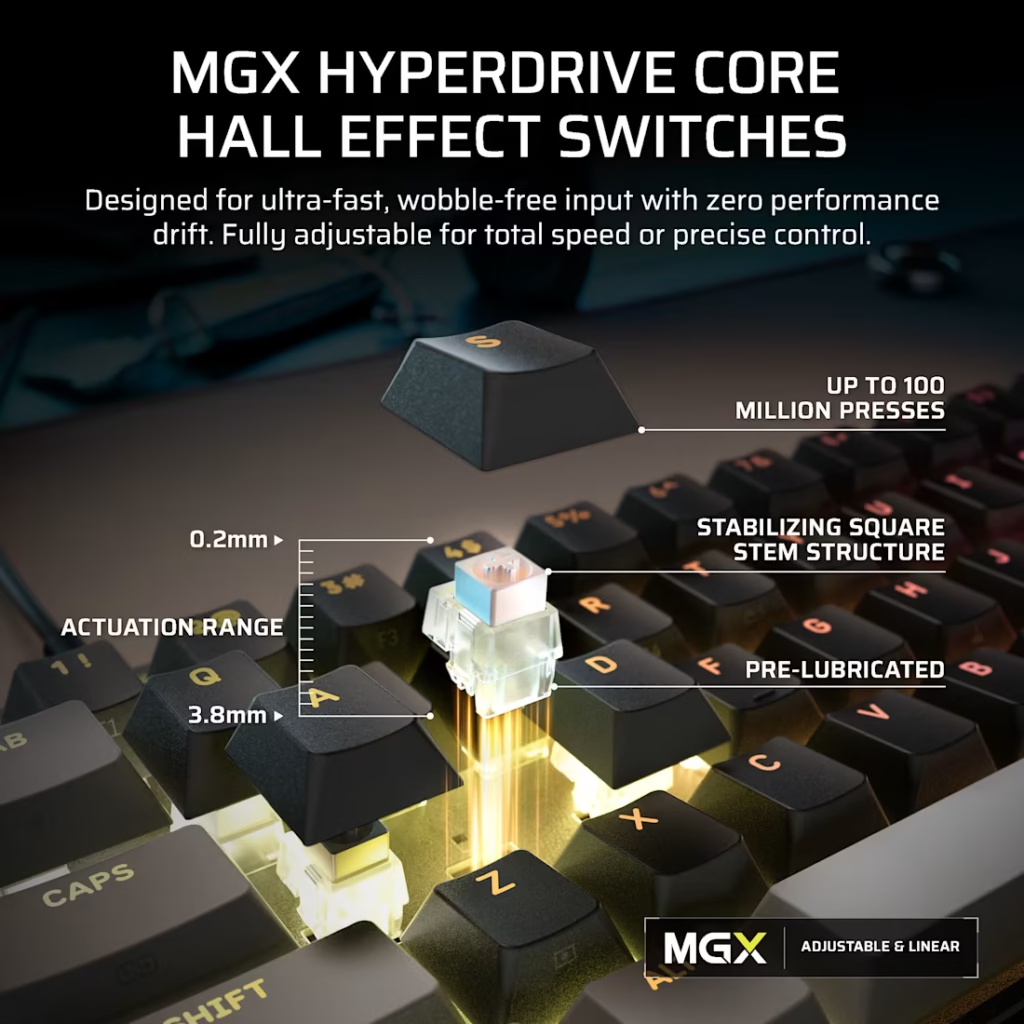
| Actuation Range | Adjustable 0.2mm to 3.8mm |
| Rapid Trigger Reset | 0.1mm |
| Polling Rate | Up to 8,000Hz |
| SOCD Support | FlashTap SOCD |
| Water Resistance | IP57 rated |
| Sound Dampening | Dual-layer integrated |
| Onboard Profiles | 5 |
| Connectivity | Detachable USB-C to USB-A braided cable |
| Compatibility | PC, Mac, Xbox, PlayStation |
| Software | Corsair Web Hub (browser-based, no installation) |
| Warranty | 2 years |
| Price | $99.99 |
What Hall Effect Actually Means Here
Hall Effect switches use a magnet and a sensor to detect key position rather than physical contact points. The practical result is that the actuation point is adjustable in software you’re not locked to the point where two metal contacts meet. On the The CLIPPER PRO MINI 60, each key is individually adjustable from 0.2mm to 3.8mm in 0.1mm increments.
For competitive play, the relevant spec is Rapid Trigger. Standard keyboards register a keypress when the key goes down past the actuation point, and reset when it comes back up past it. Rapid Trigger changes this: the key resets the moment you start lifting it, regardless of position, as long as you’ve moved upward by the configured reset distance — 0.1mm minimum on this keyboard.
For FPS games, this means counter-strafing and movement cancellation register faster because the key doesn’t need to travel back above a fixed threshold to reset. For any game where rapid key re-presses matter which is most of them and it’s a meaningful improvement over standard switch behaviour.
The MGX HYPERDRIVE CORE switches are Corsair’s latest Hall Effect generation. They feature a square stem structure compared to the traditional round stem, which reduces side-to-side wobble during keypresses. On a compact keyboard where keys are already closer together, that reduced wobble has a more noticeable effect on typing feel than it would on a full-size board.
The Three Features That Make This Keyboard Interesting
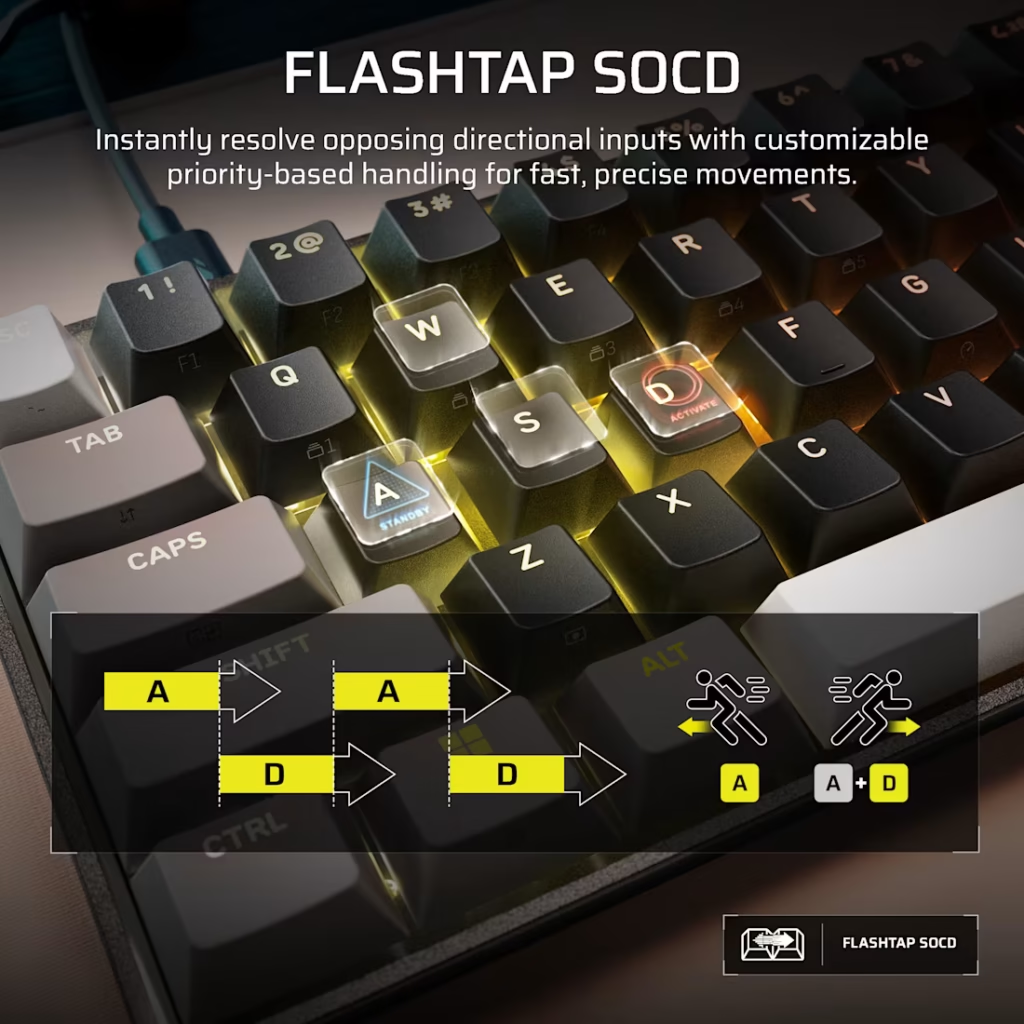
The standard Hall Effect features endure adjustable actuation, Rapid Trigger, FlashTap SOCD are table stakes now. Every Hall Effect keyboard at this price tier offers them. What makes the CLIPPER PRO MINI 60 worth paying attention to are three features Corsair calls Multi Action, Tap Lock, and Smart Tap.
Multi Action
Standard keyboards do one thing per key per press. Hall Effect keyboards can do two plus one action at half-press, another at full press. Multi Action extends this to four distinct actions per key across four configurable trigger points: half-press, full-press, half-release, and full-release.
The practical application is inventory and ability management. In an RPG or a tactical shooter, you might assign: half-press to open a menu, full-press to confirm a selection, half-release to preview an item, full-release to close. Four in-game actions from a single key. You’re not doing this for typing you’re configuring it for a specific game and saving it as a profile.
Tap Lock
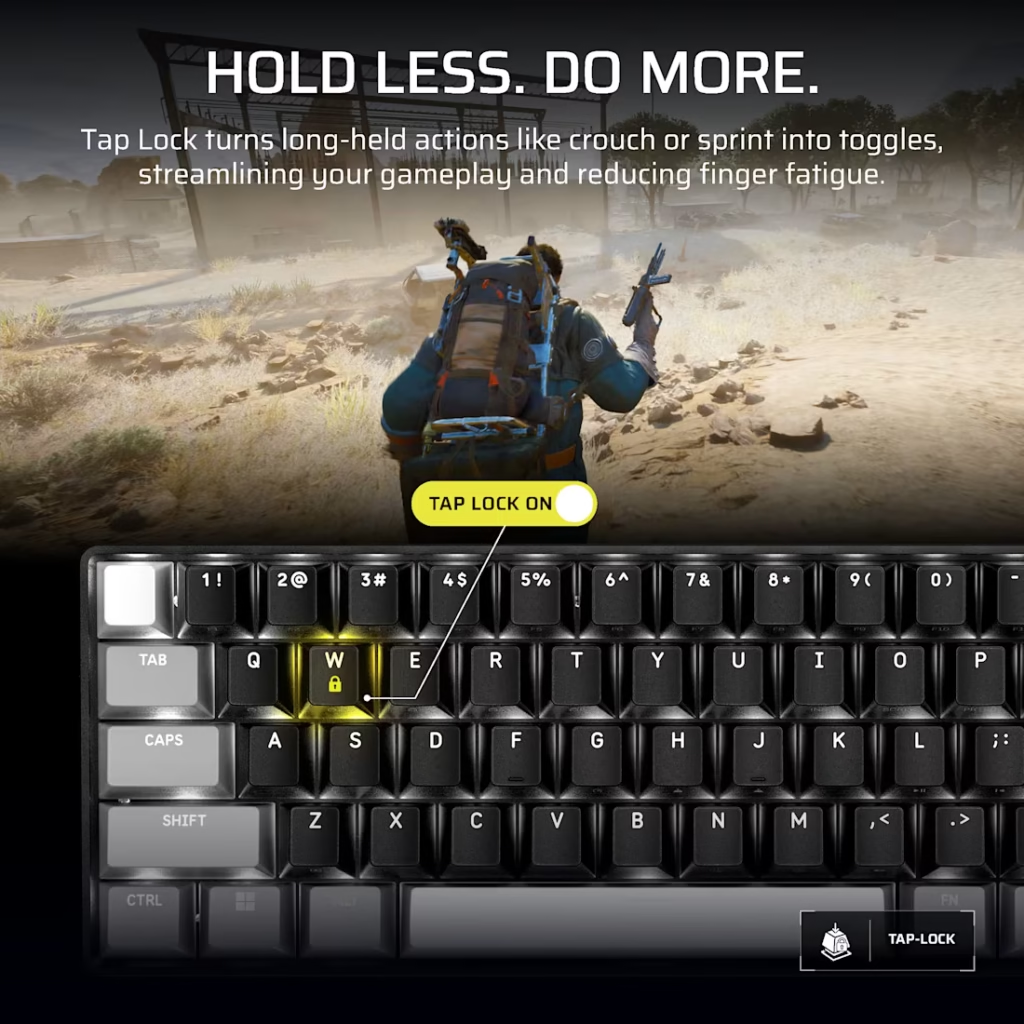
Long-hold keys are an ergonomic problem on any keyboard. Sprint, crouch, throttle in racing games as well as any action you hold for sustained periods puts fatigue on your finger over a long session.
Tap Lock turns a hold action into a toggle. One tap engages it, one tap disengages it. The key still sends the hold signal to the game as if you were physically holding it. Your finger isn’t. For any game where sustained holds are part of normal play, this is worth setting up.
Smart Tap
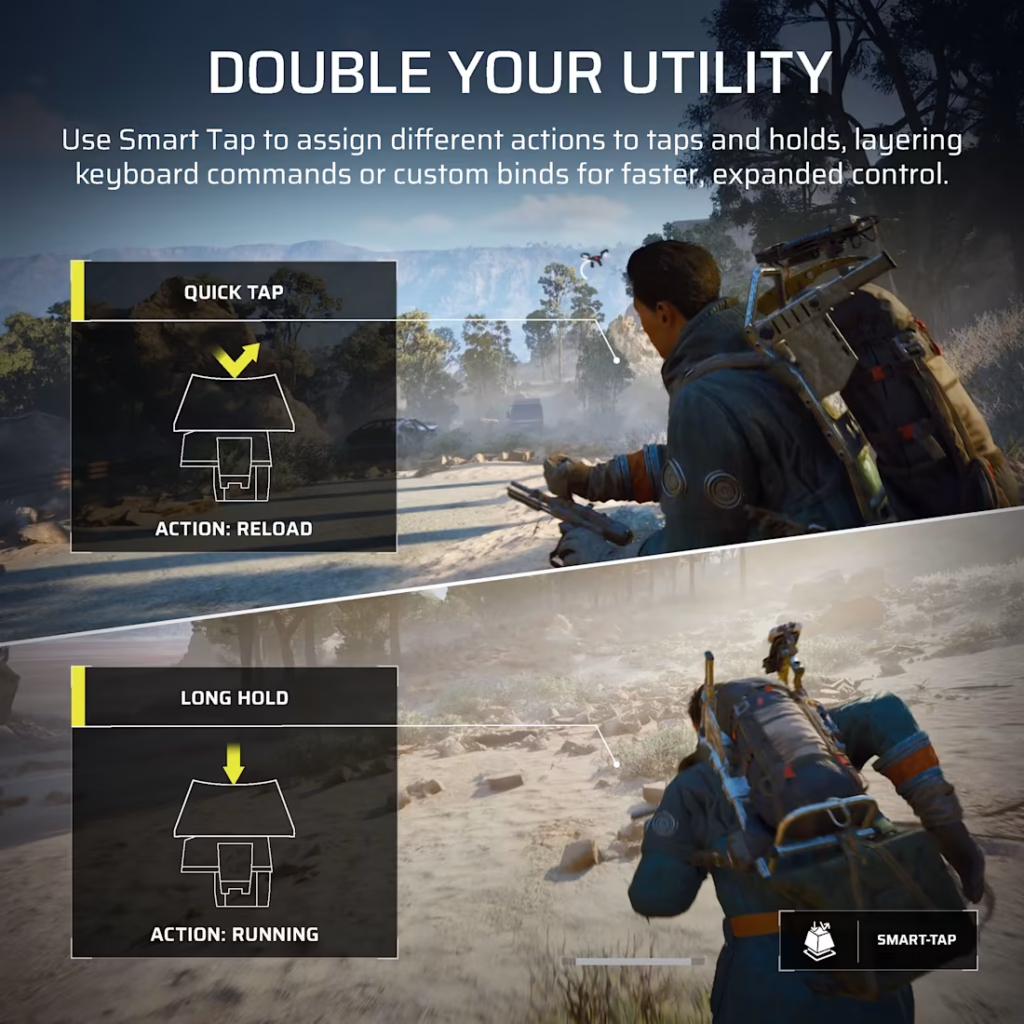
This one is the most relevant to the 60% frustration problem.
Standard 60% keyboards handle missing keys like arrows, function row, navigation cluster by layering them onto existing keys behind function combinations. FN + WASD for arrows is the typical setup. It works, but it breaks flow. You have to hold FN while pressing the secondary function key, which interrupts whatever you were doing to reach for a modifier key.
Smart Tap changes this: a quick tap of a key triggers one function, a held tap triggers a different one. This means you can map arrow keys to WASD as a held action, with no FN modifier required. Press and hold W briefly then arrow up. Quick tap W — W key for movement. The distinction between a tap and a hold is configurable.
It’s not perfect. There’s an inherent timing difference between tap and hold actions that takes adjustment. But it’s a better solution than FN layers for people who use a 60% as their daily keyboard and need arrow keys regularly.
The IP57 Rating — Why It Matters More Than It Sounds
Hall Effect keyboards aren’t supposed to have IP ratings. The sensors and magnet arrays that make Hall Effect switches work are more sensitive to liquid ingress than physical contact switches, which can sometimes dry out and recover. IP57 on a Hall Effect keyboard took serious engineering work.
IP57 means: fully protected against dust ingress (6 being maximum, 5 is dust-tight), and protected against temporary submersion in up to 1 metre of water for 30 minutes. The submersion spec is for accidental immersion supporting that Corsair specifies waiting 72 hours after any submersion before normal use to allow drying time.
For practical desk use, the relevant protection is the 5 in IP57 the dust rating. Dust accumulation inside switches degrades Hall Effect sensor accuracy over time. Full dust protection means the keyboard maintains accurate actuation readings longer than an unsealed Hall Effect keyboard would.
The water rating matters most in the scenario most people face: a drink spill during a gaming session. At IP57, a full glass of water going directly onto the keyboard doesn’t end it. That’s not something you can say about most Hall Effect keyboards at any price.
The Software — Corsair Web Hub
Corsair has moved away from iCUE for their newer peripherals, and this keyboard is configured entirely through Corsair Web Hub when its a browser-based tool that requires no download or installation. Open a browser, navigate to the Web Hub, plug in the keyboard and it’s detected immediately.
From Web Hub you can adjust per-key actuation points, configure Rapid Trigger thresholds, set up Multi Action mappings, assign Tap Lock to specific keys, configure Smart Tap timing, build RGB profiles, and manage the five onboard profiles. Settings saved to onboard profiles stay on the keyboard among no software running in the background required.
The Web Hub approach is either a positive or a neutral depending on your workflow. If you’re on a PC where installing software isn’t a concern, you lose nothing compared to iCUE. If you’re configuring at a friend’s PC, a dorm computer, or a console setup, not needing a software install is genuinely useful.
The 60% Experience — The Honest Part
If you’ve never used a 60% keyboard, understand what you’re signing up for before buying this one.
There’s no function row. No dedicated arrow keys. No numpad. No home, end, page up, page down, insert, delete cluster. All of those functions exist on the keyboard — they’re layered behind FN combinations or Smart Tap configurations as long as they’re not at your fingertips the way they are on a TKL or full-size board.
For people whose PC use is primarily gaming, this isn’t a significant issue. The keys you need during gameplay are all there. The ones you need for browser navigation, spreadsheets, or any productivity work are awkward until you’ve configured them to your liking.
The benefit is real. A 60% keyboard clears significant desk space to the right of your left hand, which moves your mouse closer to centre and reduces the arm travel required for wide mouse sweeps. If you play on a large mousepad at low sensitivity, this matters.
The CLIPPER PRO MINI 60 is better than most 60% keyboards at addressing the missing-keys frustration through Smart Tap and Multi Action. It doesn’t eliminate the compromise — it makes it more manageable.
$99.99 — Is It Worth It?
At $100, the CLIPPER PRO MINI 60 is one of the better-value Hall Effect keyboards currently available. Here’s what you’re paying against:
The Wooting 60HE runs $175. The Q10 HE from Keychron is around $90 but lacks IP protection and the full Multi Action/Smart Tap feature set. The SteelSeries Apex Pro Mini doesn’t have IP rating at comparable pricing.
$99.99 for IP57 protection, 8,000Hz polling, 0.1mm Rapid Trigger, Multi Action, Tap Lock, Smart Tap, and a two-year warranty is a solid package. The keyboard launched June 2, 2026 and is available directly from Corsair’s webstore and authorised retailers.
If you’re building a gaming desk and considering a 60% layout, or if you’re an existing 60% user frustrated by missing keys, this is the most complete package at this price point. It isn’t perfect yet it has no 60%but is the hardware Corsair has clearly spent engineering time on the specific problems that make compact keyboards frustrating, and it shows.
SpecClear participates in affiliate programmes. When you purchase through links on this site we may earn a commission at no additional cost to you.