
Gigabyte hasn’t released a gaming keyboard in six years.
Their last one was the AORUS K1 in 2020. Cherry MX switches. Perfectly fine for its time, and then immediately dated as the rest of the market moved to Hall Effect, adjustable actuation, and 8,000Hz polling. For half a decade, Gigabyte sat out the keyboard market entirely while building GPUs, motherboards, and monitors that people actually bought.
The AORUS K10 INFINITY is their return to the keyboard space.
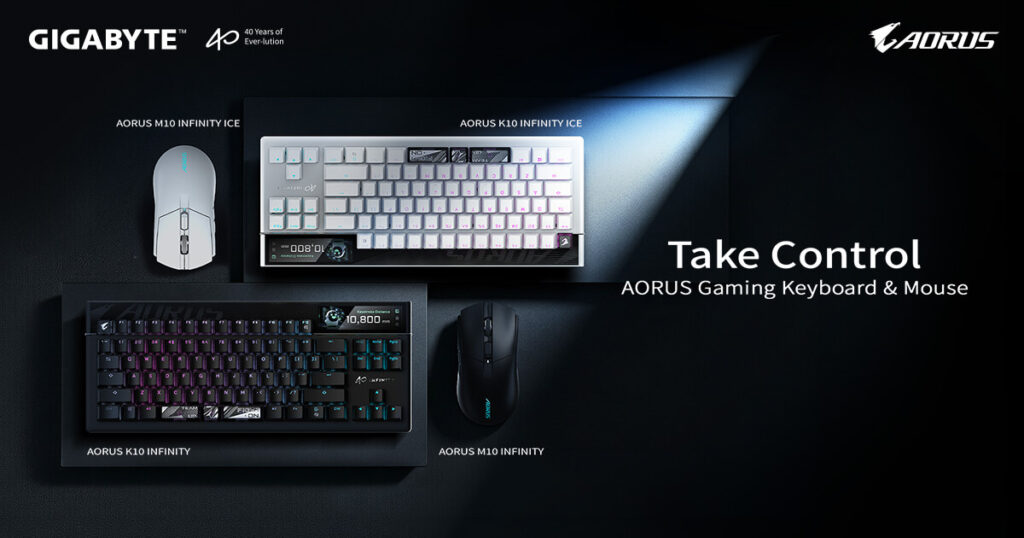
Announced at Computex 2026 on June 2, the K10 INFINITY pairs competitive-grade magnetic switches and 8,000Hz polling with a built-in 3.1-inch OLED touchscreen a feature nobody else in the gaming keyboard market has shipped at this level. The companion AORUS M10 INFINITY mouse rounds out the package.
Pricing hasn’t been confirmed at time of writing. Gigabyte announced the products at Computex without retail figures attached, which typically means a Q3 launch window with pricing dropping closer to availability. This article covers everything confirmed from the announcement so you know exactly what you’re looking at when pricing does land.
Gigabyte AORUS K10 INFINITY — Full Specs
| Specification | Detail |
|---|---|
| Switches | Tactical Magnetic (Hall Effect) |
| Trigger Adjustment | 0.1mm increments |
| Multi-Stage Trigger | Yes — multiple actuation points per key |
| Polling Rate | 8,000Hz |
| Switch Lifespan | 100 million keystrokes |
| OLED Touchscreen | 3.1-inch, full-colour, 311 PPI |
| Onboard Storage | Yes |
| Software | GiMATE Web Edition (browser-based, no install) |
| Colours | Black, ICE White |
| Custom Macro Support | Yes |
| Availability | TBC — announced Computex June 2026 |
| Price | Not yet confirmed |
What Gigabyte Is Actually Doing Here
The keyboard market in 2026 has a spec table problem. Walk through a list of competitive keyboards and the numbers blur together: Hall Effect switches, 0.1mm actuation, 8,000Hz polling, Rapid Trigger, browser-based software. Every brand now hits these numbers. The hardware is largely flat.
So the differentiators have moved elsewhere. Corsair put a Stream Deck button in a mouse. Razer moved to haptic actuation. Gigabyte put a screen on a keyboard.
That last move sounds like a gimmick. It isn’t or at least, it doesn’t have to be. The question is what the screen actually does, and whether it does it better than not having one.
The Keyboard With an OLED Screen — What It Does and Why It’s Not Just a Gimmick
The K10 INFINITY has a 3.1-inch full-colour OLED display at 311 PPI built into the top right corner of the keyboard. That’s retina-grade pixel density you won’t see individual pixels at a normal viewing distance from your desk.
From the screen you can access: keyboard profiles, per-key trigger settings, lighting customisation, audio controls, and the Combat Power analytics overlay. All of this without touching a keyboard shortcut, opening software, or pressing a button sequence. You tap the screen directly.
The practical advantage over keyboards without a screen is that profile and trigger adjustments happen without interrupting what you’re doing on your monitor. On a keyboard without a screen, changing actuation or switching profiles means tabbing out of your game or navigating iCUE-style software. On the K10 INFINITY, you glance down,tap once and done.
Whether that matters to you depends entirely on how often you change settings. Competitive players who lock a profile and leave it alone will get less value from the screen than players who tune actuation between game types, or content creators who switch profiles between applications regularly.
Combat Power
This is the feature that’ll be genuinely useful to some people and completely irrelevant to others.
Combat Power tracks your gaming performance metrics in real time through the keyboard’s OLED display: Actions Per Minute, key mileage (total keystroke distance covered), precision percentage, and error count. The data updates live while you play.
For players actively working to improve their mechanical performance on particularly in CS2, Valorant, or any FPS where input consistency matters in having this data visible without opening a separate analytics tool is a real benefit. High error count during aim training means your trigger settings need adjustment. APM drops during a specific game phase show where your decision-making slows down.
For casual players, it’s an interesting number to glance at occasionally. The screen is there regardless, so it costs nothing either way.
The Tactical Magnetic Switches — What’s Actually Inside
Gigabyte calls these “tactical magnetic switches.” The 0.1mm trigger precision points to Hall Effect technology rather than the newer TMR (Tunnel Magneto-Resistance) switches, which a few brands have been introducing recently.
Hall Effect switches use a magnet and Hall Effect sensor to detect key position without physical contact. The result is adjustable actuation anywhere in the key’s travel range, no contact wear, and consistent performance over the 100 million keystroke rated lifespan.
Multi-stage trigger support means you can set different actions at different actuation depths on the same key though its similar in concept to Corsair’s Multi Action on the CLIPPER PRO MINI 60. For gaming, this lets you bind separate commands to a half-press and a full press of the same key.
8,000Hz polling means the keyboard reports its state to the PC 8,000 times per second the same competitive-grade polling rate now standard across the top tier of gaming keyboards.
The AORUS M10 INFINITY Mouse
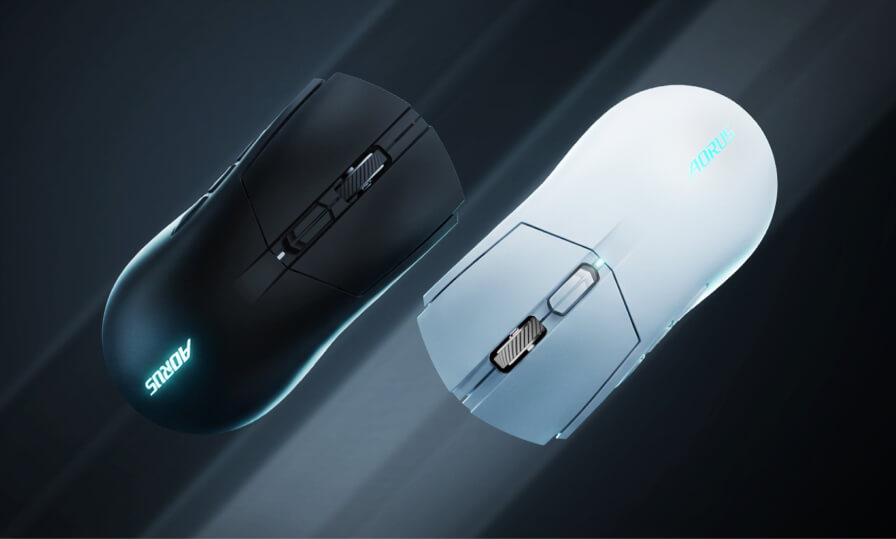
The companion mouse to the K10 INFINITY. Announced alongside it at Computex with the same GiMATE Web Edition software for configuration.
| Specification | Detail |
|---|---|
| Switches | Optical |
| Polling Rate | Up to 8,000Hz |
| Shell Material | Excimer-coated |
| Base Material | Aluminium-magnesium alloy |
| Special Feature | Native Nvidia Reflex 2 support |
| Onboard Storage | Yes |
| Software | GiMATE Web Edition |
| Colours | Black, ICE White |
| Price | Not yet confirmed |
The construction split between an excimer-coated shell and an aluminium-magnesium alloy base is worth understanding. The excimer coating gives the exterior a matte, skin-friendly texture that resists oils and reduces grip fatigue over long sessions. The aluminium-magnesium alloy base provides structural rigidity and a consistent weight distribution will be heavier and more stable than full-plastic construction without the bulk of a heavier shell.
Native Nvidia Reflex 2 support is the M10’s most technically interesting spec. Reflex 2, Nvidia’s system latency reduction technology, works at the hardware level when both the display and peripheral support it natively. A mouse with hardware-level Reflex 2 integration reduces end-to-end input latency below what software-only Reflex achieves. If you’re gaming on an Nvidia GPU with a Reflex-compatible monitor, the M10 INFINITY in the chain tightens the pipeline further.
Black and ICE white colour options match the keyboard for a coordinated aesthetic relevant for the setup builders who buy matching peripherals.
GiMATE Web Edition — No Software to Install
Both the K10 INFINITY and M10 INFINITY are configured through GiMATE Web Edition Gigabyte’s browser-based platform that handles all customisation without requiring software installation.
Open a browser, navigate to GiMATE, connect the devices and they’re detected immediately. From there you can adjust trigger points, configure profiles, customise lighting, set macros, and monitor performance. Settings are saved to onboard storage on both devices, so your configuration travels with the hardware rather than being tied to a specific PC.
This approach is becoming standard among keyboard manufacturers at the same time Corsair uses Web Hub for their newer products, Wooting has had browser-based configuration for years. For anyone who uses their peripherals across multiple PCs, dislikes having software running in the background, or just prefers not managing another application, it’s the right call.
Should You Wait for This or Buy Something Now?
There’s no pricing yet, so a direct recommendation isn’t possible. But the framework for a decision is clear.
Wait for the K10 INFINITY if:
- You’re in the market for a new keyboard and the OLED screen and Combat Power analytics genuinely appeal to you
- You’re a Gigabyte ecosystem buyer — running an AORUS GPU or motherboard — and want peripheral continuity
- You want to see pricing before committing to anything else in this spec tier
Don’t wait if:
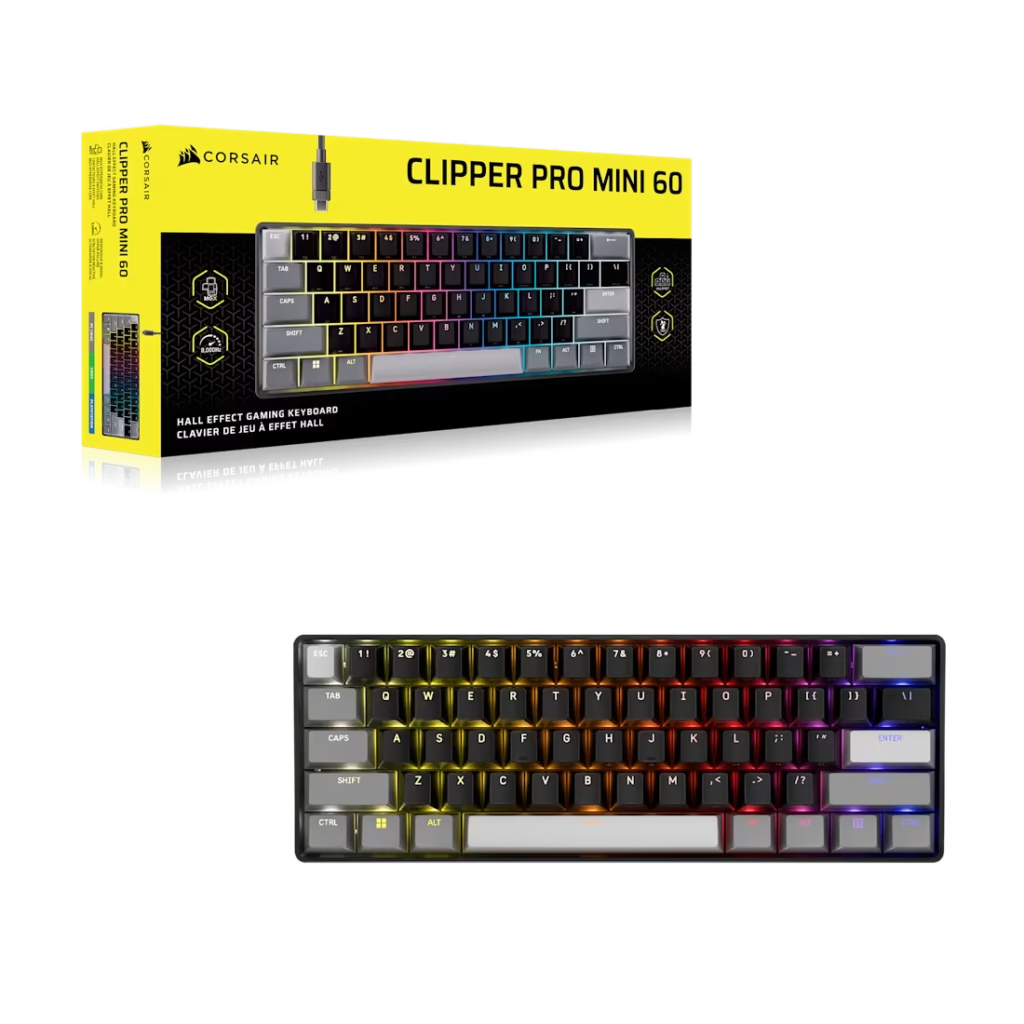
- You need a keyboard now — the Corsair CLIPPER PRO MINI 60 at $99.99 offers Hall Effect with 8,000Hz polling today with no uncertain pricing
- You don’t care about the OLED screen — the screen is the differentiator, and without it the K10 INFINITY is a well-spec’d magnetic keyboard competing against already-available alternatives
- The OLED adds significant cost beyond the competitive tier — if pricing lands above $200 for the keyboard, the value proposition gets complicated fast
The K10 INFINITY is the most interesting keyboard announced at Computex 2026. Not because the specs are dramatically better than the competition they’re not but because Gigabyte is betting that a real-time analytics display on a keyboard solves a genuine problem for serious players. Whether the execution delivers on that bet is something reviews will answer when production units reach testers.
Watch for pricing. If it lands in the $150-$180 range it’s competitive. If the OLED pushes it north of $200, the Wooting 60HE and Corsair offerings become easier recommends while you think it over.
SpecClear participates in affiliate programmes. When you purchase through links on this site we may earn a commission at no additional cost to you.