
Lossless Scaling is worth $6.99 in 2026 when you want smoother motion in games that never shipped frame generation. It is not a free FPS printer, and it is not a substitute for a GPU that cannot hold a stable base frame rate.
Lossless Scaling can be useful, but people often misunderstand what it is doing and assume it is going to solve all their problems. In short, it can improve smoothness when you apply it correctly in the right situation. It should not be used on a system that is already struggling. That is like putting a band-aid on a fresh third-degree burn. Adding just a few more frames on a gaming handheld to make that one game feel perfect is ideal.
Last verified: 21 September 2026. Steam list price sits at $6.99 one-time (app 993090). Seasonal sales often land near $3.49. The frame-gen stack you actually buy today is LSFG 3.x (LSFG 3 in January 2025, LSFG 3.1 quality + Performance Mode in June 2025). No LSFG 4.0 showed up in public notes at this check.
What Lossless Scaling actually is
It is a Steam utility that grabs what your game already drew, then invents in-between frames so motion looks smoother on a high-refresh panel. Scaling tools (LS1, FSR, NIS, integer, Anime4K) live in the same app. The feature people fight about is LSFG.
Here is the part Steam screenshots never shout. Generated frames are guesses. They do not carry fresh mouse input. Your aim still rides the real frames. The counter can scream 120 while your hands feel closer to the 60 you actually rendered.
That is not a gotcha unique to this app. Every frame-gen stack works that way. Lossless Scaling just does it from the final image instead of the engine’s motion vectors, so it can touch almost anything, including titles vendors will never patch.
When $6.99 is easy money
Buy it if several of these are true:
- Your favorite games have no DLSS / FSR / XeSS frame generation.
- You play emulators, older locked-30 / locked-60 ports, or janky indie builds that never got a modern FG path.
- Your GPU is Nvidia, AMD, or Intel and you want one workflow that does not care which badge is on the card.
- You already hold a stable 40 to 60+ FPS base and want the monitor to look fuller without dropping settings into mush.
- You are fine spending an evening on profiles, hotkeys, and “why is the UI ghosting” nights.
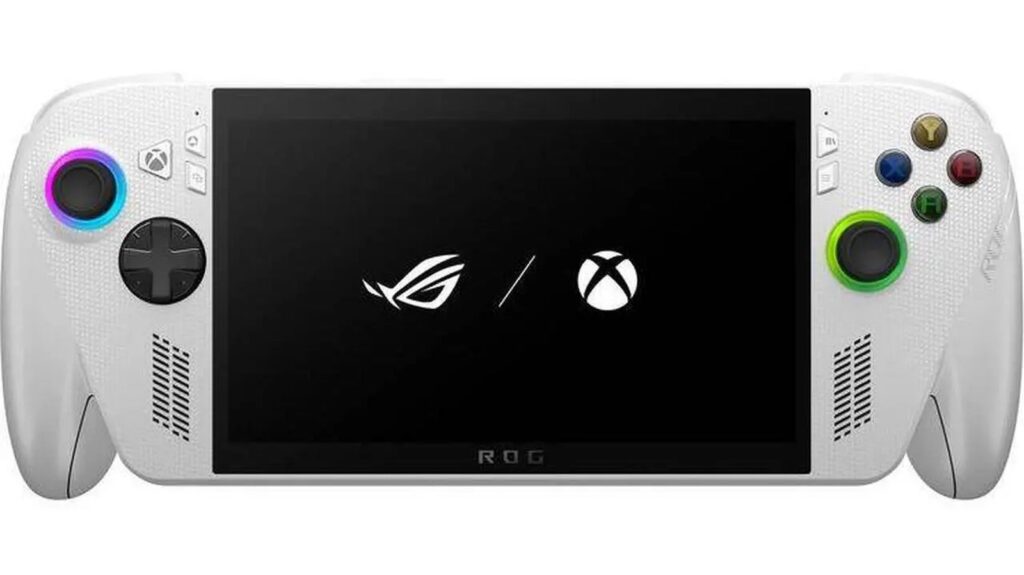
A gaming handheld that already holds a stable mid-40s base is a textbook Fixed X2 case, as long as you are not trying to invent a base FPS the silicon never had.
At seven bucks, the downside of a bad fit is small. The upside is turning a capped 60 FPS story RPG into something that looks like it belongs on a 144 Hz panel, or making a 30 FPS emulator feel less like a slideshow without rewriting the emulator.
Wishlist it if you are not in a hurry. It goes on sale often enough that patience usually pays half.
When to skip it
Skip Lossless Scaling when a better tool is already sitting in your settings menu.
If the game has DLSS Frame Generation on an RTX 40 / 50 card, use that first. If it has FSR Frame Generation, use that. Native FG sees motion vectors and depth. It is cleaner and usually feels lighter. SpecClear already walks the AMD upscaling side in FSR 4.1 on RX 7000. Same hierarchy: vendor path before a Steam overlay.
On Radeon hardware, try AFMF 2 in Adrenalin before you pay anyone. It is free, driver-level, and often happier with exclusive fullscreen and HDR. It is weaker when your base FPS is already soft. That is where LSFG’s X2 / X3 habit still earns the seven dollars.
Skip it for competitive shooters. Valorant, CS2, Apex, Overwatch. You want real frames and low input delay, not interpolated smoothness that never touched your click. Turn frame gen off. Chase real FPS and a stable 1% low instead.
Skip it when your base FPS is a mess. If the game swings 28 to 55 with no pattern, LSFG will invent frames on top of chaos and you will blame the app for hitching the game already owned. Lock the base. Fix the stutter. Then multiply.
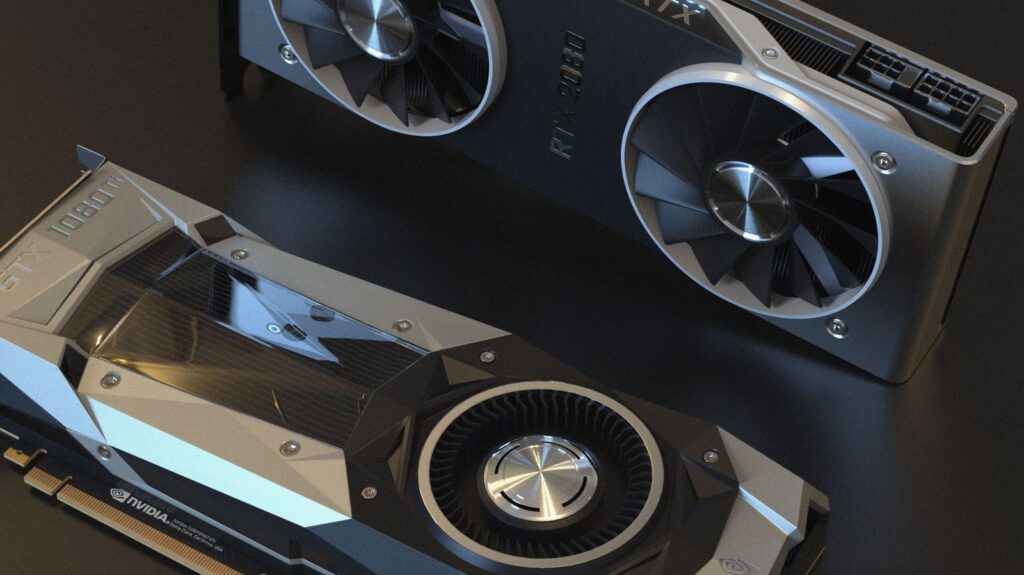
Skip it when the honest fix is a GPU. An 8GB card choking at 1440p ultra does not become a new card because Steam sold you interpolation. Read Is 8GB VRAM Enough in 2026? and Should I Upgrade My GPU in 2026? before you treat a $7 utility like a $400 upgrade.
Quick setup that does not suck
Run the game borderless or windowed. Exclusive fullscreen is the classic way to make LSFG fail or behave weird.
Cap the game somewhere your GPU is not glued at 99%. A locked 45 or 60 with headroom beats an uncapped 70 that collapses the second LSFG starts working. Official guidance wants at least 30 FPS base, prefers 40+, and calls 60 ideal at 1080p. That matches how the tool feels in real use.
Start with Fixed X2. Adaptive mode is for pinning a refresh target when X2 lands awkwardly under your panel. High multipliers look flashy in marketing. They also amplify ghosting and lag. Save X3 / X4 for single-player on a fast monitor after X2 already feels good.
Leave Performance Mode on if your GPU is soft. LSFG 3.1’s Performance Mode cuts load hard (developer claims up to about 2x less GPU work) with a small quality hit. Sometimes that trade raises your real base FPS, which matters more than a prettier fake frame.
If you are at 1440p or 4K and LSFG is eating the card, drop Flow Scale / resolution scale toward the official 75% (1440p) or 50% (4K) advice so the generator works on a lighter input.
Make a profile per game. Hotkey scaling on. Confirm the overlay is actually capturing before you spend twenty minutes tweaking ghosting that was never LSFG.
Community reports say it plays nice with a lot of anti-cheat stacks. That is not a warranty. Use your own judgment on ranked accounts.
If you have a spare GPU sitting idle, dual-GPU offload can keep LSFG from taxing the card that is rendering the game. Most people will never need that. It is there when you do.
LS vs DLSS / FSR / AFMF in plain words
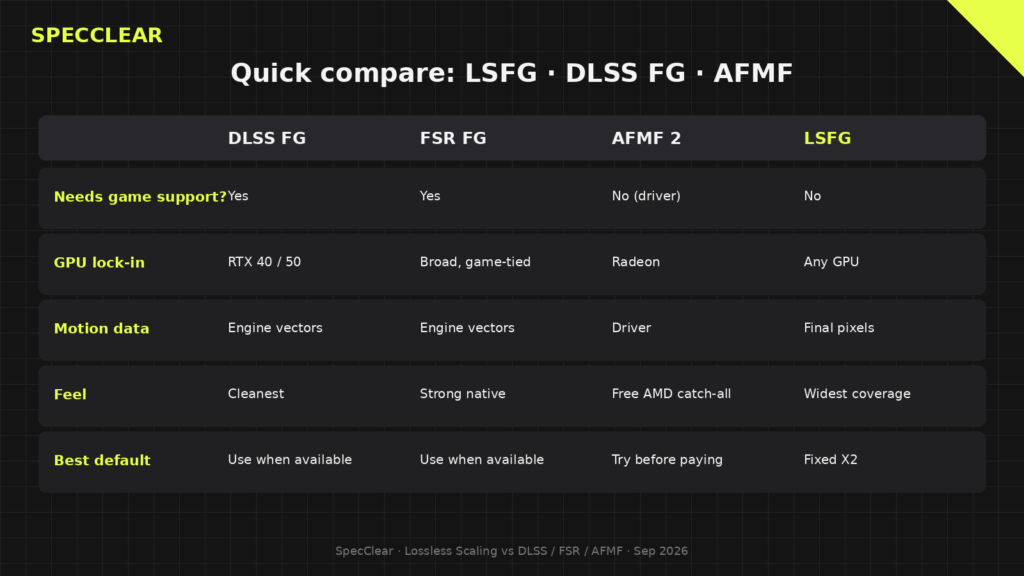
| Tool | Needs game support? | GPU lock-in | Feel |
|---|---|---|---|
| DLSS Frame Gen | Yes | RTX 40 / 50 | Cleanest when available |
| FSR Frame Gen | Yes | Broad, still game-tied | Strong native option |
| AFMF 2 | No (driver) | Radeon | Free catch-all on AMD |
| Lossless Scaling LSFG | No | Any GPU | Widest coverage, more artifacts |
Tom’s Hardware coverage of LSFG 3 called out roughly a 24% latency cut versus LSFG 2 in the public OSLTT-style numbers the developer shared, and still showed about a 10 ms bump versus the native 40 FPS baseline in that 40-to-80 example. Tom’s Guide’s later LSFG 3.1 write-up landed in the same place most owners do: Fixed X2 is the sweet spot; chasing 200 FPS Adaptive or X4 makes ghosting and lag obvious because the app is guessing from pixels, not reading the engine.
Use that hierarchy and stop arguing brand loyalty. Native when it exists. AFMF on Radeon when it is free and good enough. Lossless Scaling when nothing else covers the title.
Living with it
The first week is fiddly. You will mis-click exclusive fullscreen. You will forget the FPS cap. You will open a menu and watch the HUD smear like wet paint.
Then a quiet evening lands. Some older action RPG or a Switch-class emulator you already own sits at a locked 30 or 40, X2 is on, the fans are calm, and the game finally matches the refresh rate you paid for two years ago. That is the product. Not a benchmark screenshot. A living-room session where you stop thinking about frame time and start finishing the quest.
Keep it on the titles that reward motion over aim. Turn it off the second a ranked playlist asks for honesty.
The hard limit
Lossless Scaling cannot fix a GPU that cannot hold a usable base frame rate. If you are stuck at 25 FPS in the scenes you actually play, multiplying junk still feels like junk with prettier motion blur. Spend the seven dollars for coverage gaps. Spend real money when the card is the bottleneck. For that path, start with Best Budget GPU in 2026 and shop a Newegg button that matches your resolution, not a Steam overlay that flatters a dying average.
Verdict
Buy Lossless Scaling if you have games, emulators, or capped older titles with no native frame gen, and you already hold a stable mid-40s or better. Skip it when DLSS / FSR FG or AFMF already covers you, when you play competitive shooters, or when the real problem is VRAM and raster horsepower.
Seven dollars is cheap for a utility this wide. It is still software that invents frames. Treat it like a polish tool, not a hardware refund.
Related SpecClear reading: Is 8GB VRAM Enough in 2026? · Should I Upgrade My GPU in 2026? · Best Budget GPU in 2026 · FSR 4.1 on RX 7000