
SpecClear earns a commission if you buy through Newegg links on this page, at no extra cost to you.
Most mid-tower cases are designed around a fixed layout. Fans go here, radiator mounts go there, GPU sits in this slot, and you work around the constraints the manufacturer built in. The Corsair FRAME 5000D RS takes a different approach. Almost everything inside it moves.
That’s the pitch, and for a specific type of builder it’s genuinely compelling. Whether it’s worth about $190 to $200 on Newegg depends on what you value in a case and how seriously you take the build process.
What Makes the 5000D Different From a Standard Case
The headline feature is the InfiniRail fan mounting system. On a conventional case, fans mount to fixed holes, 120mm holes in 120mm positions, 140mm in 140mm positions, and if your fan size doesn’t match the hole pattern you buy adapters or different fans. InfiniRail replaces fixed holes with continuous sliding rails on the front panel and roof. You position the fans anywhere along the rail and lock them in place. The rail accepts 120mm, 140mm, and 200mm fans interchangeably, no adapters, no adapting your fan choice to the case’s fixed positions. Corsair FRAME 5000D RS (about $190)

The practical effect: you can centre a 200mm fan on the front intake precisely over your GPU, or cluster three 140mm fans toward the bottom of the front panel where intake airflow benefits the GPU most. The InfiniRail fan mounting system lets you slide front and roof fans into position rather than lining them up with fixed holes, which makes fitting big 200mm or 140mm fans far less fiddly. For a builder who puts thought into airflow optimisation, that flexibility is genuinely useful.
The second modular feature is RapidRoute 2.0, a pegboard-style motherboard tray with detachable, rotatable tie-down points for cable routing. Instead of routing cables through fixed grommets in fixed positions, you move the tie-down anchors to wherever the cables naturally want to run. Clean builds become easier because you’re not fighting the case’s predetermined routing path.
The third is the GPU anti-sag stabilisation arm, a support bracket that mounts to the case’s side channel and props up the end of heavy GPUs. The RTX 5090 and triple-fan RTX 5080 cards are genuinely heavy. A support arm prevents the GPU from slowly bending the PCIe slot over months of use.
Specs and Clearances
The FRAME 5000D is approximately 70mm wider and longer than the FRAME 4000D, resulting in more internal space. The full clearance numbers:
- GPU clearance: 400mm
- CPU cooler height: 190mm
- Radiator support: 420mm front, 360mm top, 360mm side, three simultaneous 360mm locations
- Fan support: up to 11 × 120mm or 10 × 140mm
- Motherboard: ATX, E-ATX, Micro-ATX, Mini-ITX
- Storage: four 2.5-inch SSDs, one 3.5-inch drive
- Back-connect support: ASUS BTF, MSI Project Zero, Gigabyte Project Stealth
- Front I/O: two USB-C, two USB-A 3.0, audio

The 420mm radiator support is the standout clearance figure. There are three separate 420mm radiator mounting locations across the front, side and top. A 420mm radiator is a 3 × 140mm configuration, more surface area than a 360mm, significantly lower noise for equivalent cooling performance. Most cases that support 420mm restrict it to a single mounting position. The 5000D supports it at the front, side panel, and top simultaneously, overkill for most builds, but it means the case never becomes the limiting factor in an extreme cooling configuration.
The 190mm CPU cooler height clearance handles every air cooler currently available, including the Cooler Master V8 ACE 3DHP at 167.3mm and the Noctua NH-D15 G2 at 165mm, with significant headroom.
Build Quality and Front Panel
The FRAME 5000D takes everything good about the FRAME 4000D and scales it up. The exterior uses steel construction with a 3D Y-pattern front panel, the same aesthetic language as the 3200D but larger and more prominent. Tempered glass side panel, steel rear panel. The finish quality is noticeably better than budget cases, panel gaps are consistent, the glass is thick, and the hinged side panel swings open without requiring complete removal.
The front I/O is a genuine improvement over the 4000D: five USB ports versus three. Two USB-C ports is unusual at this price point. For builders using USB-C external drives, Thunderbolt peripherals, or modern controllers, having two front-panel USB-C connections is a daily quality-of-life improvement.
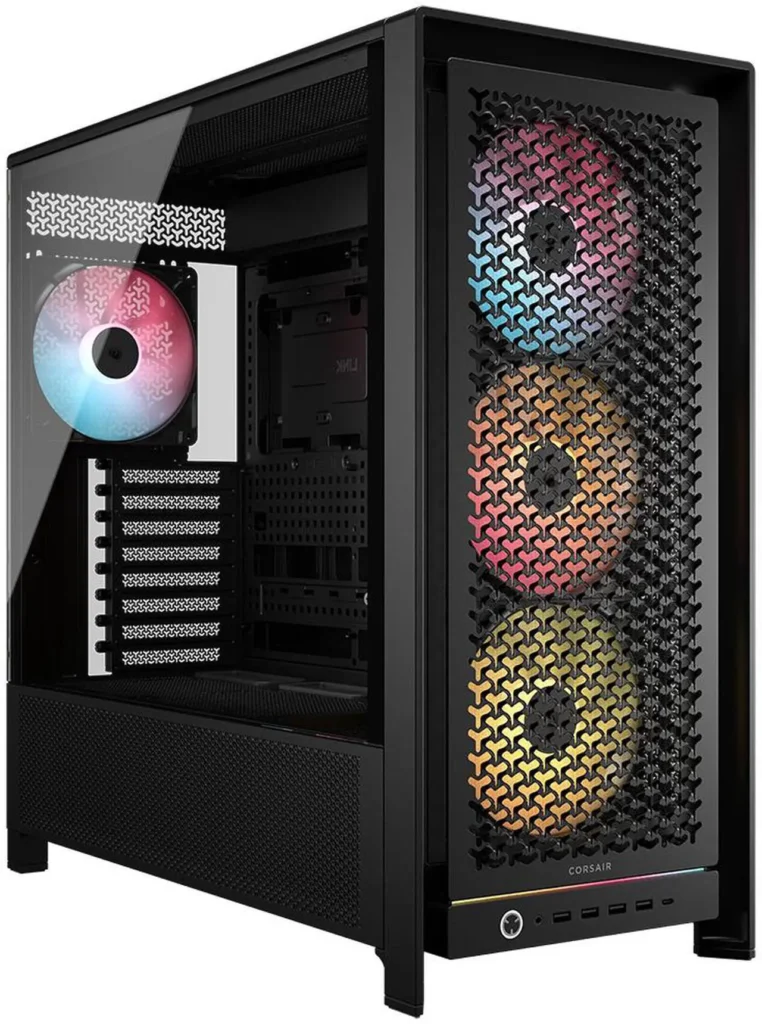

The highlight is the customisable RapidRoute cable routing, which makes keeping a build tidy genuinely easy, backed by an airflow-focused design and a strong set of front USB ports.
The Four Included Fans
The RS version ships with four RS140 fans, 140mm, DC-controlled, non-ARGB. The RS ARGB version ships with four RS140 ARGB fans and costs $10 more. Both versions install three fans as front intakes and one as a rear exhaust by default. Corsair FRAME 5000D RS ARGB (about $200)
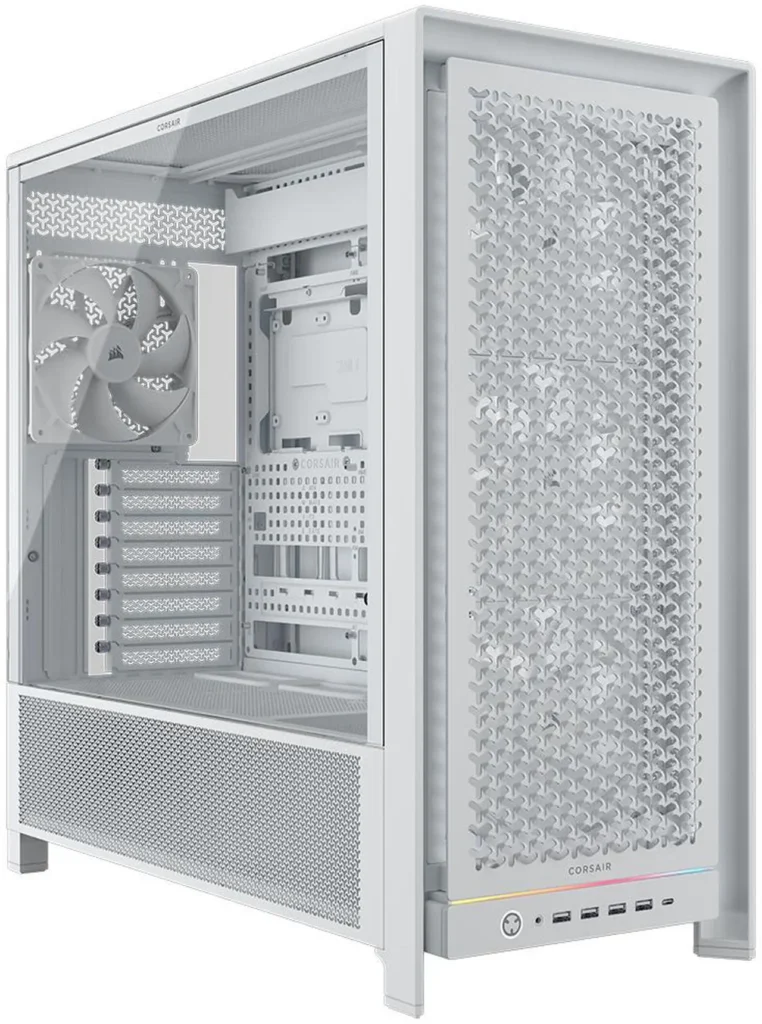
The fact that there is no basic Frame 5000D without fans is another adjustment based on feedback, as many mentioned that the bare Frame 4000D wasn’t an attractive choice in the line-up. This is a meaningful change, the 4000D launched without fans and buyers frequently commented they were paying premium prices for an empty case. The 5000D addresses this directly.
Four RS140 fans deliver substantial airflow. In the default front-intake, rear-exhaust configuration they create strong positive pressure inside the case. GPU temperatures under sustained gaming load are competitive with every premium mesh-front case in this price range.
The Cable Management Story
This is where the 5000D separates from most competitors. The Frame 5000D has 42mm of rear cable space, making it roomy enough to hold all cables without bulging out the rear side panel. That 42mm gap is genuinely generous, the difference between a case that closes cleanly with a full cable bundle and one that requires persistent shoving to close the rear panel.
RapidRoute 2.0 has pegboard-style tie-down points that are detachable and rotatable so you can route wires exactly how you like. The result in practice: cables follow their natural path without forcing them through fixed grommets that may or may not be where you need them. First-time builders produce cleaner cable results in the 5000D than in most competing cases specifically because the routing system meets them halfway.
Corsair has kept niceties from the wider FRAME range including QuikMount motherboard screws that grip the screwdriver so they stop dropping mid-build. A small detail that anyone who has ever dropped a motherboard standoff into the bottom of a case during installation will immediately appreciate.
The FRAME 4000D: When to Choose It Instead
The 5000D RS at about $190 to $200 costs about $110 to $120 more than the 3200D RS ARGB at $79.99 and about $80 to $90 more than the FRAME 4000D RS at about $111 on current Newegg pricing. Whether that premium is justified depends on what you’re building. For comparison, the cheaper option is the Corsair Frame 4000D (about $111).

The FRAME 4000D RS at about $111 has the same InfiniRail system, the same back-connect motherboard support, dual 360mm radiator support (versus triple on the 5000D), and three RS120 fans included. For a standard gaming build with a single CPU AIO and mid-range GPU, the 4000D covers everything the 5000D does for about $80 to $90 less.
The 5000D earns its premium for: custom liquid cooling loops that use multiple radiators simultaneously, extreme high-TDP builds where 420mm radiator support matters, content creators and enthusiasts who build and rebuild frequently and benefit from the expanded modularity, and builders for whom maximggum cable management flexibility is worth paying for. Corsair FRAME 5000D RS (about $200)
For a straightforward gaming build, 9800X3D, RTX 5070, 360mm AIO, the 4000D is the correct call. The 5000D is the right case when you’re genuinely using its additional cooling headroom and modularity. Corsair FRAME 4000D RS (about $111)
Verdict
Its main catch is price, as it is not a cheap chassis and there are more affordable options around. But if you want a spacious, innovative mid-tower and can stretch to it, there are very few cases you’d pick ahead of it.
The Corsair FRAME 5000D RS is the best all-rounder Corsair currently makes for serious builds. The InfiniRail mounting system is genuinely innovative, the 420mm radiator support covers every cooling configuration, the cable management is the best in Corsair’s lineup, and four 140mm fans are included. At about $190 on Newegg it sits in the premium mid-tower bracket without reaching into flagship territory.
If your build can use what the 5000D offers, it’s worth every dollar of the premium over the 4000D. If it can’t, buy the 4000D and spend the savings on better RAM or storage.
Specs at a Glance
| Spec | Detail |
|---|---|
| Form factor | ATX mid-tower |
| Motherboard support | ATX, E-ATX, Micro-ATX, Mini-ITX |
| GPU clearance | 400mm |
| CPU cooler height | 190mm |
| Fan support | Up to 11 × 120mm / 10 × 140mm |
| Included fans | 4 × RS140 (RS) or RS140 ARGB (RS ARGB) |
| Radiator support | 420mm front/side/top |
| Back-connect support | Yes, ASUS BTF, MSI Project Zero, Gigabyte Project Stealth |
| Front I/O | 2 × USB-C, 2 × USB-A 3.0, audio |
| Cable space | 42mm rear |
| Price | About $190 (RS) / about $200 (RS ARGB) on Newegg |