
SpecClear earns a commission if you buy through Newegg links on this page, at no extra cost to you.
Budget PC cases in 2026 are in an interesting position. Component prices are elevated across the board, GPU, RAM, CPU all more expensive than they were eighteen months ago. The case is one of the few places a builder can genuinely save money without compromising what actually matters: airflow, component clearance, and build quality adequate for daily use.
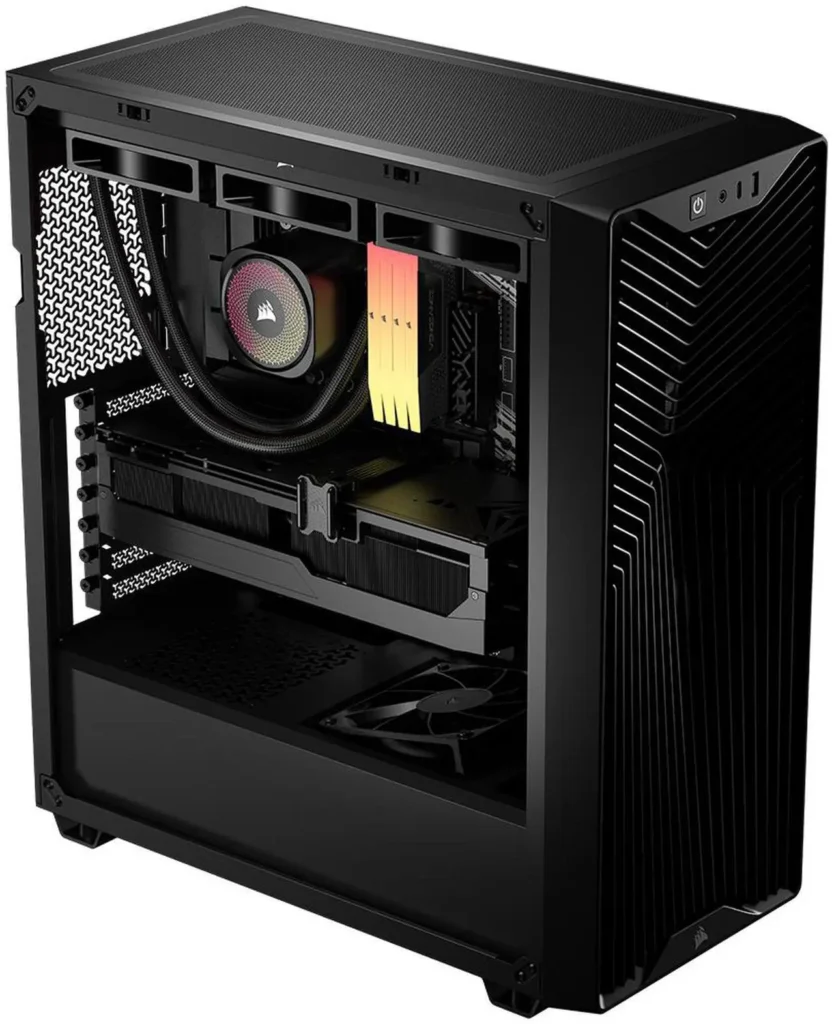
The Corsair 3200D RS ARGB costs $79.99. It ships with three RS120 ARGB fans already installed. It fits GPUs up to 400mm. It supports 360mm radiators at the top. It accommodates back-connect motherboards. At $79.99, those specs are competitive.
It’s not perfect. Two specific compromises show up in independent testing across multiple publications, and both are worth knowing before you buy. For alternatives, see our best PC cases for airflow.
What You Get for $79.99
The 3200D sits in Corsair’s entry-level FRAME series, below the 4000D and 5000D in the lineup. The exterior is straightforward: steel body, tempered glass side panel, Y-pattern mesh front grille. The Y-pattern is distinctive enough to recognise on a shelf and functional enough to let meaningful airflow through to the three RS120 fans mounted behind it. Corsair 3200D RS ARGB ($79)

Those three fans are the headline value proposition. RS120 fans retail at approximately $44 for a three-pack from Corsair separately. Getting them included in an $80 case effectively means the case itself costs around $36. The build quality of the fans is genuine Corsair quality, not cheapened versions, the same RS120 ARGB units sold standalone. They daisy-chain from the factory, so RGB management requires only a single header connection.
Internal dimensions are standard mid-tower: 476 × 214 × 446mm, according to Tom’s Hardware. That’s enough for:
- ATX, Micro-ATX, and Mini-ITX motherboards
- GPUs up to 400mm length
- CPU coolers up to 170mm height
- 360mm radiators at the top, 240mm at the front
- Back-connect motherboards including ASUS BTF and MSI Project Zero
- Two 2.5-inch SSDs and one 3.5-inch drive
The 400mm GPU clearance handles every current-generation card. The RTX 5090 Founders Edition at around 336mm clears it with room to spare. Triple-fan AIB designs in the 340-360mm range also fit. This is not a case that will fight you on GPU length.
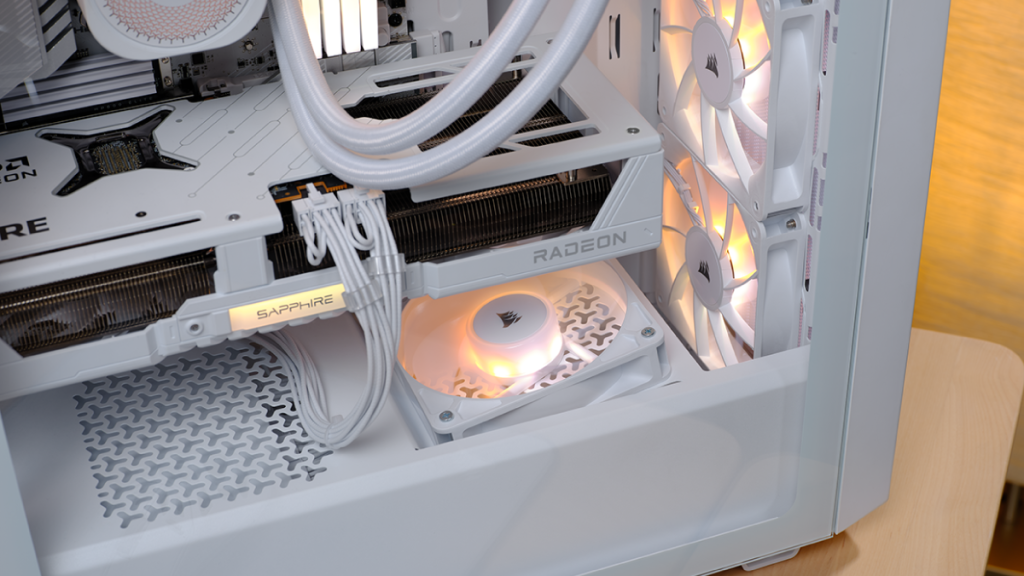
Back-connect motherboard support at $79.99 is unusual. Most cases at this price don’t bother with the cutouts and clearances required for BTF and Project Zero boards, Corsair includes them here, which means the 3200D can serve as the chassis for an exceptionally clean build if you’re using a back-connect board and routing all cables behind the tray.
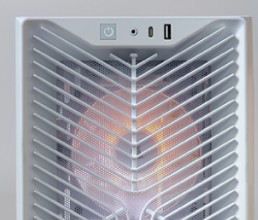
Front I/O: one USB-C, one USB-A 3.0 (on the updated SKU that started shipping May 2026, early units had USB 2.0, which was widely criticised), one USB-A 2.0, and a 3.5mm audio combo jack. Corsair updated the case to use USB 3.0 on the front panel, moving away from the USB 2.0 variant that was present at launch. If you’re buying new today, you should receive the updated version, confirm with the retailer if the listing predates May 2026.
Thermal Performance
KitGuru’s testing with a 360mm AIO at the top and three RS120 fans as front intake recorded CPU temperatures of 52°C and GPU temperatures of 47°C above ambient in the default configuration. Those are solid results for an $80 case and competitive with significantly more expensive options. Our PC fan airflow guide explains how to set up intake and exhaust.
Tweaktown’s testing with an RTX 3090 recorded a maximum GPU temperature of 81.6°C with an average of 78°C. The 3200D’s three-fan intake creates adequate airflow for high-TDP builds. It’s not the HAF II 500, the Y-pattern front grille restricts airflow slightly compared to a full-mesh design, but for a glass-adjacent panel at this price, the temperatures are acceptable. How to Set Up PC Fan Airflow
The honest airflow comparison: a Phanteks P400A at $82 with mesh front and three included fans will run 3-5°C cooler on average GPU temperatures. The 3200D trades some thermal headroom for the Y-pattern aesthetic. If maximum airflow is the priority, buy the P400A. If you want the Corsair build quality and the RS120 fans at a similar price, the 3200D earns it.
The Two Real Compromises
Every review of the 3200D flags the same two issues consistently. Both are real. Neither is a dealbreaker for most builds, but knowing them in advance prevents frustration.
Cable management at the rear panel. An inwardly pressed section on the rear panel reduces the available space for cable management, making it tricky to close once everything is installed. The gap between the motherboard tray and the rear panel is tighter than most competing cases at this price. Thin flat cables route fine. Thick bundled cables require deliberate planning. If you’re new to building and your cable management process involves trial and error, allow extra time for this specific case. Velcro ties rather than zip ties are the right approach, you’ll likely need to adjust after the first closure attempt.

Top 360mm radiator installation is awkward. Top 360mm radiator compatibility is limited and installation can be awkward. The top mounting area technically supports a 360mm radiator but the clearance between the radiator and motherboard components is tighter than ideal. Some builders report needing to install the radiator before the motherboard to avoid clearance conflicts. If a 360mm AIO at the top is your cooling plan, build in that order specifically, radiator first, then motherboard. Corsair’s other recent case is covered in our Corsair 2800X RS-R ARGB review.
Neither issue affects the finished build’s performance. They affect the assembly process, which matters for first-time builders more than experienced ones.
Who Should Buy It
You’re building a mid-range gaming system, Ryzen 5 9600X or similar, RTX 5060 or RX 9060 XT, at a budget where the case needs to be affordable without being terrible. The 3200D RS ARGB at $79.99 with three Corsair RS120 fans included is straightforwardly the best value at this price point in Corsair’s current lineup. Corsair 3200D RS ARGB ($79)

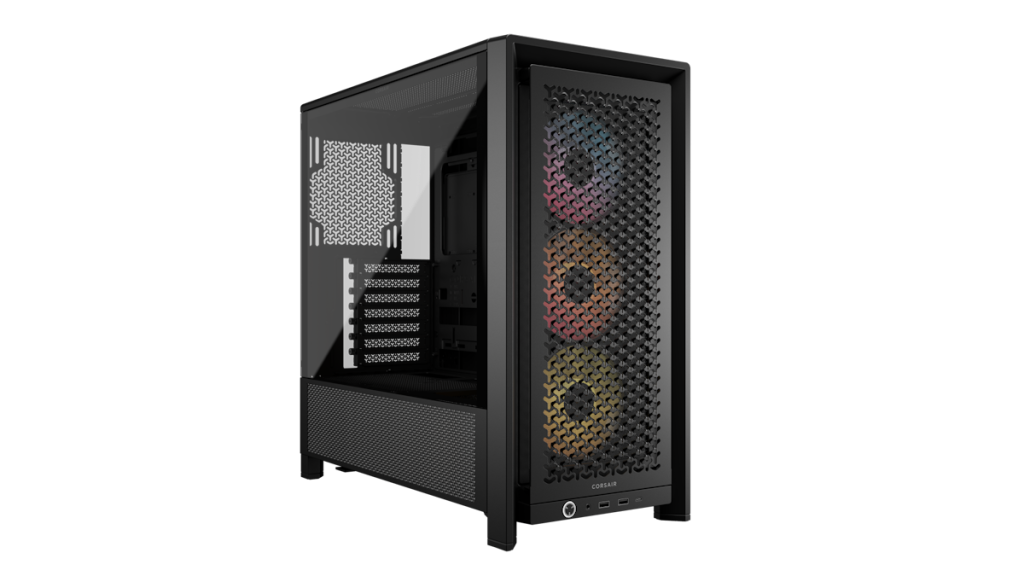
Don’t buy it if airflow is the absolute priority, the Corsair 4000D Airflow at similar pricing or the Phanteks P400A mesh cases move more air. Don’t buy it if you want a premium cable management experience, the rear panel gap is a genuine annoyance for builds with many thick cables. The non-ARGB Corsair 3200D RS ($69) is also listed on Newegg, and our cable management guide has tips for tight rear panels.
Do buy it if you want Corsair build quality, back-connect motherboard support, three RS120 ARGB fans, and 400mm GPU clearance for under $80. At that spec and that price, nothing in Corsair’s lineup or from most competitors beats the value.
Specs
| Spec | Detail |
|---|---|
| Form factor | ATX mid-tower |
| Motherboard support | ATX, Micro-ATX, Mini-ITX |
| GPU clearance | 400mm |
| CPU cooler height | 170mm |
| Fan support | Up to 9 × 120mm |
| Included fans | 3 × RS120 ARGB 120mm |
| Radiator support | 360mm top, 240mm front, 120mm rear |
| Back-connect support | Yes (ASUS BTF, MSI Project Zero) |
| Front I/O | USB-C, USB-A 3.0, USB-A 2.0, audio |
| Dimensions | 476 × 214 × 446mm |
| Price | $79.99 (RS ARGB) / $69.99 (RS) |