
Updated September 11, 2026: Microsoft has marked the August game-crash wave as resolved. If ARC Raiders, MARVEL Tōkon: Fighting Souls, or THE FINALS still misbehaves after a restart and a Windows Update check, the leftover piece is usually the third-party inpoutx64 RGB driver rather than KB5121003 itself.
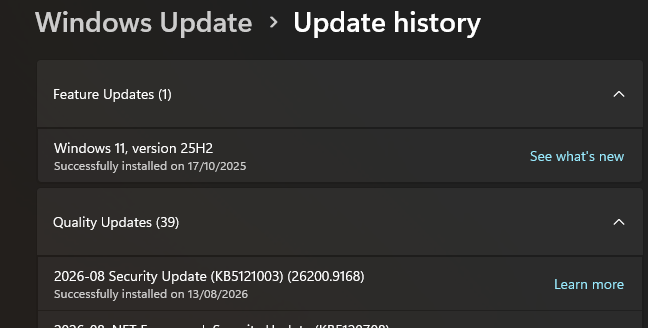
KB5121003 shipped August 11, 2026 for Windows 11 24H2/25H2. Reports clustered around ARC Raiders, MARVEL Tōkon: Fighting Souls, and THE FINALS: games going unresponsive, EXCEPTION_ACCESS_VIOLATION crashes, or full reboots. Microsoft opened the known-issue entry August 19 and marked it Resolved August 26 at 23:30 PT after concluding Windows Update was not the root cause.

ARC Raiders and THE FINALS are both live-service shooters with large player bases, which is why the issue got attention fast. Named titles do not mean every other game is safe forever, but the confirmed cluster stayed narrow. If you never saw the crash, you do not need to uninstall anything.
What’s actually happening
Microsoft’s final release-health note says the failures were related to RGB peripherals or internal components that install drivers named like inpoutx64. Launching certain games then triggered the crash. Most titles were unaffected. Where it hit, it was consistent until the driver block landed.
What to do right now
As of September 2026, start with the least invasive checks first:
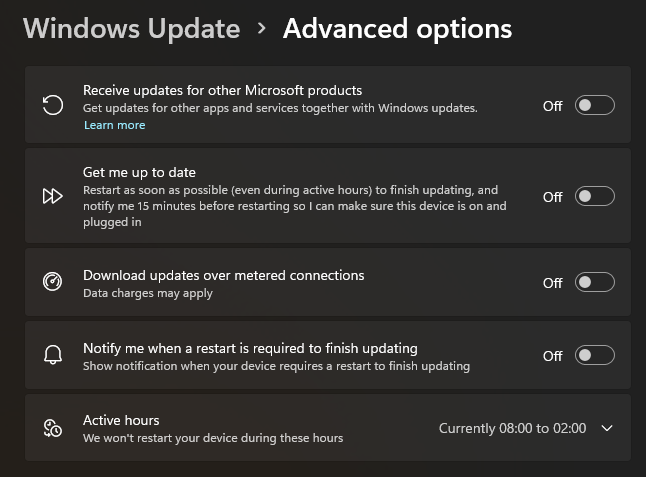
Option 1: Restart and take the driver block. Microsoft’s resolution is a compatibility block that stops inpoutx64 from loading. On unmanaged PCs it began rolling out August 26 and is also included in the September 2026 security updates. Check Windows Update, install anything pending, restart, then launch the game again. For ARC Raiders, Windows may show a message that the driver was disabled before the game starts normally.
Option 2: Manual registry disable if the auto block missed you. IT-managed PCs and some leftover cases still need the documented workaround: set HKEY_LOCAL_MACHINE\SYSTEM\CurrentControlSet\Services\inpoutx64 → Start to 4, then restart. That disables the driver until you change it back. THE FINALS was fixed on Embark’s side; Microsoft has said it was working to expand the automatic block beyond ARC Raiders to MARVEL Tōkon.
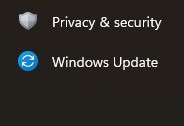
Option 3: Uninstall KB5121003 only if you are still broken after the block. Settings → Windows Update → Update history → Uninstall updates, remove KB5121003, restart. Prefer the driver block first; rolling back a security update is the last resort now that Microsoft has marked the issue resolved and folded the block into September updates. Pausing updates forever is not a strategy. If the game still crashes after that, our guide on how to diagnose PC crashes and blue screens can help.
Is it worth panicking about?
No. The headline panic window was mid-to-late August. By August 26 Microsoft had a driver block rolling out, Embark had patched THE FINALS, and September security updates carry the same block. Keep the update. Fix the RGB driver conflict if a named title still crashes.
If a competitive title you play daily still crashes after a restart and an update check, disable inpoutx64 or uninstall KB5121003 temporarily. Do not leave a security update rolled back longer than you need. Reinstall once the block is present and the game launches clean.
Check if you’re affected
The simplest test: launch one of the named games after a reboot. If it loads normally, you are done. If it still throws EXCEPTION_ACCESS_VIOLATION or reboots the PC, check for inpoutx64 and apply Option 1 or 2 before blaming every other Windows update.
Microsoft’s release-health pages for Windows 11 24H2/25H2 remain the source of truth for coverage scope. Game Discords still catch edge cases first when a title sits outside the automatic block.