
The most interesting thing about the Corsair Nightsword v2 Wireless SD isn’t the 33,000 DPI sensor or the 8,000Hz wireless polling those specs are table stakes for a $130 mouse in 2026. It’s the dedicated Stream Deck Launch Button on the side of the mouse body. That’s a first in gaming peripherals and it’s either genuinely useful or an accidental press waiting to happen depending on how you game.
At $129.99 and available now (MSRP unchanged as of September 2026), here’s the full picture on what the Nightsword v2 Wireless SD actually delivers and who should buy it.
What the Stream Deck integration actually does
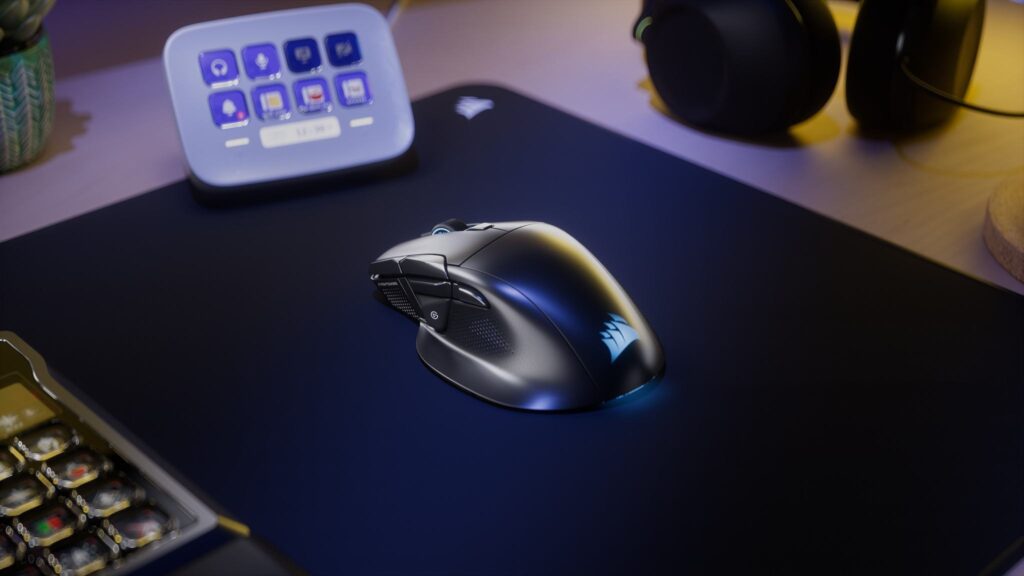
Corsair owns Elgato the company behind the physical Stream Deck panels that sit on streamers’ desks. That ownership is what makes this integration native rather than a workaround. The Nightsword v2 Wireless SD shows up inside the Stream Deck app as a recognised device, and from there you can assign any action in your Stream Deck library directly to the mouse’s eight programmable buttons.
The dedicated Stream Deck Launch Button positioned on the left side of the mouse body opens a Virtual Stream Deck overlay directly on your monitor when pressed. This is a small digital panel that you then navigate with the mouse itself to trigger macros, switch scenes, control volume, activate game-specific shortcuts, or access whatever actions you’ve configured. The overlay disappears once you’ve made a selection and you’re back in the game.
This is meaningfully different from a physical Stream Deck panel, a physical panel has dedicated keys you press without looking. The Nightsword’s Virtual Stream Deck requires pressing the launch button, looking at the overlay, moving the mouse to the action, and clicking. For actions you trigger frequently push to talk, scene switching, music control a physical Stream Deck or a keyboard shortcut is faster.
Where the Nightsword’s approach wins is desk real estate and setup cost. A physical Stream Deck MK.2 with 15 buttons costs $134,99. The Nightsword v2 Wireless SD costs $129.99 and gives you Stream Deck functionality built into the mouse you already need. If you’re a streamer or content creator who wants Stream Deck capability without adding another device to a crowded desk, the value case is genuine.
PC Gamer’s hands-on concern is worth acknowledging: the dedicated Stream Deck button’s position on the left side creates accidental press risk during intense gaming sessions. Corsair confirmed in their product documentation that iCUE Web Hub lets you disable or reconfigure the button entirely which is the practical fix if it becomes a problem, but an accidental press in a ranked match is still an interruption you’d rather not have. If that worries you, our best gaming mouse guide has more conventional options.
The specs underneath the headline feature
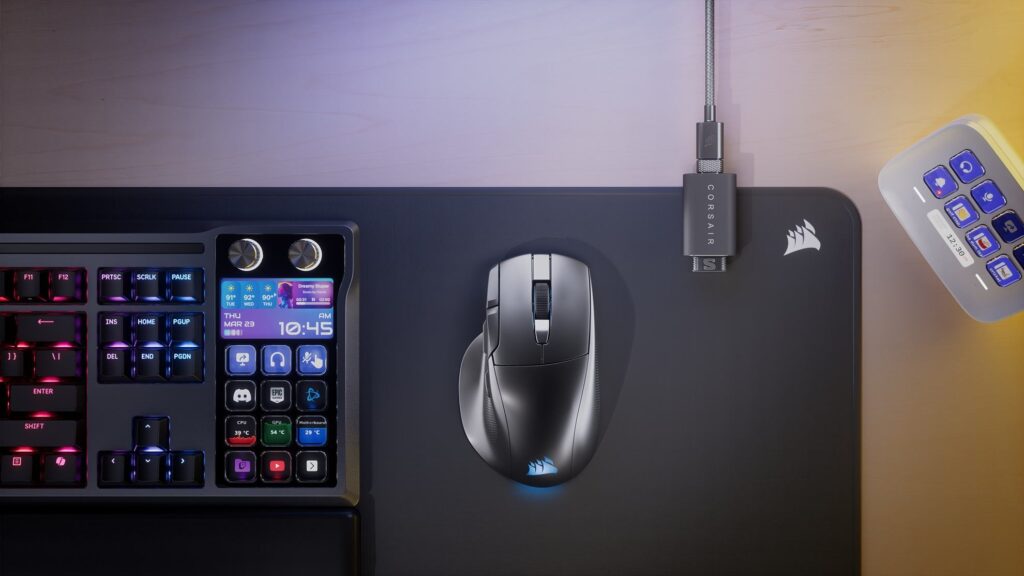
The Marksman S optical sensor the same unit used in the Corsair Scimitar Elite Wireless SE delivers 33,000 DPI maximum at 750 IPS tracking speed and 50G acceleration. In practical gaming terms this sensor is competitive with any flagship mouse available in 2026. The polling rate reaches 8,000Hz over both the 2.4GHz SLIPSTREAM WIRELESS connection and the wired USB-C connection a meaningful advantage over the many wireless mice that only achieve 8KHz when cabled.
Optical primary switches rated to 100 million clicks, 11 buttons total, 8 programmable. Sculpted right-handed ergonomic body measuring 129.6 x 78 x 40.9mm. Tri-mode connectivity 2.4GHz SLIPSTREAM, Bluetooth, and USB-C wired.
Battery life is one of the strongest specs in the lineup,170 hours at 1,000Hz polling, dropping to approximately 45-50 hours at 8,000Hz. For context, the Razer Viper V4 Pro manages 95 hours at 1,000Hz and the Logitech G Pro X2 Superstrike significantly less. Even at 8,000Hz the Nightsword v2 comfortably exceeds most competing wireless mice.
The weight is the honest weakness, at 89 grams the Nightsword v2 Wireless SD is significantly heavier than the ultralight competition the Razer Viper V4 Pro at 47 grams, the Logitech G Pro X2 Superstrike at 61 grams. 89 grams isn’t an uncomfortable mouse but it’s perceptible in extended sessions compared to lighter alternatives. Corsair added a sculpted thumb rest and ergonomic contouring to offset some of this, and the right-handed shape is well-designed for palm and claw grippers but if weight is a priority, the Nightsword v2 isn’t the correct mouse.
The 89g weight is partially explained by the integration hardware the Stream Deck electronics, the additional button assembly, and the antenna design for 8KHz wireless all add to the internal component count. This is the engineering trade-off of building a Stream Deck into a mouse.
Who should actually buy it

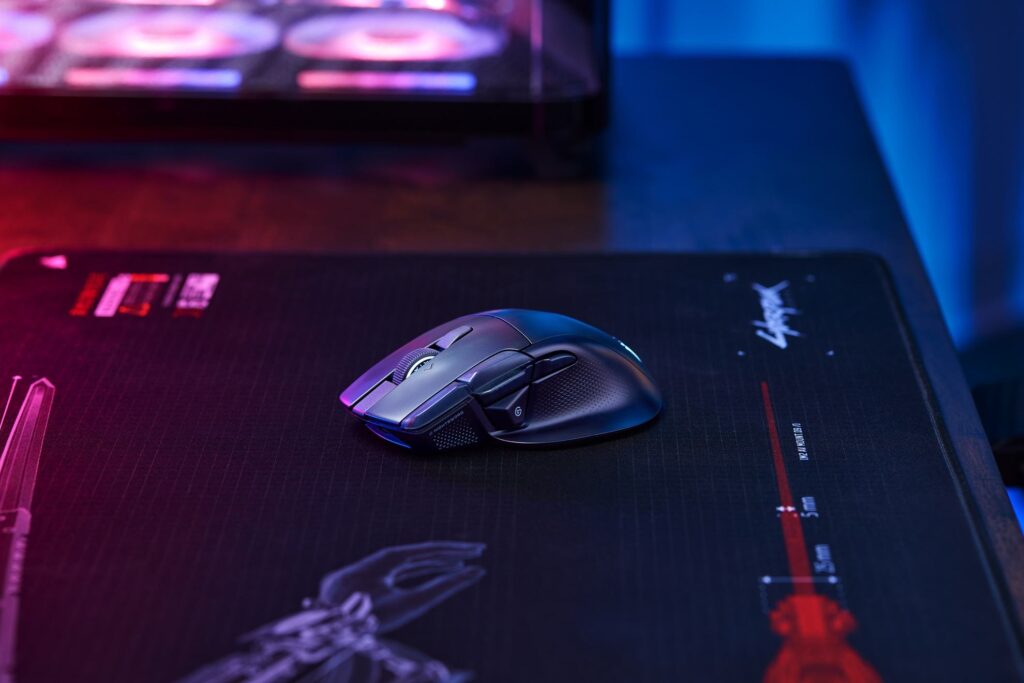
Buy the Nightsword v2 Wireless SD if you stream, create content, or use a PC for productivity alongside gaming, you want Stream Deck functionality without a separate device on your desk, and 89 grams is acceptable for your grip style. The $129.99 price versus $149 for a physical Stream Deck MK.2 plus the cost of a separate gaming mouse makes the bundled value proposition genuinely compelling for this specific buyer. If you also play with a gamepad, our guide on how to set up a gaming controller on PC covers Steam Input and back buttons.
Don’t buy it if competitive gaming is your primary use case and weight matters the Razer Viper V4 Pro at $159.99 is lighter, faster on paper, and doesn’t carry the Stream Deck overhead if you don’t need it. Don’t buy it if you have no interest in Stream Deck functionality at $129.99 you’re paying for integration you won’t use when the Corsair Scimitar Elite or Razer Viper V3 Pro offer similar core specs at lower prices.
The Nightsword v2 Wireless SD is a product with a clearly defined audience and it serves that audience well. Streamers and dual-purpose creators who want one fewer device on their desk have a genuine reason to choose it. Pure competitive gamers who don’t stream don’t.