
SpecClear earns a commission if you buy through Newegg links on this page, at no extra cost to you.
GPU coil whine is the high-pitched buzz or squeal that comes from your graphics card rather than its fans, and the most common mistake is treating it as a fault. Usually it isn’t one. It’s a normal side effect of how a modern card turns 12V into the tiny voltages its chip runs on, and you can often tame it for free once you know what sets it off.
In real-world use, you won’t notice this whine if you wear earphones. But if you’re in a quiet office using speakers, you’ll pick it up, especially if you’ve never heard it from an older card before. It’s important to understand that this isn’t a defect at all. It’s simply a byproduct of the technology being used, a bit like the telltale sound of a diesel engine compared with a petrol one.
Last checked: 29 September 2026. Newegg prices below move daily, so treat them as a snapshot.
What coil whine is, and why menus scream the loudest
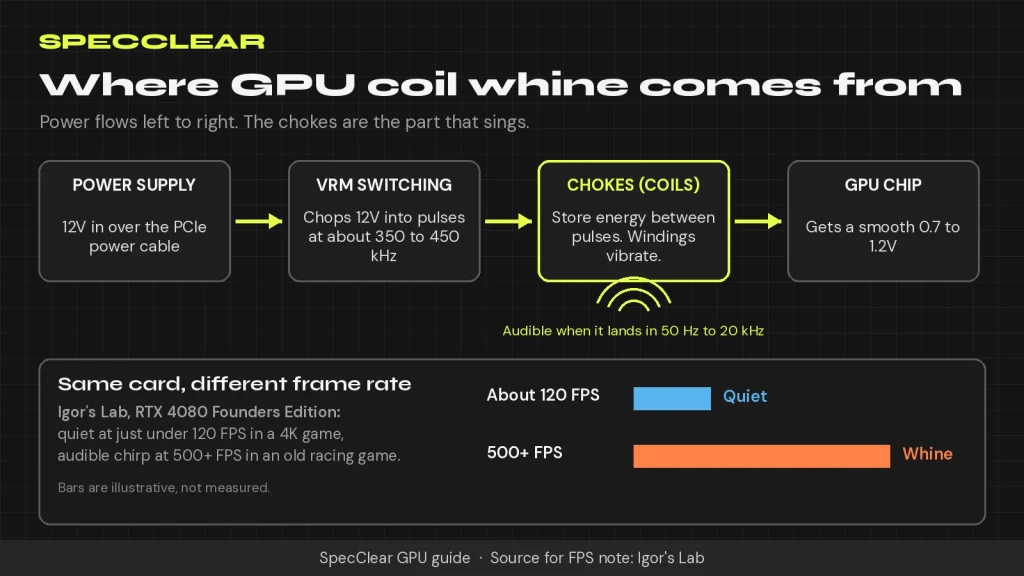
Your graphics card doesn’t run on 12V. Its voltage regulators chop that supply into small packets hundreds of thousands of times a second and smooth it down to roughly 0.7 to 1.2V, and Igor’s Lab puts the switching frequency on most cards at 350 to 450 kHz. The chokes (the small square coils around the GPU) store energy between those packets, and the current flowing through them physically moves their copper windings. When that movement lands in the audible band, which Igor’s Lab puts at 50 Hz to 20 kHz, the coil hums or squeals.
Menus are the classic trigger. NZXT’s August 2026 explainer puts it neatly: an old game running at 900 FPS can whine far harder than a modern one at 90, because the easy scene lets the card sprint and draw huge, rapidly changing current. Igor’s Lab saw it on an RTX 4080 Founders Edition, whose coils were effectively silent at just under 120 FPS in a 4K game and audibly chirped once an old racing game hit well over 500 FPS.
Is GPU coil whine harmful?
No, and the manufacturers agree on that. Intel’s support page says the noise “should not damage the card or affect functionality,” ASUS calls it a component characteristic that “won’t affect the hardware,” and NZXT says it isn’t a sign of anything about to fail.
Other symptoms are what matter. XDA lists crashes, visual artifacts, unexpected overheating, scorch marks near the chokes and bulging capacitors as the signs of a real power delivery problem. If you’ve got any of those, stop chasing the noise and work through our PC crash diagnosis guide instead.
GPU or PSU? Find the source in five minutes
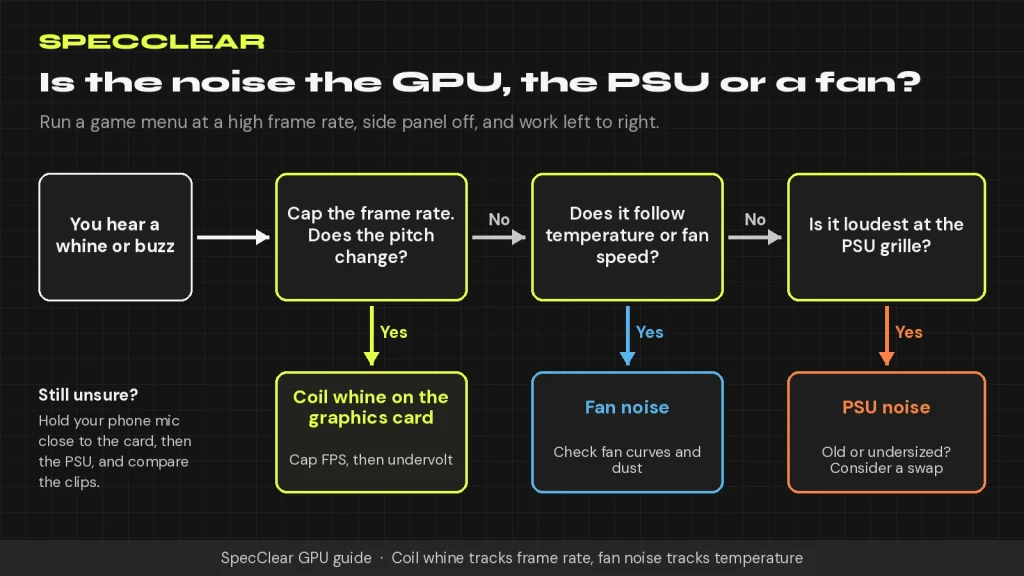
Find where the sound lives first. Launch a game menu that runs at a silly frame rate, pull the side panel off, and move your ear (or your phone’s microphone) slowly between the graphics card and the power supply. Whine near the backplate or the power connectors points to the card, while a buzz from the PSU’s grille points to the PSU.
Then rule out the fans. NZXT’s tip is that coil whine tracks frame rate and load while fan noise tracks temperature, so cap the frame rate and listen for what changes. If the pitch drops the moment the cap kicks in, you’ve found your coil.
Cap your frame rate first
It’s free and it works. Every frame your monitor can’t show is wasted current that the chokes still have to deliver. Intel recommends capping FPS at your monitor’s refresh rate or lower and enabling V-Sync, while NZXT is happy with a looser cap of 240 or 360 on a 120Hz screen. Our guide to what a good FPS for gaming actually is explains how frame rate and refresh rate interact.
On NVIDIA cards, set Max Frame Rate under the Graphics tab of the NVIDIA App, globally or per game. Skip the old Control Panel. TechSpot’s May 2026 guide says it’s now deprecated. With G-Sync or FreeSync, a cap a few frames below your refresh rate (141 on a 144Hz monitor) keeps you inside the variable refresh range and quiets the menus at the same time.
On Radeon cards, Adrenalin’s Frame Rate Target Control caps menus, splash screens and loading screens too, where AMD says frame rates “can often run needlessly into the hundreds of fps.” AMD’s own FRTC page still lists only RX 6000 and RX 7000 cards and a 30 to 200 FPS range, so on an RX 9000 card, check your Adrenalin version or use the game’s own limiter. Most games have one. Our NVIDIA App and AMD Adrenalin settings guide shows where every one of these toggles sits.
Undervolt or drop the power limit
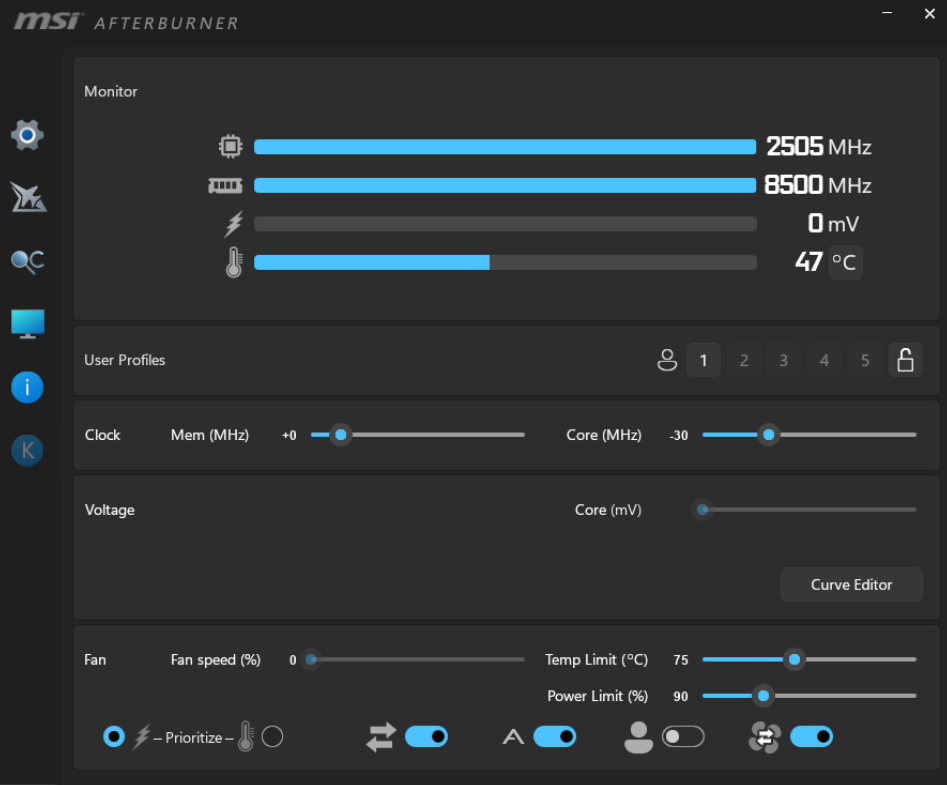
Less voltage and less power mean less current through the chokes, which is why Igor’s Lab pairs a frame limiter with “lowering the power limit along with the clock” as the two things that genuinely help. A power limit is quickest. Drag the slider down in MSI Afterburner and you’ll trade a little peak performance for a quieter card.
An undervolt is better because you usually keep your frame rate, and our GPU undervolting walkthrough takes about twenty minutes on both NVIDIA and RDNA 4 cards. Expect quieter, not silent.
Will a new PSU fix it?
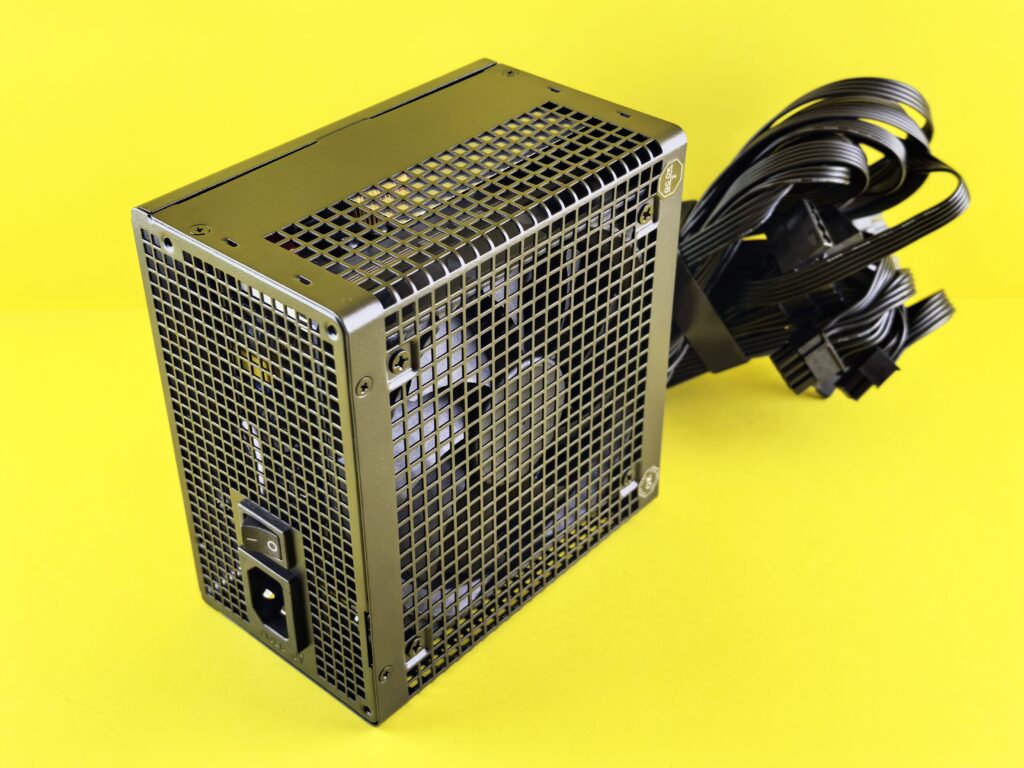
Probably not. In a 2024 test, HWCooling ran three graphics cards against 12 different ATX 3.0 power supplies and found the coil noise spectrum barely changed, concluding that a card that whines on one PSU will very likely sound similar on another. The pattern held even with cheap units.
A swap only makes sense when the noise clearly comes from the PSU itself, when the unit is old or failing, or when it’s undersized for a 2026 card. NVIDIA recommends at least a 1,000W system power supply for the RTX 5090, 850W for the RTX 5080 and 750W for the RTX 5070 Ti, and AMD recommends 750W for the RX 9070 XT. Our PSU buying guide explains how to size yours properly. NZXT also suggests a UPS or power conditioner rated 1,300VA or higher. That’s for dirty mains power.
Need one anyway? These were in stock at Newegg when we checked the product pages on 29 September 2026, with prices as listed that day:
- Phanteks AMP GH 850W ($84.99): the cheapest ATX 3.1 850W pick, enough for an RTX 5080 or RX 9070 XT.
- MSI MAG A850GL PCIE5 ($109.99): a fully modular 850W unit with a native 12V-2×6 cable, so you don’t need an adapter.
- be quiet! Pure Power 13 M 1000W ($139.90): meets NVIDIA’s 1,000W recommendation for an RTX 5090 build.
- CyberPower CP1500PFCLCD ($239.95): a 1,500VA sine-wave UPS that clears NZXT’s bar, worth it only if your power is unreliable anyway.
Which 2026 cards whine most
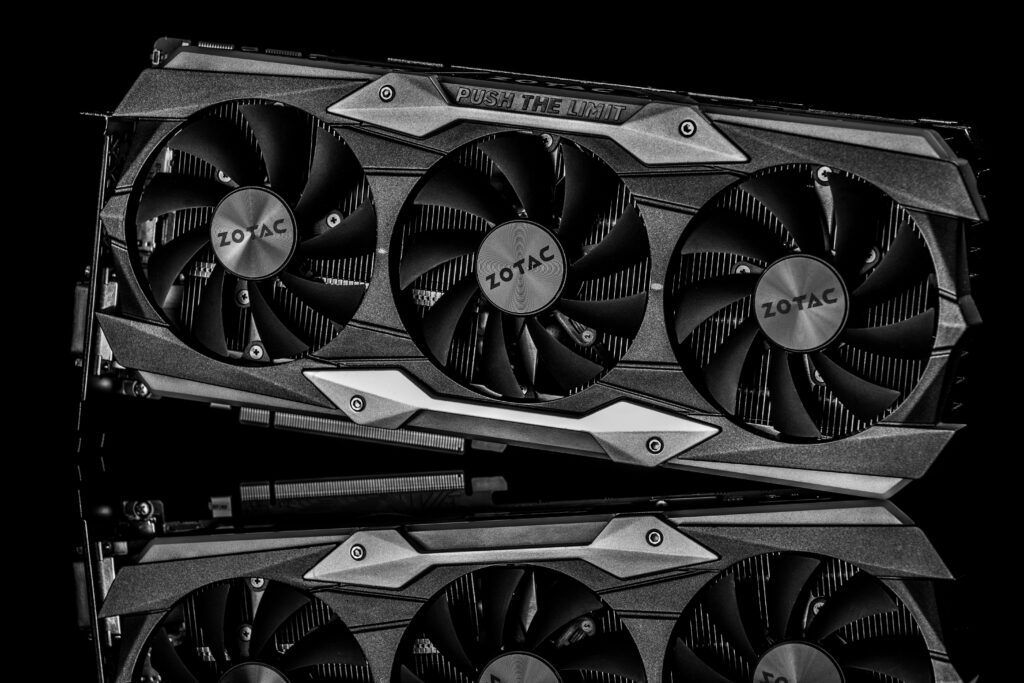
Power draw predicts it better than brand. Igor’s Lab warns that a card pushing 300W or more through only eight real phases will usually whine during fast load changes. Plenty of current cards sit in that class. NVIDIA rates the RTX 5070 Ti at 300W, the RTX 5080 at 360W and the RTX 5090 at 575W, while AMD rates the RX 9070 XT at 304W, so phase count and choke quality decide how loud each board partner’s version gets.
Premium coolers don’t guarantee silence either. In its March 2026 review, Tom’s Hardware found “quite a bit of high-pitched coil whine” on the RTX 5080 Founders Edition that varied with frame rate, and said even the near-silent ASUS RTX 5080 Noctua Edition had audible whine at high frame rates, though it “controls it better than most.” Reddit owner threads report RTX 5090 whine on ASUS, MSI, Gigabyte, PNY and Founders Edition cards alike, and two cards of the same model can sound completely different. We won’t name “whine-free” models, because no source can honestly promise one.
Myths, and whether it fades with time
Skip the hot glue. Epoxy and thermal pads on the chokes are no better. Igor’s Lab warns that gluing coils together can crack their solder joints and void your warranty, and it found that coils cooled too well (thermal pads under a water block, for example) can get louder, because warm windings sit tighter and rub less. Running a stress test overnight to “burn in” the coils has no testing behind it that we could find.
Does it go away? NZXT’s honest answer is that it sometimes becomes less noticeable, but you shouldn’t count on it, and a frame cap is the fix you can actually rely on.
When to return the card, and when an RMA won’t work
Start with the retailer, and act fast. Newegg’s return policy (updated 19 August 2026) gives most products, graphics cards included, a 30-day window, but opened graphics cards can carry a 15% restocking fee unless they arrive damaged or defective, and replacements are like-for-like only. Check the Warranty & Returns tab on your card’s product page before you buy.
Manufacturer RMAs are much harder. NZXT states outright that coil whine isn’t covered by the warranty on its PCs, ASUS says the noise “can’t be completely eliminated,” and Intel only suggests contacting support when the noise is extreme and the usual fixes haven’t helped. In practice, a card is worth returning if the whine is louder than its fans in normal games with a sensible frame cap, or if it comes with crashes, artifacts or overheating. Record a short clip with your phone close to the card, both uncapped and capped, and send that with your request.
A frame cap, a mild undervolt and a closed side panel make most whining cards livable, and none of them costs more than a few minutes of setup. Still screaming? Return it.
SpecClear participates in affiliate programmes. When you purchase through links on this site we may earn a commission at no additional cost to you.