
SpecClear earns a commission if you buy through Newegg links on this page, at no extra cost to you.
Every new high-end motherboard ships with PCIe 5.0 slots, and GPU boxes increasingly advertise PCIe 5.0 compatibility. Spec sheets make PCIe 4.0 sound obsolete. For gaming, that is not true, and the bandwidth numbers below show why.
What PCIe generations actually change
PCIe (Peripheral Component Interconnect Express) is the interface that connects your GPU, NVMe drives, and other expansion cards to the CPU. Each generation doubles the bandwidth of the one before it.
A PCIe 4.0 x16 slot delivers 64 GB/s while a PCIe 5.0 x16 slot delivers 128 GB/s. No current gaming GPU comes close to using that headroom. The same story played out when PCIe 4.0 launched. To check what your board and GPU support, try our PC component compatibility checker.
How much bandwidth does a gaming GPU actually use?
The GPU talks to the CPU for draw calls, shader instructions, and frame data. Even demanding modern titles usually saturate only 4 to 8 GB/s of PCIe bandwidth. In TechPowerUp’s RTX 5090 scaling tests, dropping from PCIe 5.0 x16 to PCIe 4.0 x16 cost about 1%. Halving the bandwidth again to PCIe 4.0 x8 is where a small but measurable hit shows up on the fastest cards: about 4% at 1080p and 1440p, and about 2% at 4K. At PCIe 4.0 x4, the speed many chipset-wired slots run at, the 5090 lost 6 to 11%. Mid-range cards move far less data, so for them x8 barely registers.
The bandwidth gap between PCIe 4.0 and PCIe 5.0 looks enormous on paper. Gaming alone does not fill it, or even come close. If you are choosing a board, our guide to the best AM5 motherboards for gaming covers which slots you actually get.
PCIe 5.0 vs PCIe 4.0 SSDs for gaming
This is where PCIe 5.0 makes its strongest case, and it is still a narrow one. A Gen 5 drive like the Samsung 9100 Pro 2TB is rated for up to 14,700 MB/s sequential reads. A top Gen 4 drive like the Samsung 990 Pro 2TB tops out at 7,450 MB/s. But a game does not load like one big file copy. It pulls thousands of small textures, meshes and audio files from all over the drive, which leans on random reads and CPU decompression.
Published load-time testing keeps landing in the same place: Gen 5 saves somewhere between one and three seconds in the heaviest titles, and frame rates move by less than 1%, which is inside run-to-run noise. DirectStorage hands decompression to the GPU, but only a handful of PC games use it properly, and even there a fast Gen 4 drive gets close. Our guide to whether DirectStorage makes games load faster covers why.

Gen 5 also runs hotter. Samsung rates the 2TB 9100 Pro at around 8W during active reads, and early Gen 5 drives throttled without a heatsink. Newer controllers behave better, but keep the drive under the motherboard M.2 heatsink with some airflow. Most Gen 4 drives are fine under a basic cover.
Capacity matters more than generation. A big AAA install can take 150GB, so 2TB is the sensible floor for a gaming build. On Newegg today a 1TB 9100 Pro sits around $270, while a 2TB Gen 4 WD Black SN7100 is about $317. For roughly $50 more you get twice the space, and you will notice the space far more than the speed. One quirk of current pricing: the 2TB 990 Pro and the 2TB 9100 Pro both sit near $400. At equal money with a Gen 5 slot free, the Gen 5 drive is fine. Just do not stretch for it.
Check the slot before you buy. A Gen 5 drive works in a Gen 4 slot, but only at Gen 4 speed, so you pay extra for nothing. On AM5, boards with an E in the chipset name, such as B650E, X670E and X870E, give you at least one Gen 5 M.2 slot, while plenty of plain B650 boards stop at Gen 4. Chipset slots are usually Gen 4 too. On some Intel Z790 boards, filling the Gen 5 M.2 slot drops the GPU slot to x8. A PCIe 5.0 card, like an RTX 50 or RX 9000 series GPU, still gets the same bandwidth as PCIe 4.0 x16 there, so it loses about 1%. A PCIe 4.0 card falls to 4.0 x8, which is a small but measurable hit on the fastest cards and irrelevant for mid-range ones. Check the manual first.
Gen 5 earns its price when you move huge files: 4K or RAW video projects, long game captures, 3D scenes, local AI model files. There, twice the speed saves minutes instead of seconds. If that is your week, put a Gen 5 drive in the primary slot. If you mostly game, buy a 2TB Gen 4 drive and spend the difference on the GPU.
What actually matters when choosing a motherboard slot
For your GPU: run it in the primary x16 slot regardless of generation, since a PCIe 4.0 x16 slot is all any current gaming GPU needs. In TechPowerUp’s published PCIe scaling tests, an RTX 5090 in a PCIe 4.0 x16 slot lost only about 1% compared to PCIe 5.0 x16, which is too small to notice while playing.
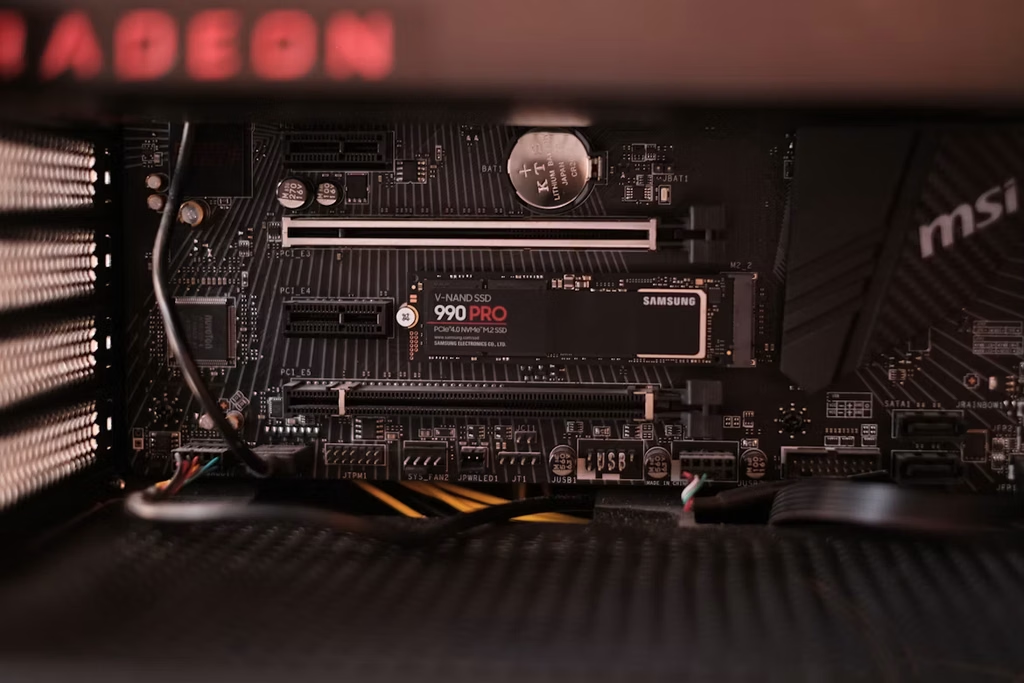
For your NVMe, PCIe 4.0 is still the practical sweet spot on price. Fast PCIe 4.0 drives cost less than PCIe 5.0 equivalents, run cooler, and deliver load times that are hard to tell apart from PCIe 5.0 in most games.
When will PCIe 5.0 actually matter for gaming GPUs?
Eventually GPU bandwidth needs will grow enough that PCIe 4.0 becomes a constraint. Current estimates still give PCIe 4.0 x16 headroom for at least another consumer generation. By the time a gaming GPU saturates PCIe 4.0, PCIe 5.0 will already be standard on every platform. Generational PCIe bumps are future planning more than a buy-now gaming upgrade. WD Black SN850X 1TB (about $235) Does your CPU bottleneck your GPU
The practical takeaway
If you are buying a new board today, it will almost certainly include at least one PCIe 5.0 x16 slot. Put the GPU there and move on. Do not let slot generation decide the board. VRM quality, thermal design, and price-to-feature ratio matter more for gaming. A better-built PCIe 4.0 board beats a weak PCIe 5.0 board with a thin VRM every time.
PCIe 5.0 is not a reason to buy a new motherboard nor is it a reason to avoid a PCIe 4.0 board. And it will not make your games run noticeably faster.