
SpecClear earns a commission if you buy through Newegg links on this page, at no extra cost to you.
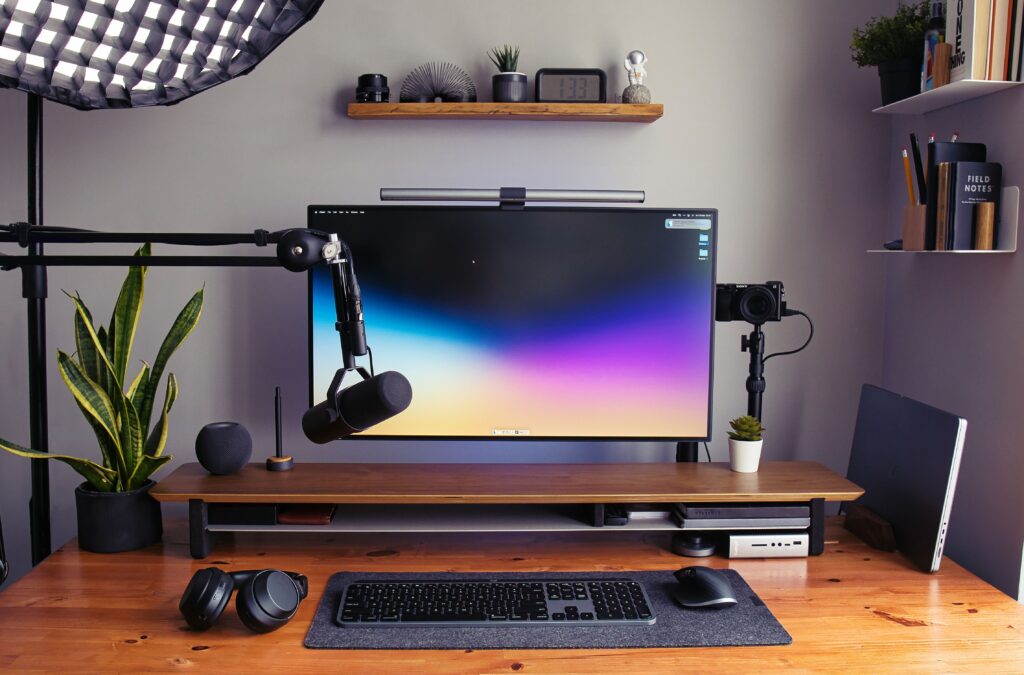
Most people who want to start streaming or making content spend weeks paralysed by gear research. They find setups costing $3,000, assume that’s the entry point, and either overcspend before they have an audience or never start at all.
Neither outcome is necessary. The honest truth is that a $150 setup done right looks and sounds better than a $500 setup done wrong. Lighting matters more than the camera. Mic placement matters more than the microphone. And the Stream Deck that seems optional at the start becomes the thing every experienced creator says they can’t imagine streaming without.
This guide covers every piece of equipment a streamer or content creator needs, microphone, camera, lighting, boom arm, Stream Deck, capture card, and audio interface, at three budget tiers. Entry level for getting started without wasting money. Mid tier for the upgrade when the audience is growing. High tier for the full professional setup.
Every product has a clear reason it exists, what it does well, what it doesn’t, and exactly who should buy it.
Why Your Setup Matters More Than You Think
Before the gear: the reason audio and video quality matters isn’t vanity. It’s retention.
A viewer who lands on your stream with poor audio, background noise, mic distortion, hollow room sound, leaves within 30 seconds. Not because they’re unkind. Because the brain registers degraded audio as effort, and watching content is supposed to be effortless. The same viewer with a slightly below-average camera but clean, clear audio will stay. Audio quality is retention. Fix it first.
Camera quality is the second priority, but with a caveat that almost every guide gets wrong: lighting determines 80% of how your camera looks. A $65 webcam in a well-lit room looks better than a $300 webcam in a dim bedroom. If you’re choosing between buying a better camera and buying a decent key light, buy the light.
Everything else, Stream Deck, capture card, boom arm, exists to reduce friction. The less you’re thinking about managing your stream mid-game, the more you’re focused on the content that keeps people watching. The desk around all of this matters too, and our guide to setting up a gaming desk covers that side of it.
Microphones: The Most Important Purchase You’ll Make

Why a microphone matters and what makes a good one
The headset boom mic you’ve been gaming with for years picks up everything within a metre of your face. Keyboard clicks. Room echo. The hum of your PC fans. Every sound competes with your voice and the result is the audio equivalent of a blurry photo. A dedicated microphone with a cardioid polar pattern focuses almost exclusively on what’s directly in front of it and rejects everything from the sides and rear.
Dynamic microphones are more forgiving in untreated rooms, they’re less sensitive, which means background noise bothers them less. Condenser microphones capture more detail and sound richer, but they also pick up every air conditioning unit, every car outside, every keyboard click you make while talking. In a treated studio, condenser wins. In a bedroom or gaming setup, dynamic is often the smarter choice.
Entry Level: HyperX SoloCast 2 (~$79 on Newegg)
The SoloCast 2 is a USB cardioid condenser microphone on a built-in stand. Plug it in, select it in OBS as your audio source, and it works. No drivers, no software, no configuration required. The cardioid pattern handles normal room backgrounds reasonably well for a condenser, and the touch-sensitive mute button on top is the feature that saves you more times than you expect, a quick tap to mute before a sneeze, a cough, or someone walking into the room. HyperX SoloCast 2 ($79)

What it does well: Dead simple setup. Clean voice capture at normal speaking distances (15-20cm). Surprisingly good at rejecting keyboard noise for a condenser.
What it doesn’t: The built-in stand puts the mic on your desk, which means it picks up desk vibrations from typing and anything you put down heavily nearby. The sound quality, while good, has a ceiling that shows up clearly if you’re editing audio. In a noisy room, background bleed is audible.
Who should buy it: Anyone starting out who wants to spend under $60 on audio and start streaming this week. It’s a significant upgrade over a headset mic at a price that doesn’t hurt if you outgrow it in six months.
Mid Tier: Elgato Wave:3 (~$236 on Newegg)
The Wave:3 is the microphone that made Elgato a serious audio brand. USB condenser, cardioid pattern, 96kHz/24-bit sampling, and the Clipguard system that’s the single most useful feature in the mid-tier microphone market. Elgato Wave:3 ($236)

Clipguard works like this: the Wave:3 has two capsules, one primary capsule and one secondary capsule running at -20dB. If your primary capsule clips, you shout, you laugh suddenly, you get excited, the recorder instantly switches to the secondary capsule and captures the moment cleanly. No distortion, no clipping, no ruined clip. Every other microphone at this price clips and distorts when you get loud. The Wave:3 doesn’t.
What it does well: Clipguard is genuinely unique and valuable. The Elgato Wave Link software lets you set up a software audio mixer for your stream, mix game audio, Discord audio, and your microphone independently, controlling what goes to stream and what you hear in your headphones. The build quality feels premium. The dial-mute on the front is satisfying to use.
What it doesn’t: Still a condenser, so a treated room or quiet environment produces the best results. The stand is desktop-mounted, get a boom arm for best results (covered below). The software is Elgato-ecosystem locked, which is only a limitation if you’re not using Elgato products elsewhere.
Who should buy it: Streamers who are consistently live with a growing audience and want audio quality that nobody complains about. The Clipguard feature alone justifies the step up from the SoloCast 2 for anyone who has ever clipped while getting excited in a game.
High Tier: Shure SM7dB (~$549 on Newegg)
The SM7B has been the professional streaming microphone for a decade. The SM7dB is the version Shure released to address its most discussed limitation: it requires 60dB of clean gain from an audio interface to reach optimal levels, which meant budget interfaces introduced hiss into the signal chain. The Shure SM7dB is listed at Newegg if you want to check today’s price.

The SM7dB adds a built-in active preamp that boosts the gain by 18 or 28dB internally before the signal leaves the microphone. This means it works cleanly with the Focusrite Scarlett Solo at $119, the budget-tier interface, without needing a separate CloudLifter booster at $150. The total system cost drops by over $100 while the output quality remains at SM7 level. If that is more than you want to spend, a headset mic is the cheaper place to start, and our roundup of gaming headsets under $100 lists the ones worth buying.
The SM7 sound is warm, broadcast-quality, full voice, the sound people associate with professional radio and podcast production. Dynamic capsule, so background noise rejection is exceptional. Your keyboard, your PC fans, the car outside, the SM7dB absorbs all of it and pushes your voice to the front with a richness that no USB microphone at any price fully replicates.
What it does well: Industry-standard audio quality. Exceptional background noise rejection. Works in any room without acoustic treatment. The built-in preamp solves the gain problem that prevented most streamers from using the SM7B without expensive interfaces.
What it doesn’t: Requires an XLR audio interface, plug-and-play USB isn’t an option. The setup is more complex than any USB microphone. Price is substantial. This is professional gear and costs accordingly.
Who should buy it: Full-time or near-full-time streamers and content creators for whom audio quality is central to the product. Podcasters who work in untreated rooms. Anyone whose audience actively comments on audio quality and who has the budget to solve it definitively.
Cameras: What Your Audience Actually Sees

Why cameras matter and what the numbers mean
Resolution matters less than sensor size and glass quality. A 4K webcam with a tiny sensor and cheap lens produces worse low-light video than a 1080p webcam with a large sensor and quality lens. The spec sheets make this confusing deliberately.
For streaming specifically, 1080p60 is the practical ceiling for most platforms and most audiences. Twitch and YouTube limit stream bitrate in ways that make 4K streaming impractical for most creators. The difference between 1080p30 and 1080p60 is visible in fast motion. The difference between 1080p60 and 4K on a standard stream is invisible to most viewers.
What actually matters: frame rate (60fps versus 30fps), low-light performance (sensor size), and colour accuracy (processing).
Entry Level: Logitech C920 HD Pro (~$61 on Newegg)
The C920 has been the world’s most-used streaming webcam for over a decade. That’s not marketing, it’s the webcam behind more streams, more years, and more successful creator careers than any other camera on the market. The reason it refuses to die is that it works correctly every time, in every OBS version, on every system configuration, without driver drama or software conflicts. That track record is why the Logitech C920 HD Pro ($61) is still our default pick.

1080p at 30fps. Two-element glass lens. Decent autofocus. Clips to any monitor. That’s it.
What it does well: Absolute reliability. Works immediately out of the box. The image in decent lighting is genuinely good for the price. The 30fps cap is the only real limitation.
What it doesn’t: 30fps only at 1080p, which looks noticeably less fluid than 60fps on fast-motion streams. Low-light performance is average, dim rooms produce soft, noisy image. The autofocus can hunt occasionally.
Who should buy it: Anyone who wants to have a face camera on their stream today without researching for a week. The C920 with a decent key light looks better than a $200 webcam in a dark room. Buy the light alongside it.
Mid Tier: Elgato Facecam MK.2 (~$179 on Newegg)
The Facecam MK.2 is the upgrade that shows on screen the day you install it. 1080p60, the 60fps difference over the C920 is immediately visible in smooth motion. Fixed focus rather than autofocus, which sounds like a downside but is actually better for streaming: no hunting, no sudden focus pulls in the middle of a reaction, consistent sharpness from day one once it’s set correctly. Elgato Facecam MK.2 ($139)

The Sony CMOS sensor handles low light meaningfully better than the C920. The Camera Hub software allows granular control over exposure, white balance, sharpness, and saturation, important for dialling in a consistent look across streams. No built-in microphone, which is the right decision at this price; the mic space on a dedicated webcam is wasted if you have a real microphone.
What it does well: 60fps at 1080p with no compromises. Fixed focus means consistent image quality. Elgato’s Camera Hub software is genuinely useful for dialling in your look. Pairs naturally with Wave:3 and the Elgato ecosystem.
What it doesn’t: Fixed focus requires correct physical placement, too close or too far and the image is soft. No 4K if that matters to you. Elgato software ecosystem is a mild dependency.
Who should buy it: Streamers who are streaming regularly and want their camera to look as good as their audio sounds. The step up from the C920 is immediately visible to your audience.
High Tier: Elgato Facecam 4K (~$190 on Newegg)
The Facecam 4K replaced the Facecam Pro in early 2026 at a significantly lower price while retaining the 4K60 capability that made the Pro the reference premium webcam. Uncompressed video output at up to 4K30 or 1080p60. Large sensor. Excellent low-light performance. Fixed focus at the same consistent quality the MK.2 delivers. If 4K matters for your recordings, get the Elgato Facecam 4K (about $190).

The 4K capability matters more for YouTube content than for streaming. Recorded at 4K and uploaded to YouTube, the detail and colour reproduction is noticeably superior to 1080p footage, YouTube compresses 4K less aggressively than 1080p, so 4K uploads paradoxically look sharper even when watched at 1080p. If you’re building a dual-use setup, streaming and recording YouTube content simultaneously, the Facecam 4K earns its price.
What it does well: 4K recording capability for YouTube content. Excellent sensor quality in any lighting. The step up to mirrorless territory without the complexity of a capture card setup.
What it doesn’t: No microphone. Fixed focus requires correct placement. The 4K advantage is primarily relevant for YouTube recording, not streaming itself.
Who should buy it: Dual-purpose creators who stream and produce YouTube videos. Streamers who want the best possible image quality from a webcam without moving to a mirrorless camera and capture card setup.
The Step Beyond Webcams: Mirrorless Camera and Capture Card
Once you’re earning from content or the production quality of your setup is the differentiator, a mirrorless camera, Sony ZV-E10 II, Canon EOS M50 Mark II, connected to an Elgato 4K60 Pro capture card produces a background-blur, cinematic depth-of-field look that no webcam replicates.
This is high-tier territory: Sony ZV-E10 II (~$750), Elgato 4K60 Pro Mk.2 (~$149 on Newegg), plus lens costs. The result is the camera quality you see behind major streamers and YouTubers. The investment is significant and only worth it once the audience and income justify the spend.
Lighting: The Upgrade That Changes Everything

Why lighting matters more than your camera
A $65 webcam with a well-positioned key light looks better than a $300 webcam in a dark room. This isn’t an exaggeration, it’s the most consistent finding from every streaming hardware guide written in the last five years.
The reason is sensor physics. Camera sensors in low light increase their ISO sensitivity to compensate for lack of light. Higher ISO introduces noise, the grainy, muddy image quality that makes streams look cheap. A key light gives the sensor enough light to run at low ISO, producing a clean, sharp, well-saturated image.
The colour temperature of your lighting also matters. Warm light (2700-3000K) looks natural in the evening but can make skin tones appear orange. Cool light (5500-6500K) matches daylight and looks clean on stream. An adjustable key light lets you dial in the colour temperature to match your room conditions.
Entry Level: Elgato Key Light Mini (~$99 on Newegg)
A small LED panel on a desk stand or clip mount, adjustable from 2900K to 7000K colour temperature, dimmable from 3-100% brightness, controllable via the Elgato Control Center app or Stream Deck. The Mini version is smaller and more affordable than the original Key Light while covering everything a single-camera streaming setup needs.
What it does well: App and Stream Deck control means you can adjust your lighting without reaching across the desk mid-stream. The colour temperature range covers every lighting scenario from warm evening ambience to clean daylight match. Genuinely transforms image quality from any webcam. Once the camera and light are set up, our OBS setup guide walks you through your first stream.
What it doesn’t: A single light creates shadows on one side of your face. For a polished look with even illumination, a second fill light at lower intensity on the opposite side is the upgrade, two Key Light Minis or one Key Light Mini plus a cheap diffused fill light at $20-30 from Amazon.
Who should buy it: Every streamer who currently has no dedicated lighting. This is the single highest-impact upgrade for the money on this entire list. Buy this before upgrading your camera.
Mid Tier: Elgato Key Light (~$199 on Newegg)
The full-size Key Light produces 2,800 lumens, significantly more output than the Mini’s 800 lumens. For larger rooms, for streaming from further back, for situations where the Mini doesn’t produce enough light at comfortable brightness levels, the full Key Light fills the space. Elgato Key Light ($179)
What it does well: Enough brightness to handle large rooms, greater distances, and environments where ambient light competes with the key light. The same app and Stream Deck integration as the Mini.
What it doesn’t: Takes up more desk space. Overkill for small rooms where the Mini is sufficient. The price step is significant for what is essentially more brightness.
Who should buy it: Streamers in larger rooms, those who sit far from their camera, or anyone whose room receives enough ambient light that the Mini doesn’t produce a strong enough key effect.
High Tier: Elgato Key Light Air Panel with Diffuser Mount (~$199) + Fill Light Combo
The full two-light setup, a key light and a fill light, eliminates shadows entirely and creates the even, professional illumination that characterises studio-quality production. The key light at roughly 45 degrees to your face, the fill light at lower intensity on the opposite side, and you’ve created the two-point lighting setup that professional photographers use. Elgato Key Light ($199)
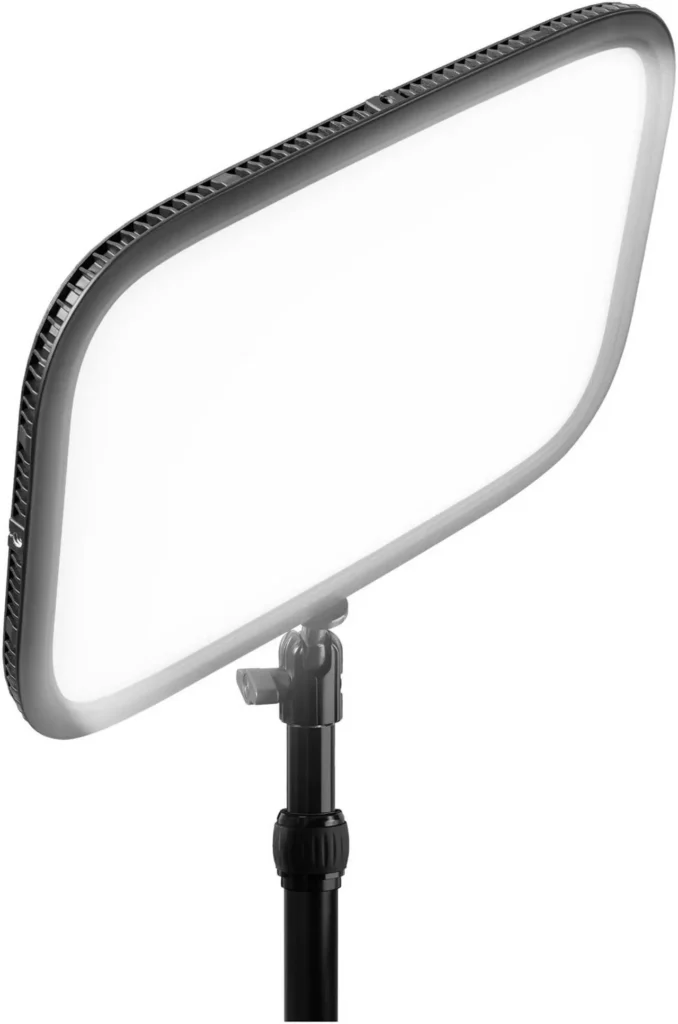
For the highest tier, an Elgato Key Light Panel or equivalent soft-box LED at $150-200 plus a secondary fill at $50-80 produces the cleanest possible streaming image from any camera at any resolution.
Boom Arms: Why the Stand That Came in the Box Is Wrong
Why mic placement matters
Your microphone belongs 10-15cm from your mouth, slightly off-axis, angled slightly downward toward your mouth rather than straight on, which reduces plosive sounds (the hard ‘p’ and ‘b’ sounds that pop on condenser mics). A desktop stand puts the microphone 30-50cm below your mouth at the height you’ll actually use it. You compensate by leaning toward the mic, which looks awkward on camera and picks up more desk noise.
A boom arm brings the microphone to your mouth at the correct distance and angle regardless of your sitting position, leaves your desk clear, and lets you swing the mic out of frame when you’re not streaming.
Entry Level: Rode PSA1 (~$105 on Newegg)
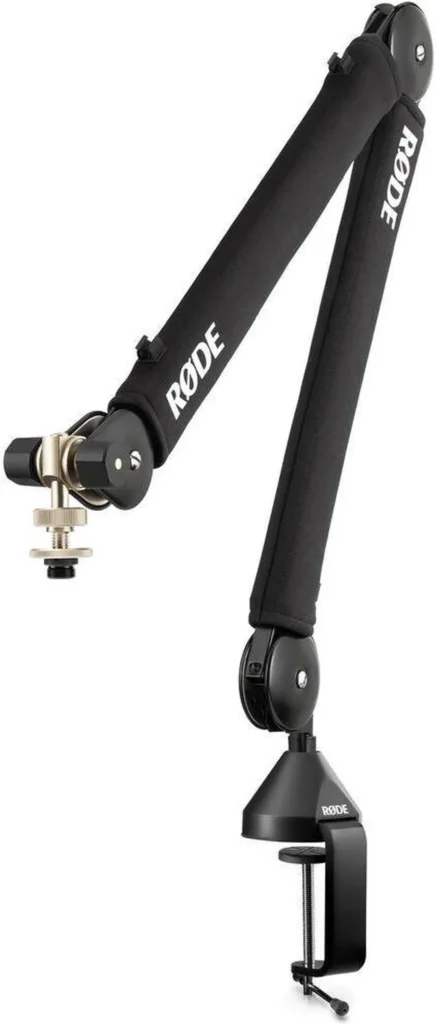
The PSA1 is the industry-standard boom arm and has been for years. Spring-loaded, smooth movement, rated for microphones up to 1.1kg (covers every microphone in this guide), desk clamp or grommet mount. It holds position without drifting and doesn’t creak during adjustments. For most microphones, the Rode PSA1 ($104) is the arm to buy.

What it does well: Reliable, well-built, holds any position without drift. Universal thread compatibility with every microphone. The standard recommendation for a reason.
What it doesn’t: The positioning range is sufficient for most desks but limited for corner setups where longer reach is needed. Premium rather than budget.
Who should buy it: Anyone who owns or is buying a dedicated microphone. The PSA1 should be part of the same purchase. Never put a good microphone on a desktop stand.
Mid Tier: HyperX Caster (~$140 on Newegg)
The HyperX Caster has built-in cable management that keeps the mic cable organized and out of sight, so your desk stays clean. Installation and adjustment are toolless, internal springs make positioning smooth, and it offers up to 36.1 inches of horizontal reach. It supports mics from 0.45 to 2.2 lbs with a 3/8 inch thread plus 1/4 and 5/8 inch adapters, so it works with most standard microphones, not just HyperX’s own. If tidy cables and toolless adjustment are worth the extra money to you, go with the HyperX Caster ($139.99).
High Tier: Rode PSA1+ (~$179 on Newegg)
The PSA1+ adds 30% more reach than the original PSA1 and a higher weight rating. For large desk setups, corner configurations, or heavy microphones like the SM7dB, the extended reach and weight capacity justify the premium. Rode PSA1+ ($139)
The Stream Deck: Why This Is the One Thing Every Creator Says They Wish They’d Bought Earlier
If you’ve never seen a Stream Deck, the description sounds underwhelming: it’s a small box with programmable LCD buttons. Each button can trigger any action on your computer, switching OBS scenes, muting your microphone, playing a sound effect, launching a clip, triggering a Twitch alert, opening an application.
The reason every experienced streamer says it changed their workflow is subtler than it first appears. Managing a stream while playing a game involves constant context-switching: mute yourself to cough, switch from gameplay to a full-screen camera for a face-cam reaction, trigger a sound effect for a moment, start a raid at the end of the stream. Without a Stream Deck, every one of these actions requires clicking through OBS, alt-tabbing, or using keyboard shortcuts you have to remember. With a Stream Deck, every action is one button press on a dedicated device at your fingertips without taking your hands off the game.
It’s the difference between managing your stream consciously and running your stream automatically. Once you use one for a month, the idea of streaming without it feels like driving without a dashboard.
Entry Level: Elgato Stream Deck Mini (~$71 on Newegg)
Six LCD buttons. Enough for scene switching, mute toggle, clip trigger, and two custom actions. For a first Stream Deck the Mini is the right entry point, it proves the value of the device without committing to the full setup until you know which functions matter most to your workflow. Elgato Stream Deck Mini ($71)

What it does well: Proves the concept. Six buttons cover the core use cases. Small desk footprint.
What it doesn’t: Six buttons fills up fast once you understand the possibilities. Most streamers who start with the Mini upgrade to the full 15-key version within a few months. Think of the Mini as a trial, not a final answer.
Mid Tier: Elgato Stream Deck MK.2 (~$159 on Newegg)
Fifteen LCD buttons. The standard recommendation for most streamers. Enough buttons to cover every scene, every audio action, every clip, and still have room for platform controls, application shortcuts, and custom macros. Folders allow multiple layers of buttons per physical key for effectively unlimited programmability. Elgato Stream Deck MK.2 ($159)
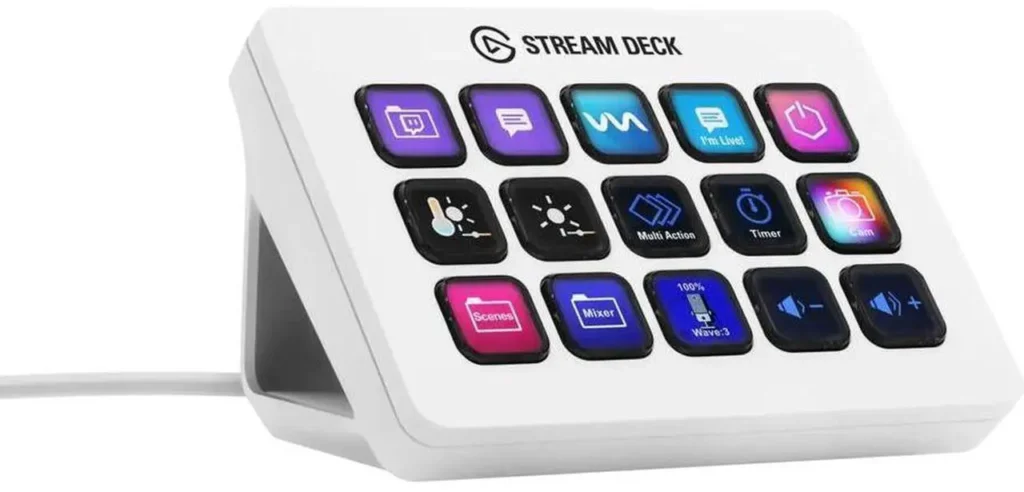
What it does well: Fifteen buttons covers everything the majority of streamers need without overwhelming complexity. The plugin ecosystem is extensive, works with OBS, Streamlabs, Spotify, Philips Hue, NVIDIA Highlights, and dozens of applications out of the box.
What it doesn’t: Nothing significant at this tier. This is the right product for most people.
High Tier: Elgato Stream Deck XL (~$249 on Newegg)
Thirty-two LCD buttons. For complex production setups, multi-scene productions, podcast or multi-guest streams, creators who also use the Stream Deck for non-streaming work like photo editing and video production. The XL makes sense when the MK.2 requires multiple folder layers to access things you use frequently. That is the point where the Elgato Stream Deck XL starts to earn its price.

Capture Cards: Do You Actually Need One?
A capture card connects a gaming console, PS5, Xbox Series X, to your PC and passes the video signal into OBS for streaming or recording. If you game exclusively on PC, you don’t need one. Your GPU already outputs the game signal directly to OBS.
You need a capture card if: you want to stream console gameplay, you want to record PC gameplay through a hardware encoder rather than software (useful when the CPU and GPU are under heavy load), or you’re building a dedicated streaming PC that captures from a separate gaming PC.
Entry Level: Elgato HD60 X (~$149 on Newegg)
4K30 or 1080p60 passthrough. Supports PS5, Xbox Series X, Nintendo Switch. USB connection, no PCIe slot required, works from any laptop or second PC. Price and stock for the Elgato HD60 X are on Newegg.

Mid Tier: Elgato 4K60 Pro MK.2 (~$359 on Newegg)
Internal PCIe card. 4K60 HDR capture. VRR support. For dedicated streaming PC setups where a USB connection creates additional CPU overhead. Our pick for that kind of setup is the Elgato 4K60 Pro MK.2.

High Tier: AVerMedia Live Gamer 4K (~$159 on Newegg)
4K60 HDR with zero-latency passthrough. The reference capture card for dual-PC streaming setups where no-latency passthrough is essential for the gaming experience while streaming. If that describes your setup, look at the AVerMedia Live Gamer 4K.

Audio Interfaces: When to Step Up From USB
If you’re using an XLR microphone, specifically the Shure SM7dB or any other XLR mic, you need an audio interface. The interface converts the XLR signal to USB audio your PC can read, provides phantom power for condenser mics that need it, and supplies the gain the microphone requires.
Entry Level: Focusrite Scarlett Solo 4th Gen (~$129 on Newegg)
One XLR input, one instrument input. 60dB of clean gain, enough for the SM7dB with its internal preamp. The Scarlett Solo is the standard recommendation for single-microphone streaming setups. It sounds clean, it works immediately with every DAW and streaming application, and Focusrite’s driver support is the most reliable in the interface market. Focusrite Scarlett Solo ($129)

Mid Tier: Focusrite Scarlett 2i2 4th Gen (~$169 on Newegg)
Two XLR inputs. For streamers who have a co-host, a guest, or who want to record instruments alongside voice. The same Scarlett sound quality with expanded connectivity.
High Tier: MOTU M2 (~$199 on Newegg)
The MOTU M2 produces lower noise floor than the Scarlett 2i2 at a similar price, the measured difference is small but audible on critical listening. For creators who are also recording music, voiceover, or podcast content where audio quality is the product, the MOTU M2 is the upgrade worth making. You can check current pricing for the MOTU M2 at Newegg.

Building Your Setup by Stage
Starting out (under $300 total):
HyperX SoloCast 2 microphone ($79), Logitech C920 webcam ($61), Elgato Key Light Mini ($99), Rode PSA1 boom arm ($99). Start here. Get comfortable with streaming before spending more.
Growing audience ($600-$800 total):
Upgrade the SoloCast 2 to an Elgato Wave:3 ($236). Add an Elgato Stream Deck MK.2 ($159). Replace the C920 with an Elgato Facecam MK.2 ($179). Add a fill light ($30) for two-point illumination. This setup is competitive with mid-tier professional streamers.
Professional setup ($1,500+ total):
Shure SM7dB ($399) on a Rode PSA1+ ($139) into a Focusrite Scarlett Solo ($129). Elgato Facecam 4K (about $190) with Elgato Key Light ($199) plus fill. Stream Deck XL ($199). Elgato 4K60 Pro MK.2 ($359) for console capture. This is the setup you stop upgrading.