
SpecClear earns a commission if you buy through Newegg links on this page, at no extra cost to you.
Future-proof is one of the most abused phrases in PC hardware. It gets applied to everything from $50 cases to $600 CPUs, and it usually means “buy the most expensive version of this component so you feel better about the purchase.” That’s not future-proofing. That’s upselling.
Real future-proofing is specific. It means identifying the components that age badly and spending more there, and identifying the components where spending more produces no longevity benefit and saving money there. Done correctly a build bought in 2026 skips a full rebuild until 2029-2030 with only a GPU swap somewhere in between. Done incorrectly it needs most of its components replaced within eighteen months. Whether to buy now or hold off is a separate question, and our build now or wait until 2027 guide deals with it.
The Component That Ages Fastest: The GPU
The GPU is the component that determines whether your build can play games at your target resolution and settings. It’s also the component that games stress hardest, at which new game releases push the boundary most aggressively, and the one you’ll upgrade first when the build starts struggling.
The implication for future-proofing is counterintuitive. You don’t future-proof the GPU by buying the fastest one available, you future-proof it by buying one with enough VRAM headroom to handle the games that haven’t launched yet. RX 9060 XT 16GB (about $520)
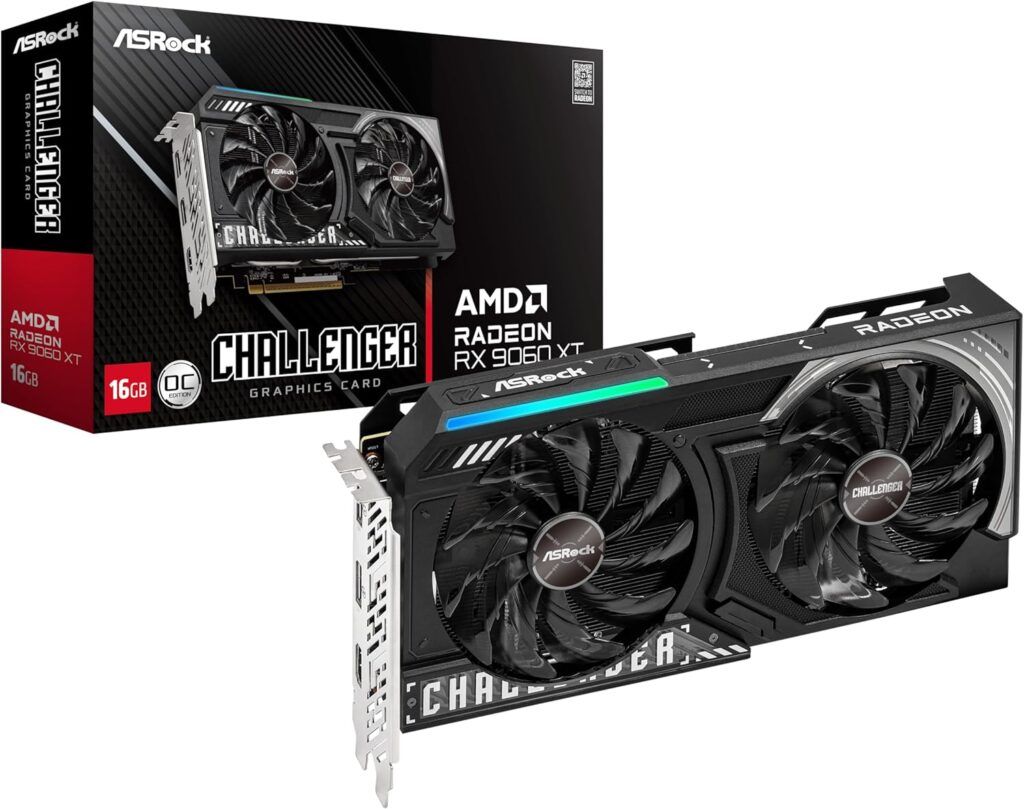
By 2026, GPUs with 12GB or more VRAM keep you in the game much longer than 8GB cards, since plenty of current games already use 8GB at high settings. The RTX 5060 at 8GB and the RX 9060 XT 8GB both hit a ceiling in demanding titles at 1440p right now, not a performance ceiling, a memory ceiling. The game wants more VRAM than the card has and compensates by stuttering or dropping settings automatically. This isn’t a future problem. It’s happening today in 2026.
The 16GB threshold is where VRAM pressure disappears for the foreseeable future at 1440p. The RX 9060 XT 16GB at about $520 handles current-gen demands without pressure. The RTX 5070 at 12GB (~$799 street) handles most current games cleanly with DLSS headroom reducing effective VRAM demand. The RTX 5070 Ti and RTX 5080 (~$1,579 street) at 16GB are the set-and-forget options for 1440p through 2028-2029. For why street prices sit this far above MSRP, see our piece on the AMD GPU price hike.
The honest future-proofing advice on GPU: don’t buy 8GB in 2026 for any build that will run at 1440p. The extra money spent on 12-16GB now is the extra money you don’t spend replacing the card in 18 months.
On the hardware upgrade side: no new GPU architectures from either AMD or Nvidia are locked for late 2026. The RTX 50 Super refresh remains delayed or on hold rather than a firm CES 2027 promise. AMD’s RDNA 5 still targets mid-to-late 2027 as a working window. The cards on shelves today are what the market offers for the next 12-18 months minimum. Whatever you buy now, you’re keeping for a while.
The Platform That Determines Everything Else: CPU and Motherboard Socket
The CPU and motherboard are bought together and tied to a socket. When you choose a socket you’re choosing how long the platform remains relevant before a CPU upgrade requires a new motherboard, the most expensive single swap in any mid-build upgrade. AM5 is the safe choice here, since AMD has confirmed support for the platform through 2029. A good starting chip is the AMD Ryzen 5 9600X ($199).


This is where AM5 earns its recommendation for 2026 builds more clearly than at any previous point. AMD AM5 platform is confirmed through at least 2029, with Zen 6 (Olympic Ridge) arriving in 2027 and fitting the same socket. Intel’s LGA1851 platform has a less defined multi-generation roadmap, Intel Nova Lake in Q1 2027 uses a new LGA1954 socket, meaning current LGA1851 motherboards won’t accept next-gen Intel CPUs.
The practical implication: an AM5 build in 2026 accepts the current Ryzen 9000 series, the upcoming Zen 6 generation in 2027, and potentially Zen 7 beyond that. An LGA1851 build’s upgrade path ends at the current Arrow Lake Refresh generation for most mainstream boards.
You don’t need the best CPU on the socket for future-proofing. You need to be on the right socket. A Ryzen 5 9600X on a B850 AM5 motherboard has a clear upgrade path to a Ryzen 7 9800X3D today or a Zen 6 chip in 2027. A Core Ultra 5 245K on a Z890 board performs similarly today but has no confirmed same-socket upgrade path beyond current-gen.
For the motherboard itself: choose one with four RAM slots rather than two. Four slots means you can start with 32GB (2 × 16GB) and add another 32GB later without replacing existing sticks. A two-slot motherboard maxes out at whatever capacity you install on day one.
The Spec Most People Get Wrong: RAM Capacity and Configuration
32GB is the practical baseline for 2026 gaming, and leaving two DIMM slots open matters more than buying 64GB on day one. A half-filled kit gives a cheap upgrade path later without touching the motherboard.
Start with 32GB (2 × 16GB) in dual channel. Don’t start with 16GB (1 × 16GB), single-channel RAM kills performance. Single-channel RAM absolutely murders gaming performance, 20-40% FPS loss in CPU-limited scenarios. Always buy a matched pair. Always. The G.Skill Flare X5 32GB DDR5-6000 CL30 (about $660) is one such kit.
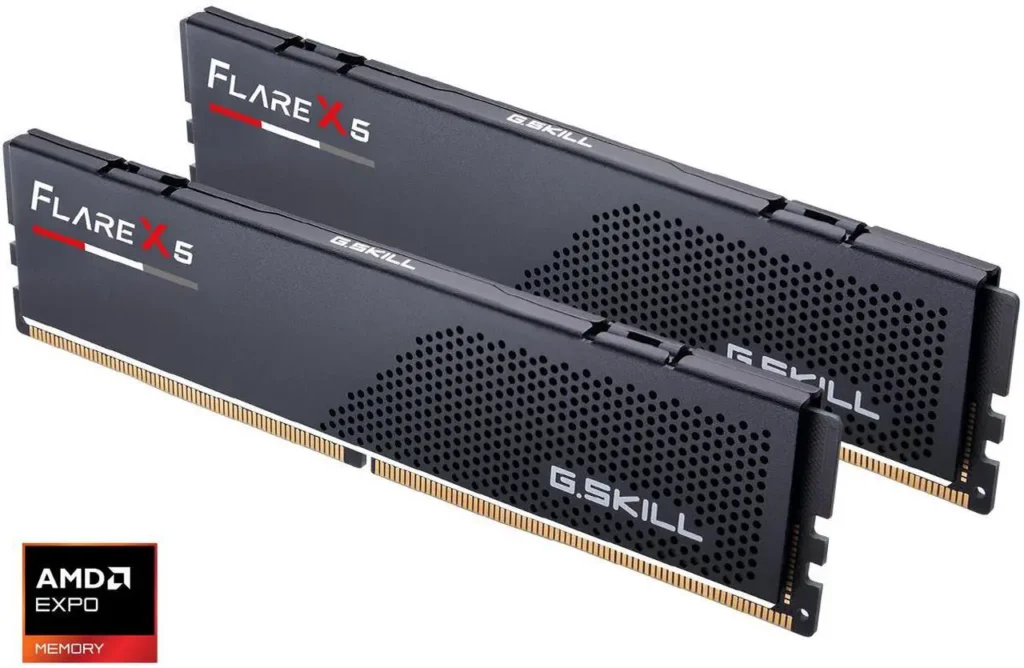
The speed sweet spot for AM5 remains DDR5-6000 CL30. At 6000MHz the Infinity Fabric runs at 2000MHz in a 1:1 ratio, pushing above 6400MHz drops into an asynchronous mode that typically performs worse despite the higher frequency. G.Skill Flare X5 32GB DDR5-6000 CL30 at about $660 is the kit that covers this correctly.
The case for 64GB comes only if you run memory-intensive workloads alongside gaming, video editing, 3D rendering, local AI inference, virtual machines. For pure gaming with streaming and Discord open, 32GB is sufficient through 2028-2029.
Storage: NVMe Only, Capacity Now
The future-proofing argument on storage is simple. SSDs have one failure mode for gaming, running out of space. The solution is buying enough capacity upfront rather than adding drives later when game library sizes have grown. Samsung 990 Pro 2TB ($388)
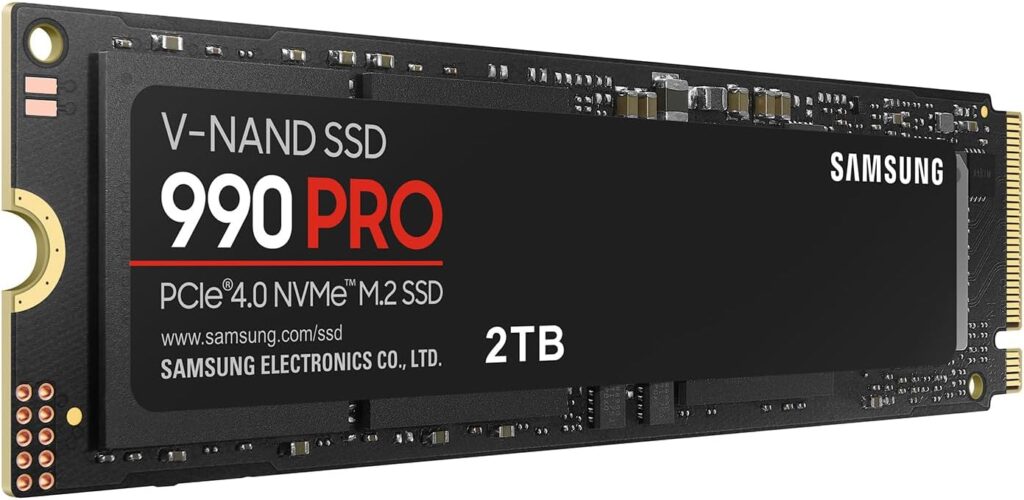
Modern AAA games run 100-150GB per install. A 1TB NVMe covers roughly 7-8 large games before you’re managing installs. A 2TB NVMe gives comfortable headroom for 15-20 large games simultaneously. The price difference between 1TB and 2TB NVMe has narrowed enough in 2026 that 2TB is the correct default for any build where gaming is the primary use case.
PCIe 4.0 is the correct storage tier. PCIe 5.0 SSDs produce load time improvements of under one second compared to PCIe 4.0 in gaming scenarios, the difference doesn’t justify the price premium for gaming-focused builds. PCIe 4.0 NVMe is what future-proofing looks like for storage in 2026. If you are upgrading an existing machine rather than building, our PC upgrade guide shows where storage fits in the order.
Hard drives for gaming are an active hindrance in 2026. Some games load assets at rates that mechanical drives can’t sustain, producing stuttering that isn’t present on SSD. If you need bulk storage for video, photos, or archived game installs, a secondary HDD is fine. Don’t install active games on it.
The Component Nobody Thinks About: PSU Headroom
The PSU is the component most often sized incorrectly for future-proofing. Most builders size their PSU for the current build’s components, GPU TDP plus CPU TDP plus overhead equals recommended wattage. This is correct for today’s components and wrong for the build you’ll have in two years. An 850W unit such as the Seasonic Focus GX-850 ($159) leaves room for that.

A GPU upgrade in 2028 will likely target the 300-400W TDP range based on current GPU generation trends. An RTX 5090 draws 575W today. Next-generation GPUs will draw comparable or higher power. A PSU sized exactly for today’s components will need replacing alongside the GPU upgrade, doubling the cost of what should be a single-component swap.
Add the GPU and CPU TDP together, then add 20% headroom. An RTX 5080 or RTX 5090 build lands around 850W on an 80+ Gold unit, which leaves room for a GPU swap without a PSU replacement. For a mid-range build today targeting a future GPU upgrade, an 850W PSU covers the current build and the next GPU generation without replacement.
The PSU is also the component where quality matters more than any other for long-term build health. A poor-quality PSU that fails doesn’t just fail itself, it can take the GPU, motherboard, or storage with it on the way out. Seasonic, Corsair, be quiet!, and EVGA are the brands with documented reliability. Buy once, buy correctly. To size yours, start with our PSU wattage calculator.
The Genuine Future-Proofing Checklist

Buy: GPU with 12-16GB VRAM minimum. At 8GB you’re already at the ceiling in some current titles.
Buy: AMD AM5 platform. Confirmed through at least 2029 with multiple future CPU generations on the same socket. On the GPU side, a good match is the RX 9060 XT 16GB (about $520).
Buy: Motherboard with four DIMM slots. Two-slot boards eliminate future RAM expansion without replacing the board.
Buy: 32GB RAM in dual channel (2 × 16GB). Start here, add later if needed. The G.Skill Flare X5 32GB DDR5-6000 CL30 kit is about $660 on Newegg.
Buy: 2TB NVMe SSD minimum for gaming-primary builds. Game sizes are not getting smaller. Samsung 990 Pro 2TB ($385)
Buy: PSU sized 20% above current peak draw. The cost of upgrading a GPU shouldn’t include replacing the power supply. Seasonic Focus GX-850 ($159)
Don’t bother: Overspending on CPU for future-proofing. A Ryzen 5 9600X and a Ryzen 9 9950X3D perform identically on the GPU-limited gaming scenarios that make up 90% of play time. The socket matters, not the top-end chip. AMD Ryzen 5 9600X ($199)
Don’t bother: PCIe 5.0 storage for gaming. Sub-one-second load time difference versus PCIe 4.0 at significantly higher cost.
Don’t bother: 64GB RAM for a gaming-only build. 32GB handles gaming plus streaming plus Discord with headroom to spare.
Don’t bother: The highest-end CPU cooler “for future-proofing.” Cooling is sized to the CPU. If you upgrade the CPU, reassess cooling at that point based on the new TDP.
A build that gets these six decisions right runs for three to four years before a GPU swap is needed, and the GPU swap extends it another two to three years without touching the platform.