
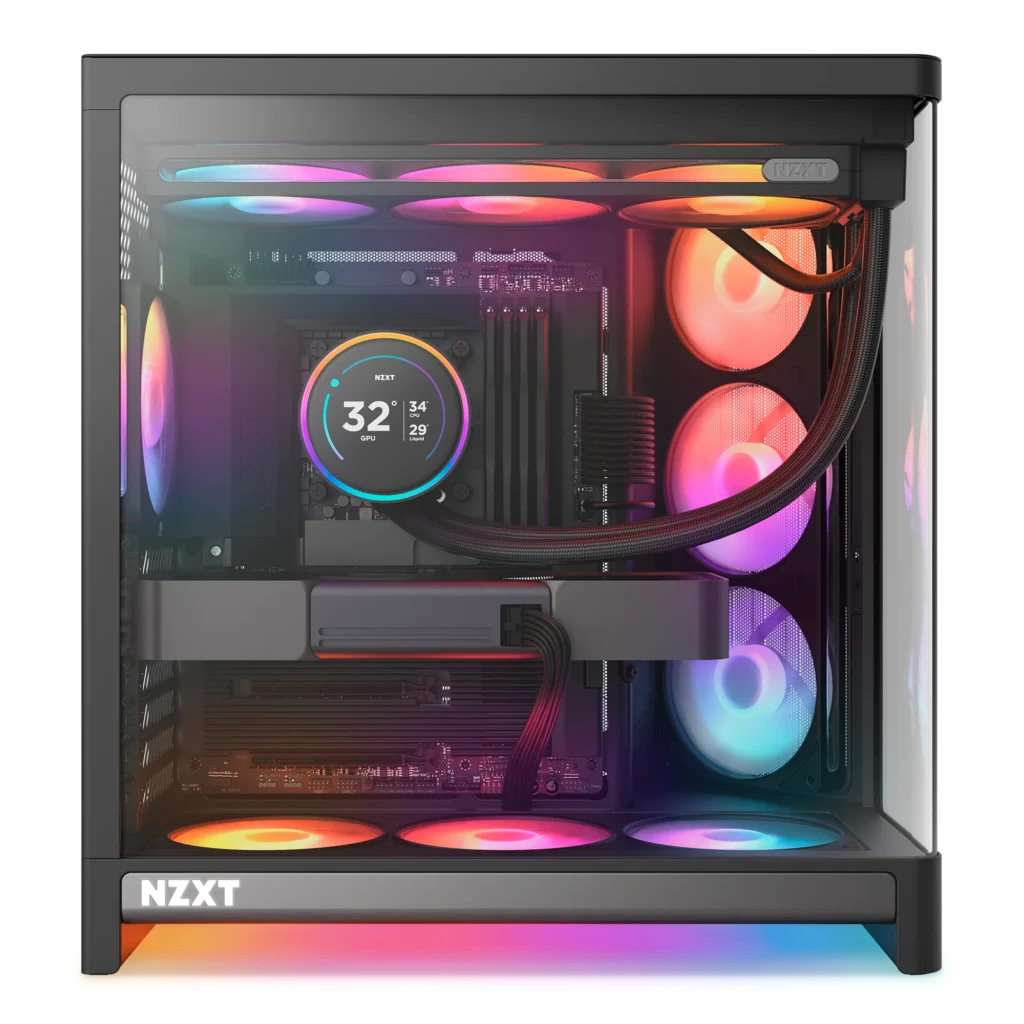
NZXT launched the H6 at Computex 2026 at $99.99 and called it the opening statement of a new design direction for the company. That’s a bold claim for a mid-tower at that price.
It earns it.
The H6 takes everything that worked about the H6 Flow the dual-chamber layout, the angled front intake, the clean NZXT aesthetic and rebuilds it with a seamless curved glass panel, standardised 120mm fan positions throughout, and native back-connect motherboard support. At $99.99 for the base model and $199.99 for the H6 RGB+ with fans and hub included, it’s priced to compete directly against the Corsair 4000D Airflow and every other serious mid-tower in the $100 bracket.
It’s a better case than either of those. Here’s why.
NZXT H6 Review: What Changed From the H6 Flow
The H6 Flow was already a strong case. NZXT’s original dual-chamber design with the angled front intake solved a real problem most dual-chamber cases either sacrifice airflow for aesthetics or sacrifice aesthetics for airflow. The angled front-right corner approach let the H6 Flow do both at once.
The 2026 H6 improves on the Flow in three specific ways.
First, the glass. The H6 Flow used a two-piece angled glass panel with a visible seam at the corner. The new H6 uses a single piece of tempered glass bent to a tight radius. No seam, no frame breaking the view, no distortion at the corner. The build inside reads as a continuous visual rather than a framed display. If you’re investing in RGB components and a clean build, this is the difference between a showcase and a box with a window.
Second, fan standardisation. The H6 Flow mixed 120mm and 140mm positions in some configurations, which meant fan planning required reading the spec sheet before buying. The new H6 is 120mm throughout all ten positions. Every 120mm fan on the market fits. Every kit you can buy works. That sounds minor until you’re standing in front of a case at midnight trying to figure out whether your fan order is compatible.
Third, back-connect motherboard support. ASUS BTF, MSI Project Zero, Gigabyte Project Stealth reverse connector motherboards are the standard for clean builds in 2026. The H6 is built around them. Cable channels, pass-throughs, and internal routing all assume you’re building with hidden connectors. Standard ATX boards work fine too. But if you’re running a back-connect board, this case was waiting for you.
The Dual-Chamber Layout: What It Actually Does
The dual-chamber design isn’t just aesthetic. It does two real things.
First, it isolates PSU heat. In a traditional single-chamber case, the PSU sits in the bottom rear and its exhaust mixes with case air. In the H6, the PSU lives in a dedicated secondary chamber separated from the main component area. The heat from the PSU doesn’t touch your CPU or GPU thermal environment. For a high-wattage build anything with a Corsair AX1600i SHIFT or similar that separation is meaningful.
Second, it isolates cables. Every power cable runs through the secondary chamber and doesn’t cross the main component bay. The result is a build where the cables effectively disappear. Combined with a back-connect motherboard, the interior of an H6 build can look genuinely clean without heroic cable management effort.
The secondary chamber requires about 30mm of clearance. Standard PSU lengths up to 200mm fit without issue. Verify your PSU length if you’re running something unusually long.
The Airflow Design: Why the Angle Isn’t a Gimmick
The angled front-right intake is the H6’s defining feature and the thing most people question before building in one. It looks unusual. It works.
Traditional dual-chamber cases with glass fronts have a fundamental airflow problem the glass blocks front intake, so air has to enter from the sides or bottom and travel further to reach the GPU and CPU. The H6’s angled corner puts mesh and fans at the front-right face of the case, directing intake air across the GPU and CPU zone in a straight diagonal path.
TweakTown’s thermal testing on the H6 RGB+ confirmed this in numbers. GPU temperature averaged 68.1°C under sustained load normalised to 63.1°C ranking second overall in their test suite, behind only the Antec Flux Pro Noctua Edition. CPU averaged 76.2°C, landing mid-pack in their spreadsheet of tested cases. For a $199 pre-built configuration with included fans, those are strong results.
The angled intake isn’t a marketing photograph. The airflow reaches where the heat is. The H6 Flow users who’ve been running this design for two years have said the same thing consistently.
H6 vs H6 RGB+: Which One to Buy
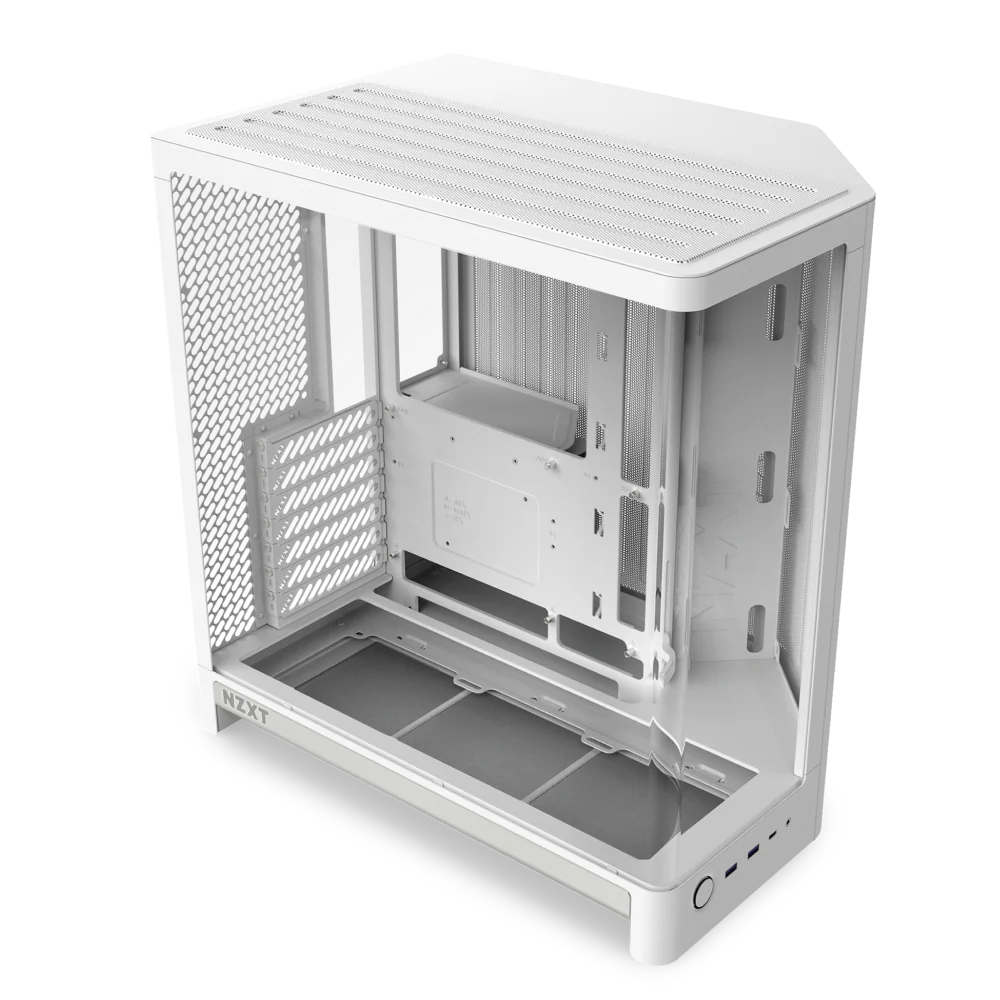
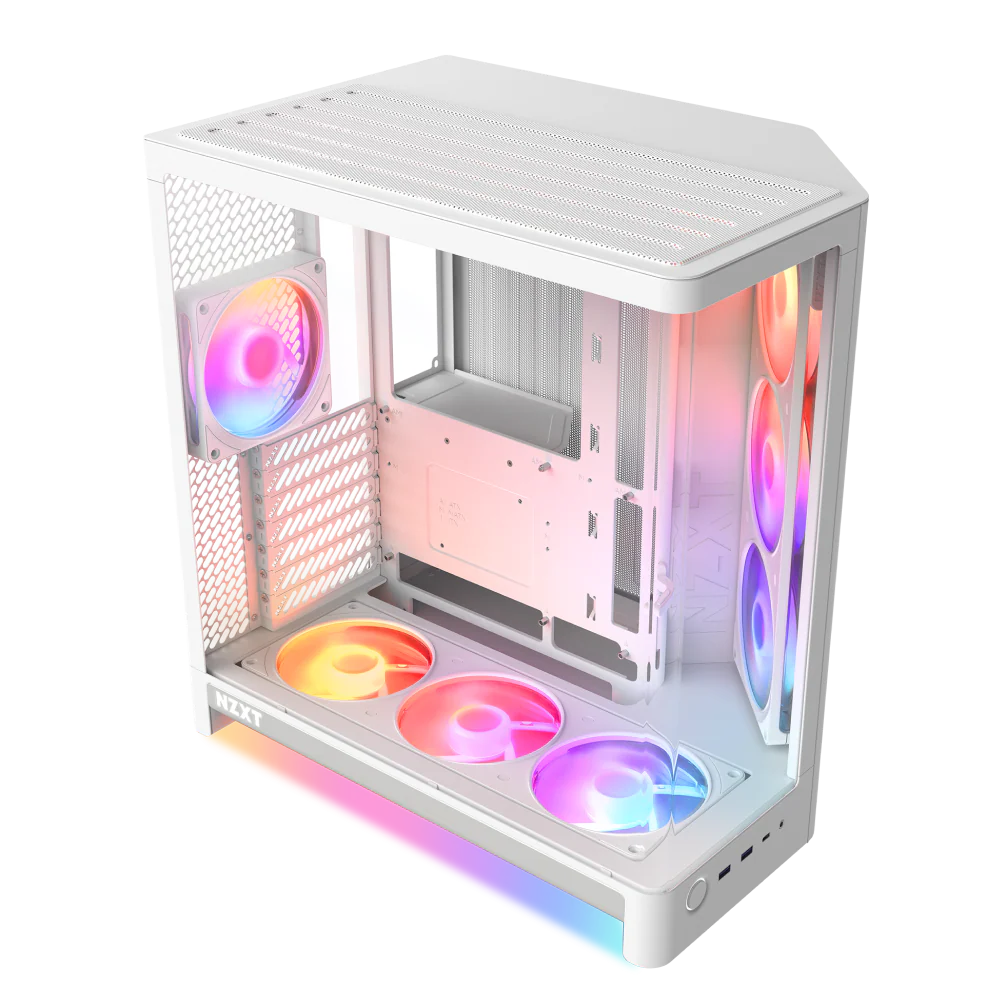
Two versions. Real difference.
The H6 at $99.99 ships with no fans. The case, the glass panel, the dual-chamber layout, the GPU anti-sag bracket all there. No fans, no hub. You configure cooling yourself.
This is the right buy if you already own fans you like, you’re pairing with a high-end AIO that brings its own fans, or you want to run NZXT’s new Ultra RGB fans specifically. It’s also the right buy if you have 140mm fans you want to use you can’t mount them in the standardised 120mm positions, but a 140mm rear fan can be used with an adapter in some configurations.
The H6 RGB+ at $199.99 ships pre-loaded. Two F360 RGB Reverse fans on the front-right intake, one F120 RGB rear exhaust, and the NZXT Control Hub Lite for unified fan and RGB control through NZXT CAM. You install the motherboard and PSU and the cooling is already done.
This is the right buy for a first build, for anyone who doesn’t want to manage fan selection separately, or for anyone running an all-NZXT system. The included fans are NZXT’s new RGB series fluid dynamic bearings, 60,000-hour rated lifespan, five-year warranty. They’re not the best fans you can buy, but they’re properly specced and run quietly at default speeds.
The $100 gap between them is real. If you can spec your own fans for under $100 and get better performers, the base H6 is the smarter buy. If you want to unbox and build without a separate fan order, the RGB+ earns its premium.
Build Clearances: The Numbers That Matter
GPU clearance: up to 400mm. The front fan bracket is the hard limit. A triple-fan 336mm card fits with room to spare.
CPU cooler height: 165mm. Tall air coolers like the Noctua NH-D15 at 165mm are at the limit verify before buying. A 360mm top-mounted AIO is the natural fit for this case.
PSU clearance: 200mm maximum length in the secondary chamber.
Radiator support: 360mm at the top. 120mm at the rear. No front radiator support the angled intake design doesn’t accommodate a front radiator mount.
Motherboard support: ATX, Micro-ATX, Mini-ITX. ATX is the natural fit for the case volume.
The 140mm fan limitation is the one genuine constraint worth knowing. All ten fan positions are 120mm. If you have a 140mm fan kit you love, this case won’t use it natively. The H6 Flow’s predecessor mixed positions the new H6 doesn’t. Standardisation is cleaner for most builds; it’s only a problem if you’re specifically invested in 140mm hardware.
Front I/O and Connectivity
Two USB 3.2 Gen 1 Type-A ports. One USB 3.2 Gen 2×2 Type-C port. Headset jack. Power button.
No reset button. This is a deliberate NZXT design choice carried through the H-series reset functionality is handled through the motherboard header directly if you need it. Most builders never use a case reset button, but if you’re in a workflow that requires it, know it’s not there.
The USB-C is Gen 2×2 20Gbps. That’s properly specced for 2026. Cases in this price range often include a USB-C port at Gen 1 speeds (5Gbps) and call it done. The H6 doesn’t cut corners here.
The Corsair Warthog Comparison
SpecClear has already covered the Corsair Warthog. It’s the obvious comparison at a similar price point both announced at Computex 2026, both targeting the mid-tower showcase build segment.
The Warthog is built around a different philosophy. Thick steel construction, integrated handles, a military-inspired aesthetic. It supports 40mm radiators which matters specifically if you’re pairing with the Corsair TITAN II ULTRA AIO. It’s a case built for maximum hardware compatibility and durability.
The H6 is built for visual impact and clean builds. Lighter construction, seamless glass, dual-chamber cable isolation, back-connect board support as a first-class feature.
If you’re building a Corsair ecosystem — TITAN II ULTRA AIO, HX1000i SHIFT CRYSTAL PSU the Warthog is the pairing the hardware was designed for. If you’re building a showcase system with mixed brands and you want the cleanest possible interior presentation, the H6 is the right choice. They’re not competing for the same builder.
Who Should Buy the NZXT H6
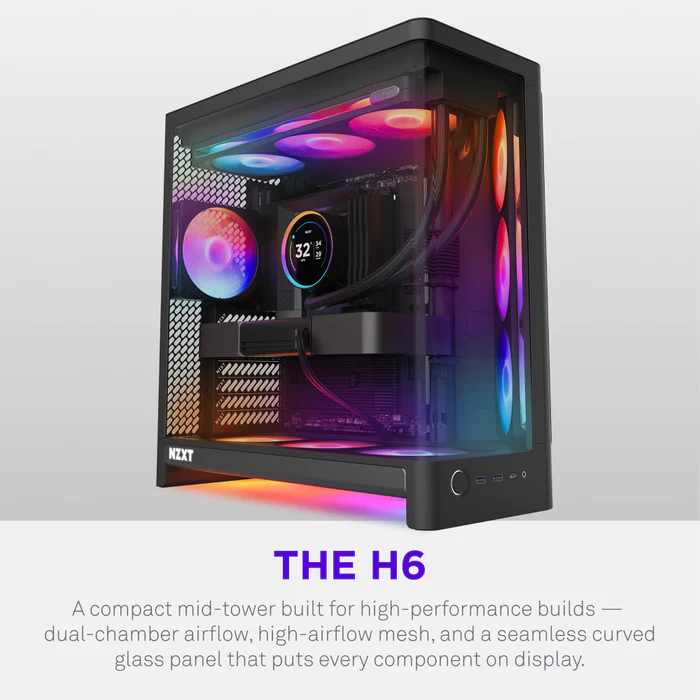
Buy the H6 base at $99.99 if you already own fans, you’re running an AIO that covers your cooling needs, or you want to spec the cooling yourself. It’s the best $99 mid-tower on the market right now.
Buy the H6 RGB+ at $199.99 if you want a complete out-of-box showcase build without a separate fan order. The included fans are genuinely good and the thermal performance is confirmed strong.
Don’t buy either if you specifically need 140mm fan support, a front radiator mount, or more than 165mm of CPU cooler clearance. The H6 is a focused product. It knows what it is.
SpecClear participates in affiliate programmes. When you purchase through links on this site we may earn a commission at no additional cost to you.