
SpecClear earns a commission if you buy through Newegg links on this page, at no extra cost to you.
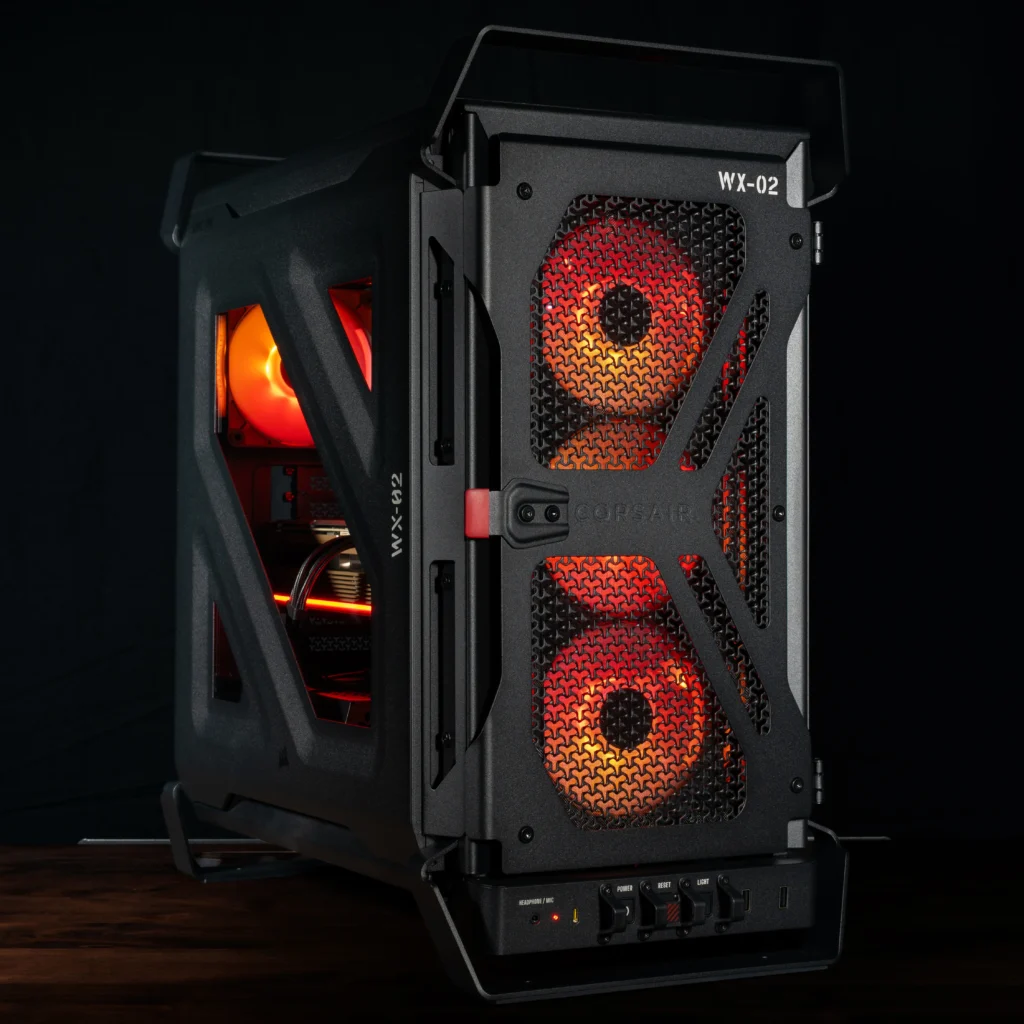
Buy the Warthog RS if you want a working mid-tower with real 200mm front intake and zero RGB nonsense. Skip it if you want a full glass showcase or a cheap mesh box under $120.
Corsair officially launched the Warthog on September 22, 2026, with pre-orders on its own store and select resellers, as the spiritual follow-up to the Vengeance C70: thick steel, Olive Drab or Black, carry handles, and cockpit-style I/O. Under the paint it’s FRAME 4000D architecture, which is the part that actually matters for a 2026 build.
Last verified: September 28, 2026. US MSRP is $179.99 for the fanless Warthog and $199.99 for the Warthog RS with two RS200 200mm front fans and one RS120 rear, though Corsair’s own US store has shown the RS at $209.99, so check the price before you order. It’s listed at Newegg, so check current stock there: Corsair Warthog on Newegg, or order from Corsair or another retailer.
What you’re actually getting
Two SKUs, two colors (Black + Olive Drab):
- Warthog: no fans included. Bring your own or reuse a leftover kit.
- Warthog RS: 2× RS200 front intake + 1× RS120 rear, motherboard headers only, no hub. Fans are non-RGB on purpose so lighting doesn’t fight the design.
Specs that matter on a desk build: mid-tower ATX / E-ATX (305×277mm), GPU up to 400mm per Corsair’s official figure (its spec sheet lists 435mm without front fans), CPU cooler 190mm, PSU 200mm, 7 horizontal / 3 vertical slots, reverse-connector boards (ASUS BTF, MSI Project Zero, GIGABYTE Project Stealth). Front I/O: 2× USB-A, 1× USB-C 20Gbps, combo audio, power, reset with flip cover, plus the rear I/O work light.
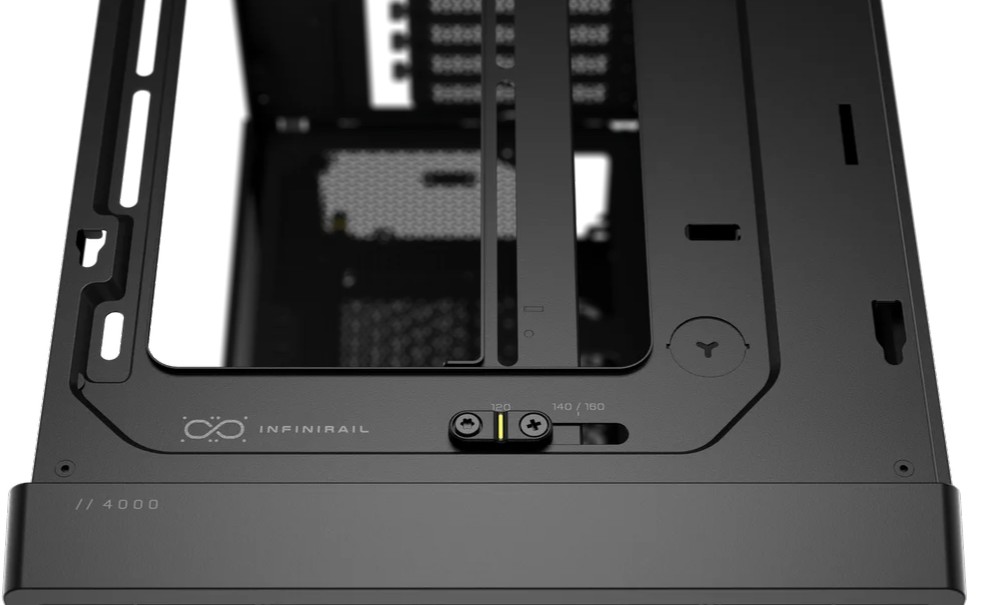
InfiniRail is the practical headline. Front and top fans/rads slide on rails instead of fixed holes, so you’re not stuck when a 360mm AIO or dual 200mm intakes need a few millimeters of clearance. Corsair claims up to 13× 120mm mounts and three 360mm radiator positions (front, top, side). Most builds won’t fill all of that, but the room is there when you need a second loop or push-pull.
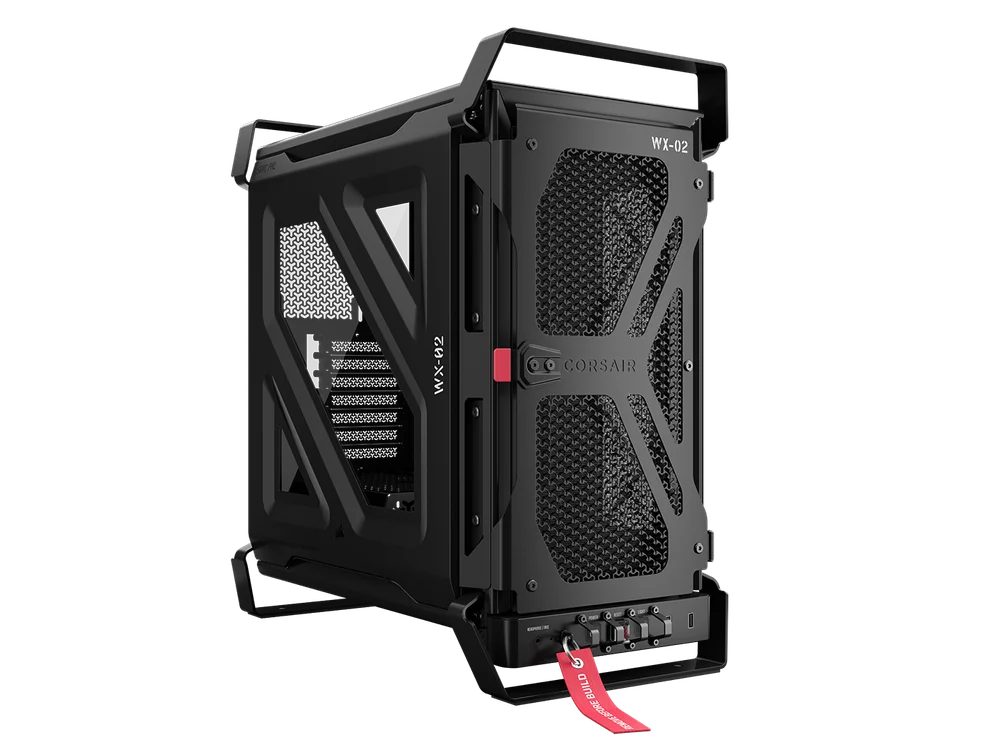
3D-Y perforated front and top is the same pattern as the FRAME 4000D. Corsair’s number is 12.7% more airflow vs flat cutouts. Treat that as marketing until someone runs a controlled chamber, but the open steel face is clearly less choked than a decorative mesh “airflow” panel with foam behind it.
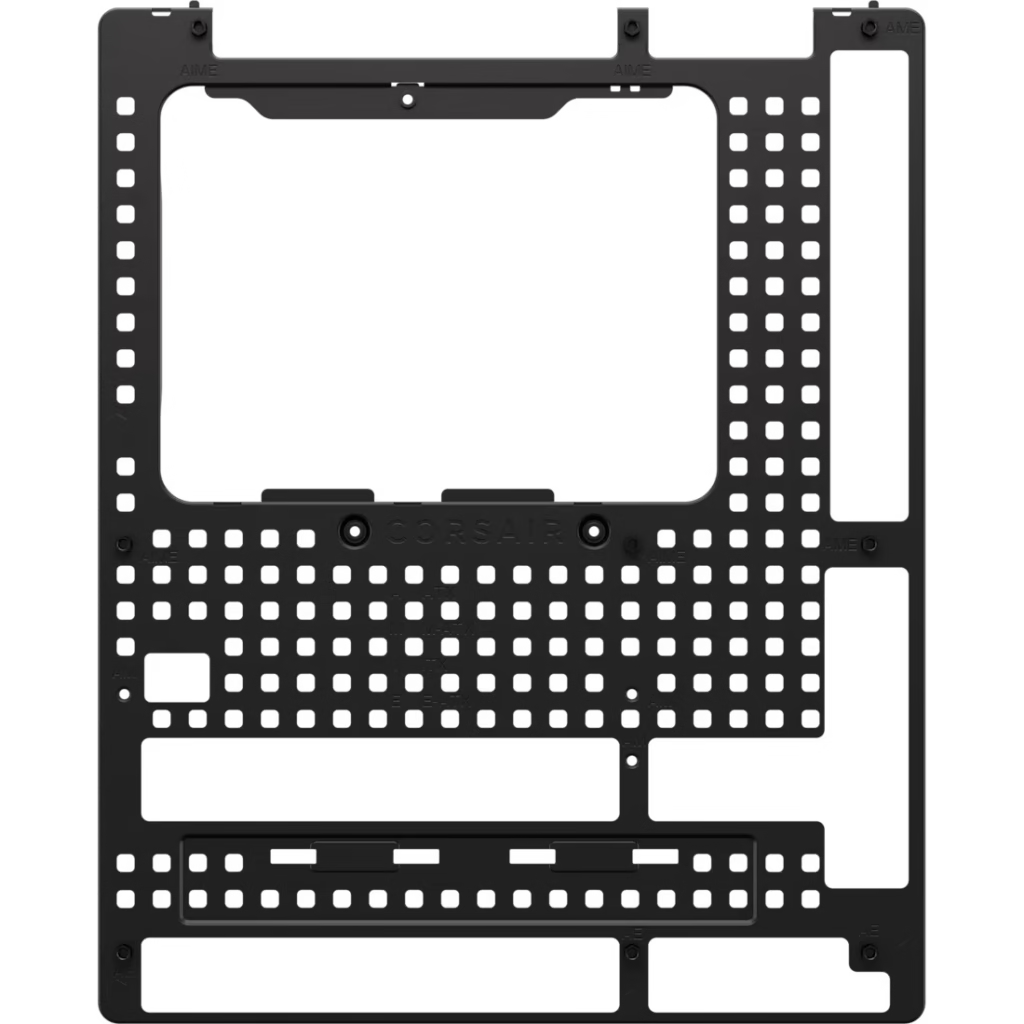
RapidRoute 2.0 is pegboard-style cable routing with ratcheting straps. It’s faster than wrestling fixed grommet paths when you’re running a fully modular PSU and a reverse-connector board. Rear cable space is 50mm.
Nano GPU anti-sag arm is in the box. Anything past ~1.5kg will creep a PCIe slot over months; shipping the arm instead of selling it separately is the right call for a case aimed at heavy cards.
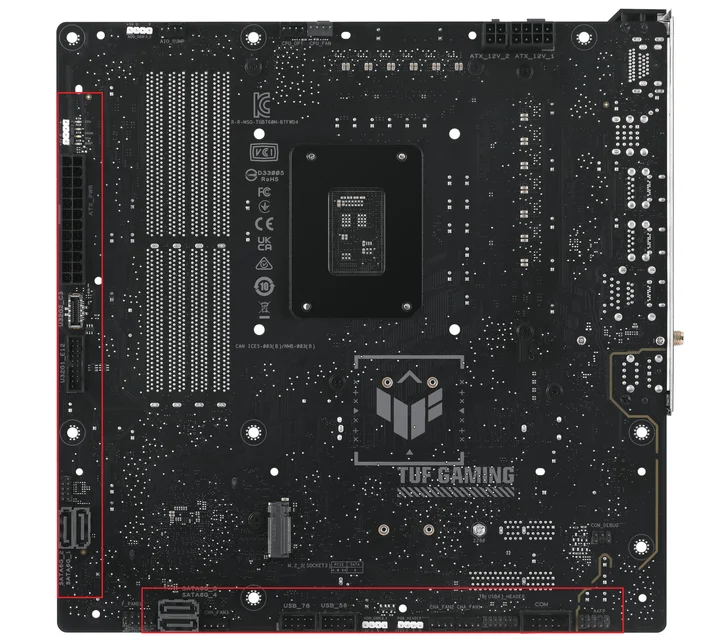
Native reverse-connector support plus a magnetic strip to hide the tray cutouts. If you’re on a standard board, the strip still covers the reverse slot so the cable side doesn’t look unfinished.
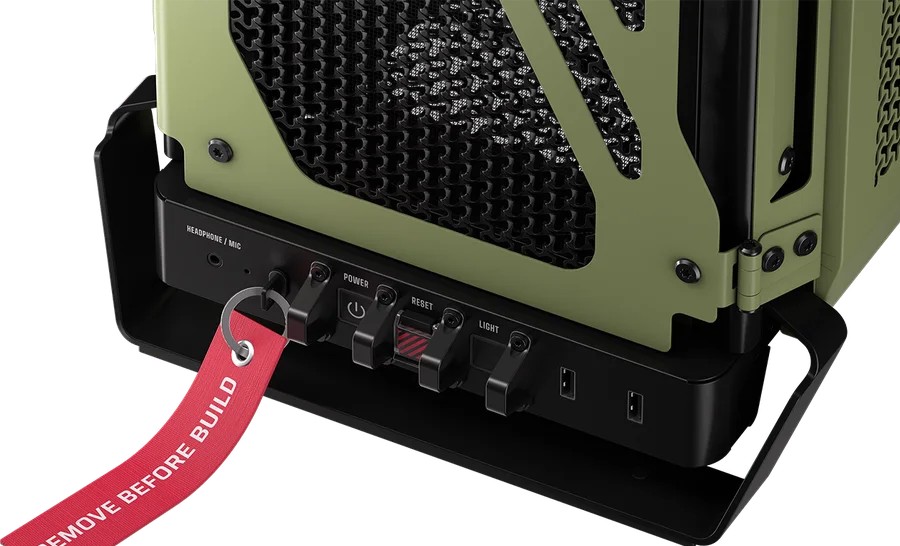
The fighter-jet I/O is theatrical (bollards around power/reset, “Remove Before Build” tag), and the useful bit is the rear I/O light on the front panel. Plug a display cable in a dark corner without fishing for your phone torch. Every mid-tower should have this. Almost none do.
Airflow and thermals (honest limit)
RS dual 200mm front intake at low RPM is the configuration you want if you’re buying this case for cooling rather than cosplay. Large fans move air without screaming, and the open 3D-Y face doesn’t choke them the way sealed mesh does.
Independent thermal data is now in. TweakTown’s September 23 review of the Warthog RS recorded a 71.9 °C average CPU temperature (Ryzen 7 7700X under AIDA64) and a 77.8 °C average GPU temperature (RTX 3090) in its test at 18 °C ambient, and it also flagged thin steel on the side radiator mount and a cramped PSU area. Treat that as one data point rather than a ranking, and if you’re comparing cases on GPU temperatures alone, the FRAME 4000D is the cheaper choice when looks don’t matter.
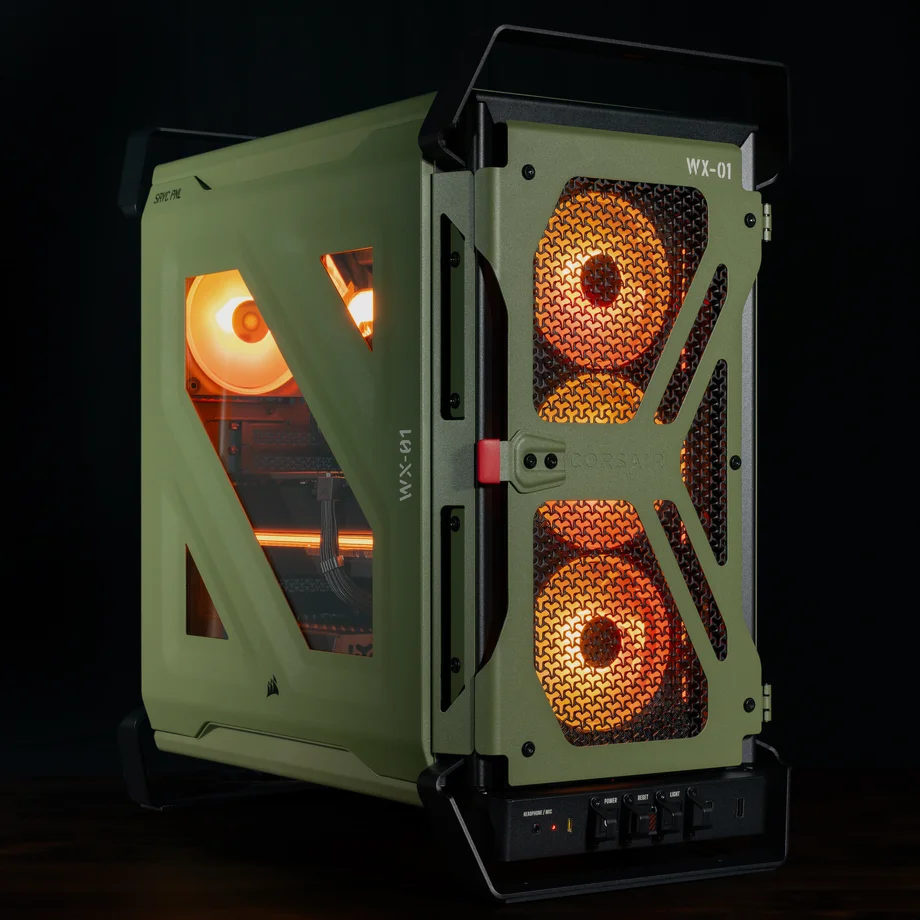
The side glass is three small angular windows, not a full pane. That’s intentional: this is a working case, not a showcase. If you need RGB reflections for photos, look elsewhere.
Who should buy it
Buy the RS if: you liked the C70 idea, you want a distinct steel mid-tower that isn’t another fish tank, you’re running a hot GPU and want stock 200mm intake, and you care about InfiniRail / reverse-connector / anti-sag without buying three add-ons.
Skip if: you want full-panel glass, you need RGB stock fans, you’re under a tight case budget (put the money into the GPU), or you’d rather have a cheaper open mesh with known thermal charts today.
Living with it
The aesthetic is divisive on purpose. If Olive Drab looks absurd to you, Black still keeps the same build features without the meme.
Once the Olive Drab novelty fades, you’ll be living with steel weight, real handles under a desk, and that rear light you’ll use the third time you need to reseat DisplayPort at night. At the very least, it’s a substantial, functional buy that will serve you well for years.
The honest verdict
Get the Warthog RS for the dual 200mm intake and the FRAME-derived build kit. Skip the fanless SKU unless you already own quiet 200mm fans. Skip the whole line if you want glass showcase or cheapest possible mesh. It’s listed at Newegg and on Corsair’s store, so check current stock before you order.
Official product page: corsair.com/warthog.
SpecClear participates in affiliate programmes. When you purchase through links on this site we may earn a commission at no additional cost to you.