
SpecClear earns a commission if you buy through Newegg links on this page, at no extra cost to you.
Most people buy a gaming desk the same way they buy a kitchen table. They look at the size, make sure it fits, check the price, and buy whatever looks reasonable. Then six months later they’re fighting cable tangles across the surface, the monitor is at the wrong height because the desk has no room for an arm, and they’re sitting at an angle because the straight desk doesn’t fit the corner properly.

A gaming desk isn’t furniture. It’s the platform your entire setup runs on. The monitor, the keyboard, the mouse, the headset stand, the Stream Deck, the speakers, everything lives on it. Getting it right means the rest of the setup works. Getting it wrong means everything else compensates for it.
This guide covers what actually separates a good gaming desk from a mediocre one, the three shapes worth considering, when a sit-stand matters and when it doesn’t, and specific products at entry, mid, and high tier, all available on Newegg.
The Decisions That Matter Before You Look at Any Product
Size first. Measure your space before looking at any desk. The minimum surface for a single-monitor gaming setup is 120cm (47 inches) wide and 60cm (24 inches) deep. Below 60cm deep, a 27-inch monitor sits too close to your face for extended sessions and a monitor arm hangs off the front edge. For dual monitors, 160cm minimum. For an ultrawide, 140cm minimum to avoid the display overhanging the edges.
Don’t undersize the desk because you think it looks better in the room. The frustration of a cramped setup compounds daily. An extra 20cm of surface area changes how every session feels.
Shape second. Straight desks suit most setups and most rooms. L-shaped desks convert unused corner space into usable surface, the most efficient use of a bedroom or office corner. They suit dual-monitor setups naturally because the main monitor faces you directly and the secondary monitor angles in from the side wing. They also separate gaming and work surface on the same desk without requiring a second desk.
T-shaped and wing-shaped desks exist for triple-monitor battlestation setups where curved surface positioning matters. These are niche.
Sit-stand third. A motorised height-adjustable desk lets you alternate between sitting and standing during long sessions, genuinely useful for reducing the back fatigue that accumulates over four-hour gaming or working sessions. The cost premium is real: a quality motorised desk runs $350-$600 versus $150-$250 for a fixed-height equivalent. Only worth it if you’ll actually use the adjustment. If you’re a pure gaming-only setup who will sit at the desk for every session, the premium is harder to justify.
Cable management features. Grommets, holes in the desk surface with rubber edges, let cables pass from the surface to underneath the desk without dangling off the edge. A cable tray under the desk holds the power strip and excess cable length off the floor. A desk without grommets and a cable tray produces a visible cable mess within a week of setting it up. Look for both.
Built-in power outlets. Increasingly common on gaming desks at every price tier, a power strip built into the desk surface or underneath, with USB-A and USB-C charging ports. Eliminates the floor-level power strip that everyone trips over and cleans up the surface cable situation meaningfully. Our PC gaming setup guide covers the rest of the desk layout.
Entry Level ($80-$150): The Budget Gaming Desk That Doesn’t Embarrass Itself
At under $150 the desk selection on Newegg is predominantly generic carbon fibre texture boards on steel frames. Some are adequate. Most are not worth buying. The floor for a gaming desk worth owning at this tier is $100-$130.
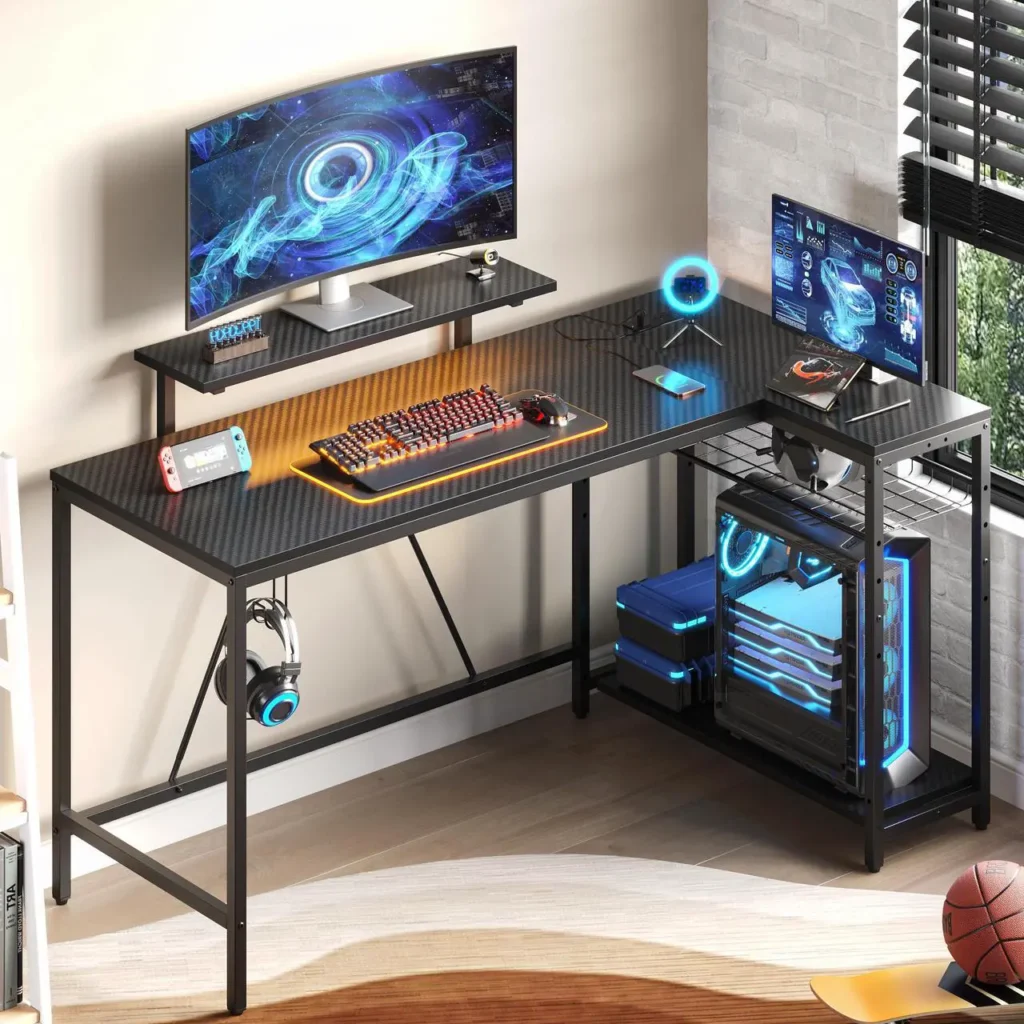
Bestier 55-inch Gaming Desk with LED (~$179 on Newegg)
The Bestier range is the most consistently available and most reviewed budget gaming desk line on Newegg. The 55-inch variant gives enough surface for a single 27-32 inch monitor with keyboard and mouse, a headphone hook and cup holder built into the steel frame, LED lighting strip under the desktop, and a carbon fibre texture surface that’s mildly heat and moisture resistant.Bestier 58″ Ergonomic L Shaped ($179)
The steel frame is powder-coated rather than painted, which means it doesn’t chip from under-desk contact. The assembly takes 30-45 minutes with the included hardware. The surface feels adequate at this price, not premium, but it doesn’t flex under normal load.
What it does well: Available immediately from Newegg, consistent build quality within the budget tier, included accessories (cup holder, headphone hook) that would cost $20-40 separately, and a surface size that handles a single-monitor gaming setup without forcing compromises.
What it doesn’t: The included LED strip runs off a USB connection and has minimal control, basic colour cycling with a remote. The cable management is a single grommet hole, not a full system. The depth at 23.6 inches is on the minimum side, a 27-inch monitor on an arm at this depth sits at the correct distance but a 32-inch panel on its stand feels too close.
Who should buy it: First gaming setup on a tight budget, student room or small bedroom where a larger desk doesn’t fit, or anyone who needs a functional gaming surface quickly without researching for a week.
The Bestier L-shaped variant at $140-$170 on Newegg is worth the step-up for corner rooms, same price tier, meaningfully more surface area, same quality construction. If your room has a usable corner, the L-shape at this price point beats the straight desk for value every time.
Mid Tier ($200-$350): Where Desks Start Earning Their Price
The mid-tier is the bracket most SpecClear readers should be shopping in. This is where cable management becomes proper rather than a single grommet, where surface depth reaches comfortable levels, and where the desk stops feeling like it might flex if you lean on it.
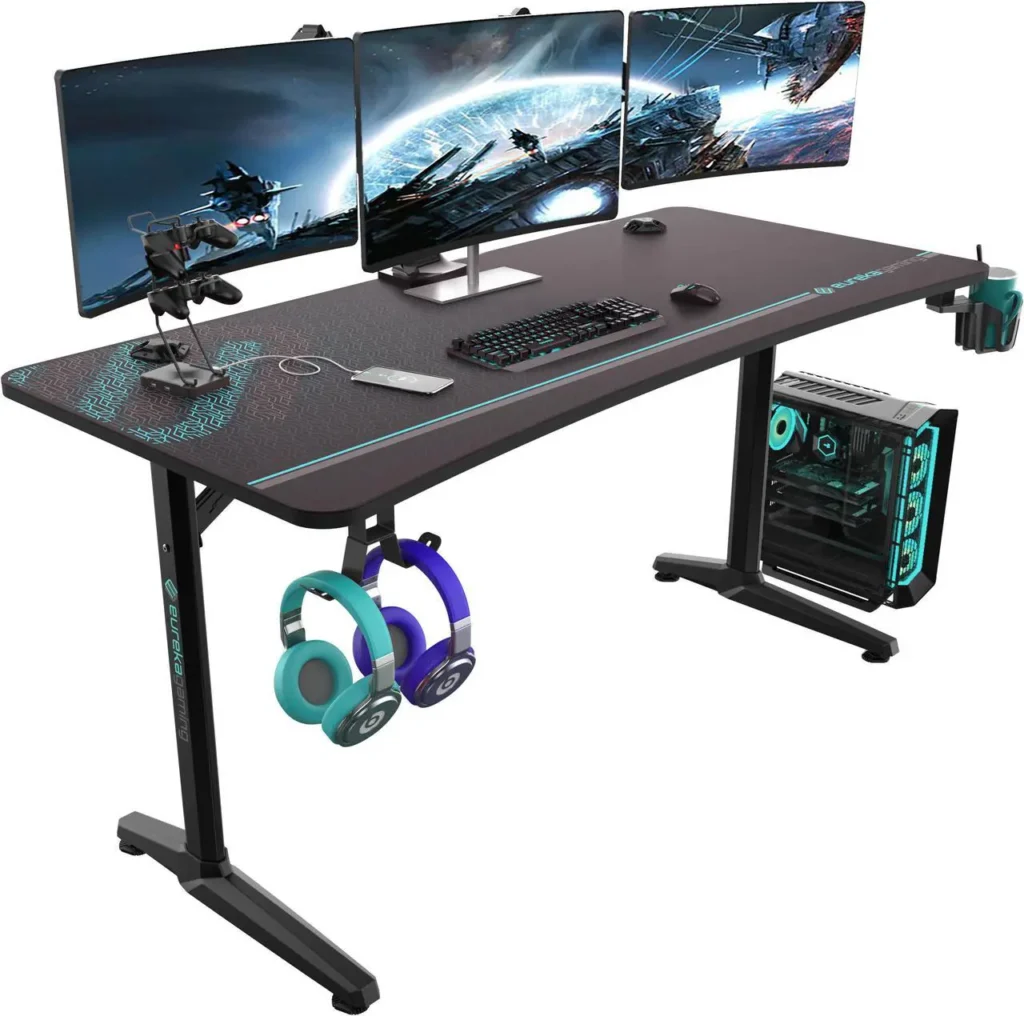
Eureka Ergonomic 60-inch Gaming Desk (~$180-$249 on Newegg)
Eureka’s L-shaped and straight models consistently appear in best gaming desk roundups from TechRadar, PC Gamer, and Empire Online, not because Eureka pays for placements but because the desks are consistently the best value in their price bracket. The Eureka Ergonomic 60-inch Gaming Desk ($249) is the straight model to look at.
The 60-inch straight model has a carbon fibre surface that’s genuinely water and heat resistant (tested, not just claimed), pre-drilled cable grommets, a built-in power strip holder that keeps the block off the floor, cup holder, headphone hook, and a 220-pound load capacity steel frame. That capacity matters if you’re running a full-tower PC on the desk alongside multiple monitors.
The L-shaped variant at $220-$549 has a 60-inch main section and 43-inch side panel, both with the same surface quality. The main section handles dual monitors or an ultrawide. The side panel handles secondary gear, a secondary monitor, or work materials without cluttering the gaming surface. It fits left or right corner configurations. Eureka Ergonomic 60-inch Gaming Desk varient

What it does well: Genuine build quality at a price most budgets reach. The surface resistance to moisture and heat is meaningfully better than the budget tier, a drink spill or a hot cup doesn’t leave permanent marks. The cable management system actually works. The load capacity handles full tower PCs, heavy monitor setups, and all peripherals without flexing.
What it doesn’t: No sit-stand adjustment at this price without a separate motorised frame purchase. The LED strip is functional but not sophisticated, no per-zone control or app connectivity. The surface is not real carbon fibre, it’s a printed wrap, accurate to the description but worth noting.
Who should buy it: Most builders setting up their first proper gaming station. The Eureka 60-inch L-shaped at $220-$549 is the desk most people in this audience should buy unless space or budget specifically prevents it.
COUGAR E-Star 140 Adjustable Electric Gaming Desk (~$209 on Newegg)
COUGAR makes PC cases, peripherals, and gaming furniture. The E-Star 140 is their flagship gaming desk and it crosses into sit-stand territory at a price point that actually justifies consideration. Newegg has the COUGAR E-Star 140 Adjustable Electric Gaming Desk.
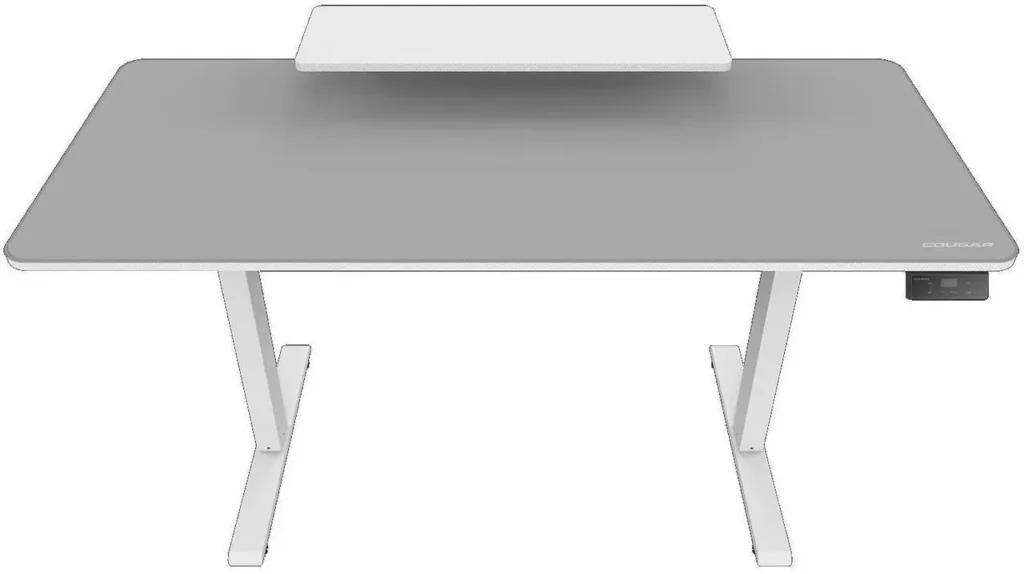
55-inch surface with electric height adjustment, two memory presets (save your preferred sitting and standing heights, press once to move between them), a full-desk mousepad integrated into the surface, built-in cable management channels, and a monitor stand integrated into the rear of the desktop. The monitor stand elevates displays off the surface, freeing desk depth and creating storage space underneath, useful for Stream Decks, small speakers, and peripherals that would otherwise crowd the surface.
Available in white and black on Newegg. The white version is the cleaner look for builds using white components, it matches the white GPU and white case aesthetic without requiring a white cable extension purchase just to cover the desk surface. If you are matching a chair to it, see our gaming chair picks.
What it does well: Sit-stand adjustment at a price that’s competitive with comparable motorised desks from FlexiSpot. The memory presets eliminate the annoyance of manually adjusting height every session. The full-desk mousepad is a genuine quality-of-life upgrade, no separate purchase, consistent surface texture, and the mousepad protects the desk surface from scratches. The integrated monitor stand clears surface depth effectively.
What it doesn’t: 55 inches is adequate but not generous for dual-monitor setups. The motor is a single motor rather than dual, at this price, dual-motor stability is what premium desks offer. At maximum weight load, single-motor desks can wobble slightly during height adjustment. Not a functional problem, but noticeable.
Who should buy it: Streamers and content creators who split time between gaming and desk work and genuinely want to alternate sitting and standing. The memory presets make the adjustment actually happen, desks that require manual knob turning for height adjustment get used once and stay fixed. Electric adjustment with presets is what turns sit-stand from a concept into a habit.
High Tier ($400+): When the Desk Is the Statement
At $400 and above, the desk stops being functional furniture and becomes part of the aesthetic identity of the setup. This tier is for builders who’ve got everything else right and want the desk to match.
Secretlab Magnus (~$499 on Newegg)
The Secretlab Magnus is the desk most commonly photographed behind clean, professional gaming and streaming setups. It looks like a piece of industrial furniture, cold-rolled steel top, magnetic attachment system for accessories, cable management that runs internally through the surface rather than through grommets, and the cleanest possible cable-free surface presentation.

The Magnus surface uses magnets to attach Secretlab’s accessory ecosystem, monitor arm, PC mount, cable routing channels, phone stand, cup holder, all snapping directly to the surface without tools, drills, or adapters. The result is a desk where everything attaches cleanly rather than clamping, drilling, or cable-tying.
220-pound load capacity on a steel frame that genuinely does not flex under load. The surface is a real metal finish, not a wrapped board. Cold-rolled steel feels fundamentally different from carbon-fibre-texture plastic laminate, it’s what it is and it shows.
What it does well: The magnetic accessory system is genuinely clever, change your setup configuration without tools or cable rerouting. The build quality is visually and physically premium. The cable management is the best integrated system on any gaming desk, cables route inside the frame and emerge only where needed.
What it doesn’t: Fixed height only on the standard Magnus. No sit-stand adjustment without the Magnus Pro upgrade ($650+). The magnetic accessory ecosystem locks you into Secretlab’s range, third-party accessories don’t use the magnetic attachment system. The surface shows fingerprints more than wrapped surfaces.
Who should buy it: Streamers whose desk is visible on camera and aesthetics are part of the brand. Content creators who photograph their setup. Builders who want a desk they won’t replace in five years.
The One Feature That Makes More Difference Than Any Other
Cable management. Not the desk’s colour, not the LED lighting, not the cup holder.
A desk with a cable tray, proper grommets, and a built-in power strip holder keeps the setup looking clean twelve months after you build it. A desk without those features produces a visible cable tangle within two weeks regardless of how carefully you route the cables at setup, gravity and daily movement win.
Before buying any desk, confirm three things: does it have cable grommets (holes through the surface), does it have a cable tray underneath or channels for routing, and does it have a power strip mount or built-in outlets. If yes to all three, the cable management works. If no to any of them, budget $15-20 for a Newegg under-desk cable tray to compensate.