
SpecClear earns a commission if you buy through Newegg links on this page, at no extra cost to you.
The HAF name has a specific meaning for anyone who’s been building PCs since the early 2010s. High Air Flow. The original HAF 932, the HAF X, and the HAF XM were the cases that PC builders reached for when they needed serious airflow and didn’t want to compromise. A 200mm fan on the front was the HAF signature, and it worked.
The cooler master haf ii 500, launching today at $199.99, takes that philosophy further than any consumer PC case has gone before. Two 220×40mm fans sit on the front, with a 180×40mm fan at the rear. All three running 40mm thick double the depth of a standard case fan. These are the largest fans Cooler Master has ever shipped in a consumer case, and they were the reason most people were paying attention when this case was announced at Computex 2026. For how other airflow-focused cases compare, see our best PC cases for airflow.
Whether the execution matches the specification is what matters. Based on Tom’s Hardware’s review published today alongside our own analysis of the design it mostly does.
The fans are the product
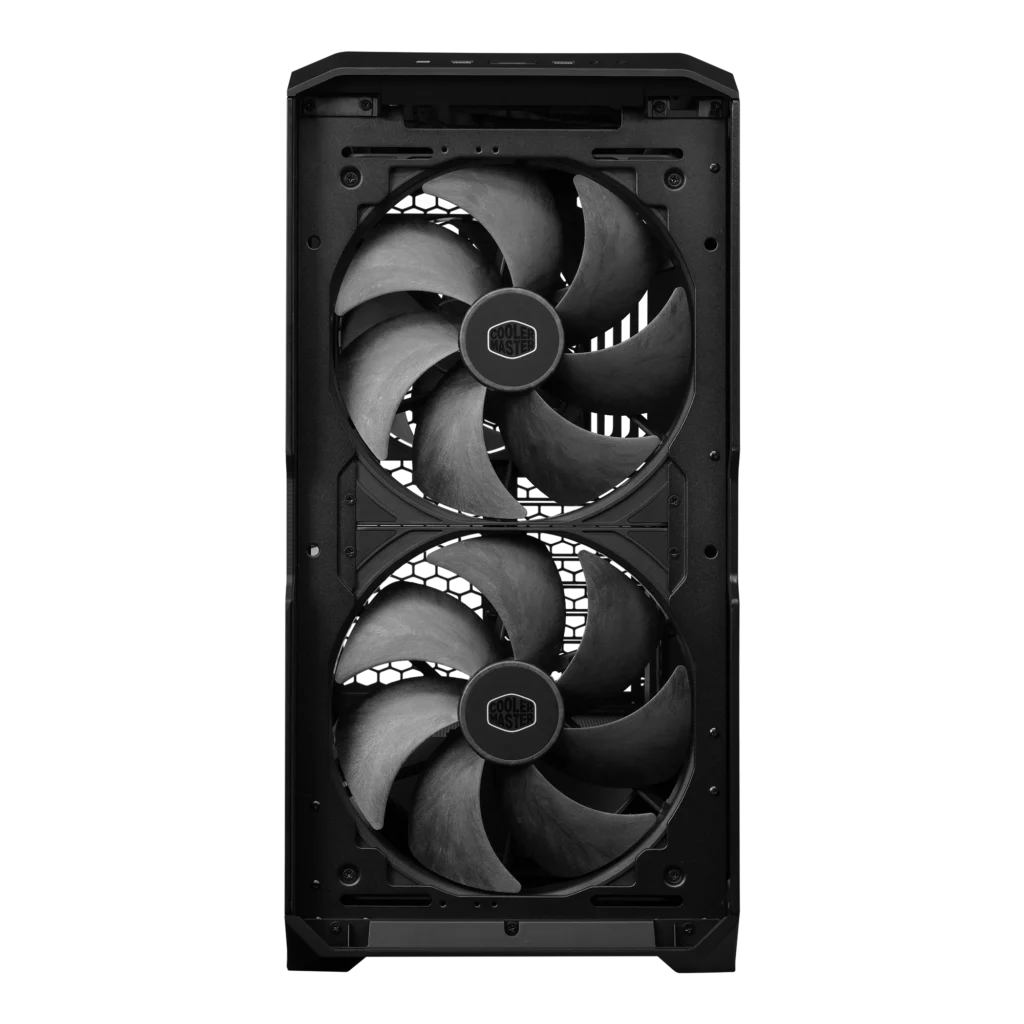
Everything about the HAF II 500 is designed around the Mighty40 fan series. These aren’t standard fans dropped into a standard case. The chassis was built specifically to accommodate fans that don’t exist in any other case on the market, and the internal layout reflects that priority in ways that have real implications for builders.
The F220 Mighty40 intake fans each move 203.8 CFM at 36dB a remarkable combination of airflow volume and noise level. A standard 140mm fan typically manages 60–90 CFM at comparable noise levels. Two 220mm fans at 203.8 CFM each mean the HAF II 500 moves roughly four times the intake airflow of a case running two 140mm fans at equivalent noise. That’s not incremental improvement it’s a different category of airflow.
The V180 Mighty40 exhaust fan moves 161.5 CFM at 34dB. The asymmetry between intake and exhaust is deliberate Cooler Master designed the system to maintain positive pressure, where intake volume slightly exceeds exhaust volume. Positive pressure keeps dust accumulation lower and temperatures more consistent over time.
The Liquid Crystal Polymer blades are the engineering detail worth knowing about. LCP is significantly more rigid than the polypropylene most case fan blades use, which allows the fans to maintain blade geometry at high speeds without flex-induced vibration. The result is that these fans move considerably more air per decibel than conventional alternatives. It’s also why the fans have no RGB LCP is opaque and doesn’t transmit light. If you need RGB in your intake fans, the HAF II 500 isn’t the right case.
The split-level layout: what it means in practice


Accommodating a 180mm exhaust fan at the rear required Cooler Master to redesign the internal layout from the ground up. A standard rear fan position is 120mm or 140mm. Getting 180mm through the rear panel without expanding the case footprint meant moving cable management space elsewhere which is what the split-level layout addresses.
The internal structure divides the case into functional zones with more deliberate separation than a conventional single-chamber design. A curved baffle directs the majority of intake airflow toward the GPU, where thermal load is highest in a gaming build. A portion of the bottom fan area cools the PSU chamber separately. The result is that your GPU gets prioritised airflow rather than competing with the PSU and drive bays for the same air.
Tom’s Hardware’s reviewer confirmed the interior is genuinely spacious E-ATX motherboards fit, 3.5-slot GPUs up to 350mm+ length install without bracket removal, and dual 3×140mm radiator configurations are possible simultaneously. The eight expansion slots accommodate dual-GPU setups if that’s your requirement, though most buyers will use one.
The MasterRail system
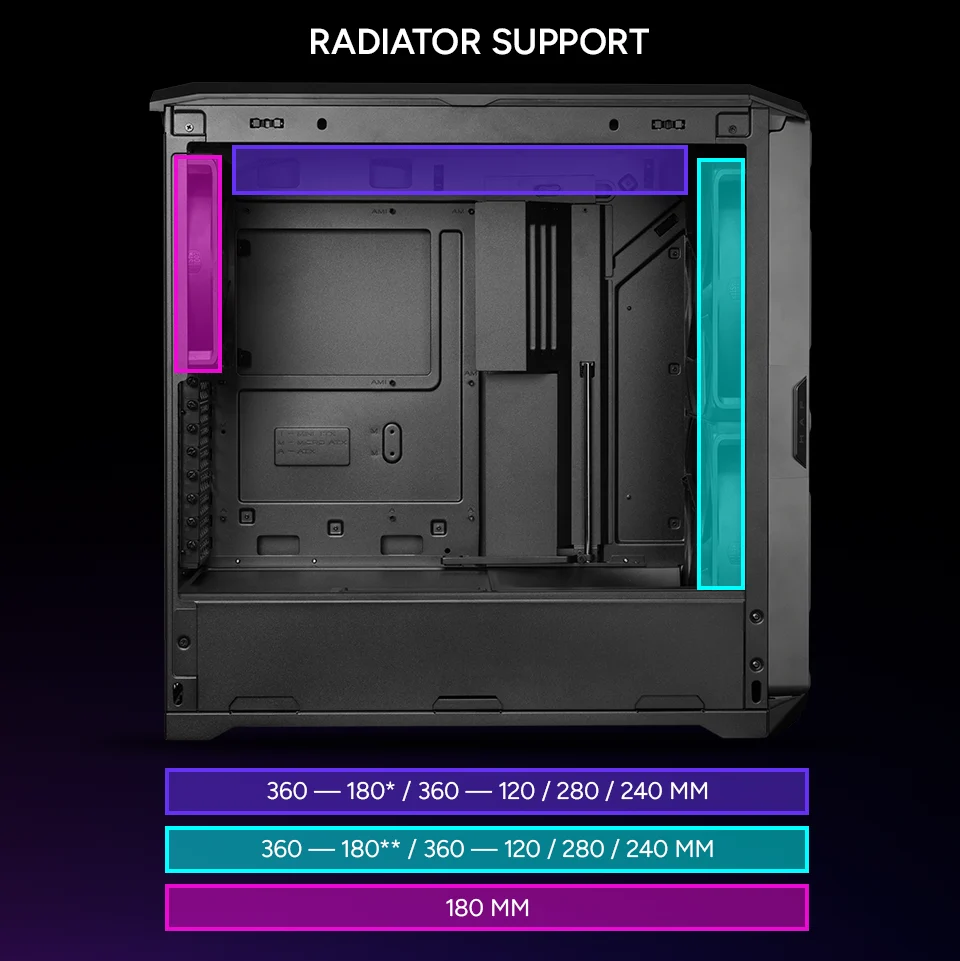
The HAF II 500 includes Cooler Master’s MasterRail sliding mounting system, an evolution of the Freeform 2.0 platform used in previous HAF cases. Fans and radiators mount on sliding rails rather than fixed screw positions, which means you can reposition radiators and fan clusters within the case without drilling new holes or working around fixed mounting points.
For builders who change configurations between builds swapping from air cooling to AIO, adding a second radiator, repositioning fans for a custom loop this is a meaningful quality-of-life feature. For builders who assemble once and don’t touch the cooling configuration again, it’s present but not essential.
The noise question: 40mm fans and the physics of airflow
The instinct when seeing 40mm fan depth is to assume noise. Thick fans at high RPM are loud that’s the conventional expectation from server hardware where 40mm fans are common and notoriously harsh.
The Mighty40 fans are built on a different premise. Because they move more air per revolution than a shallow fan of equivalent diameter, they achieve target CFM at lower RPM. Lower RPM usually means lower noise. A fan moving 203.8 CFM at 36dB is a genuinely quiet fan given what it’s doing typical 140mm fans achieve 36dB at considerably lower airflow volumes.
Tom’s Hardware’s review confirms the thermal and acoustic performance matches what the specification promises. The case delivers strong cooling at noise levels that don’t require ear protection. That’s not always the result when ambitious fan specifications meet real-world testing in this case it is.
What the HAF II 500 is competing against
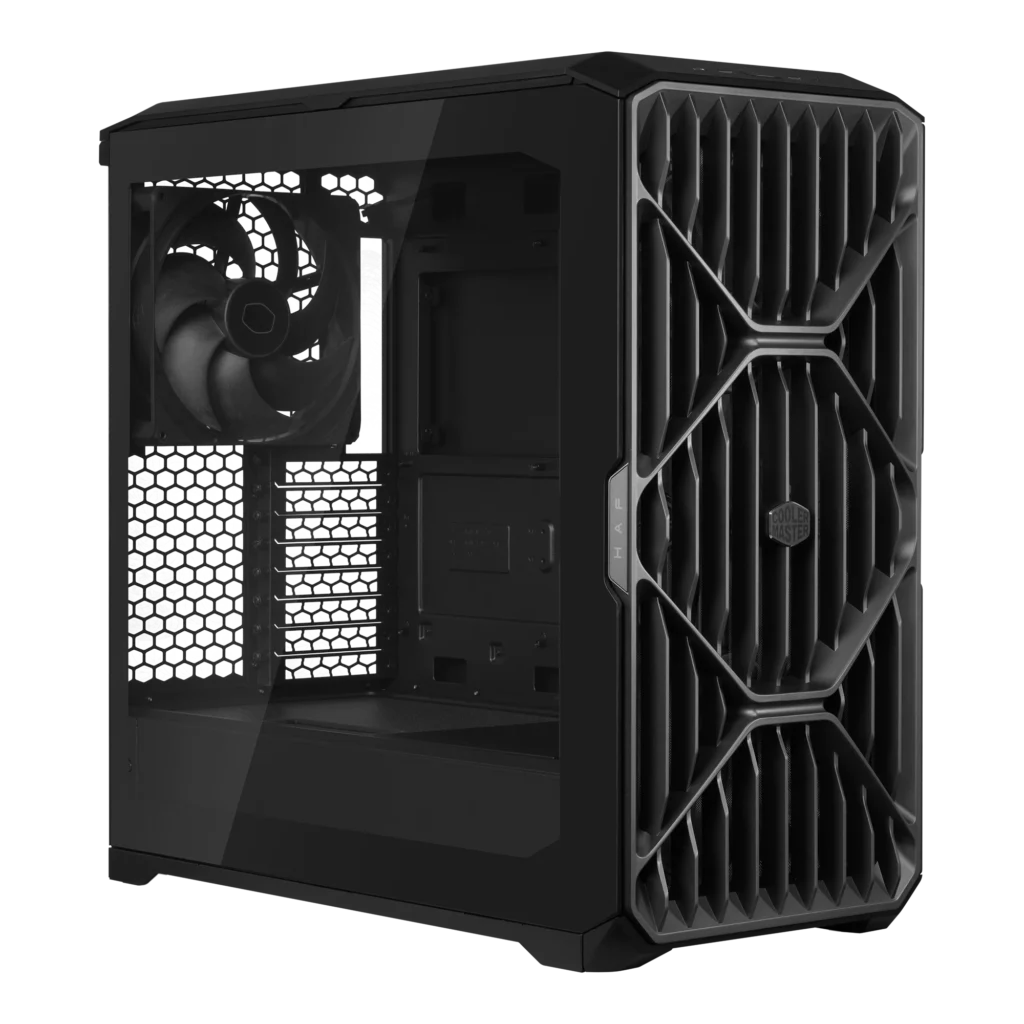
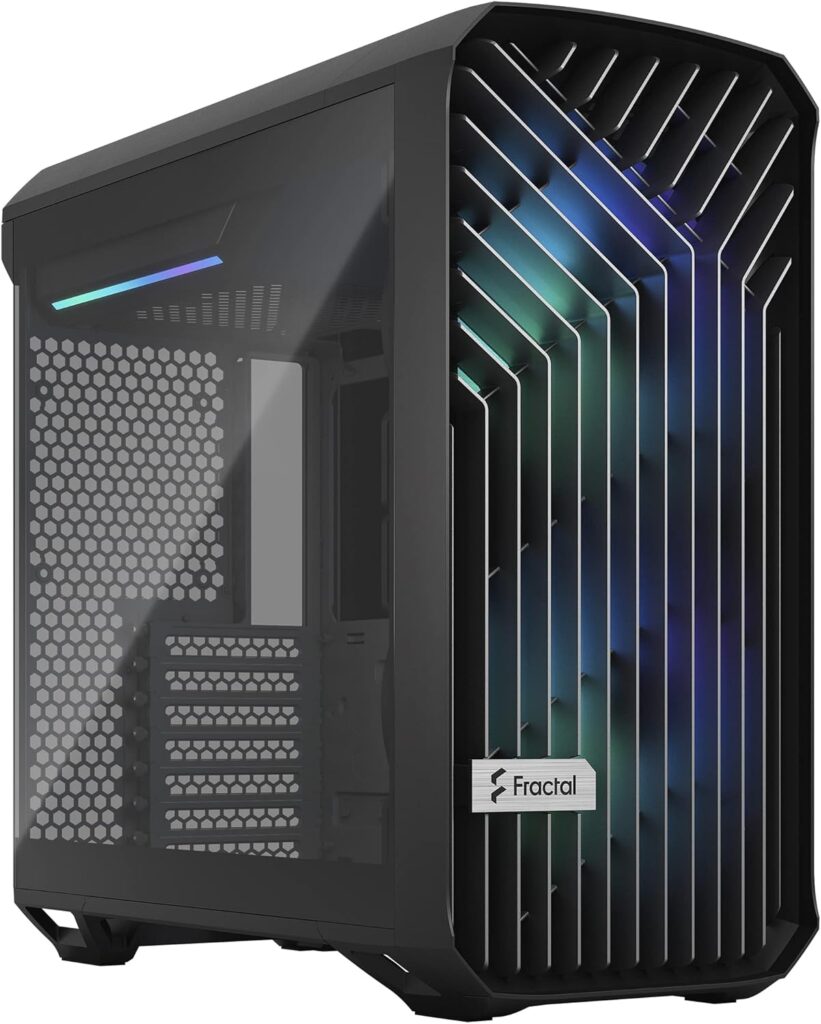
At $199.99 the HAF II 500 sits above the Fractal Design Torrent at $184–$200 and significantly above the Lian Li Lancool 207 at $82-$89. Both are the current thermal performance benchmarks in their respective price tiers. You can find the Cooler Master HAF II 500 on Newegg.
The Torrent runs 180mm fans at the front the largest in any standard mid-tower before the HAF II 500’s 220mm configuration and has been the noise-normalised GPU thermal leader in GamersNexus testing for over a year. The HAF II 500’s 220mm intakes and 180mm exhaust are designed to push past the Torrent’s thermal ceiling while matching or improving on its acoustic performance. Whether independent benchmarks confirm that result will become clear as more review sites publish their findings over the coming weeks.
The Lancool 207 at $80 remains the value recommendation for builders who don’t need the HAF II 500’s thermal headroom. A Ryzen 7 9800X3D and RTX 5070 don’t require 203.8 CFM of intake airflow the Lancool 207 keeps those components well within thermal limits at less than half the price. The HAF II 500 earns its premium for high-end builds where GPU and CPU thermal loads are sustained and high, RTX 5090, RTX 5080, Ryzen 9 9950X3D, multi-GPU workstation configurations.
Who should buy it
If you’re building around a GPU drawing 300W or more, RTX 5080, RTX 5090, RTX 5090 SE when it launches the HAF II 500’s airflow headroom is relevant and the premium is justified. High-end gaming builds where sustained thermal performance matters, creative workstations running GPU-accelerated renders for extended periods, and AI compute systems where heat management is critical are all natural fits. If you are still choosing between those cards, our RTX 5080 vs RTX 5090 comparison will help.
If you’re building a mid-range gaming system around an RTX 5060 Ti, RX 9060 XT, or similar the Lancool 207 at $80 or Fractal Meshify 2 Compact at $110 deliver more than adequate thermal performance at significantly lower cost. The HAF II 500’s fan configuration is genuinely impressive but it’s thermal headroom you won’t exercise in a mid-range build.
The lack of RGB is worth stating plainly, if RGB lighting is part of your build aesthetic, the HAF II 500 won’t deliver it through the fans the LCP blades don’t support lighting. You can add RGB fan controllers and lighting strips elsewhere in the build, but the flagship fans themselves are purely functional. For the buyer the HAF II 500 is designed for, that’s fine. For buyers who prioritise aesthetics alongside thermals, the MSI MEG MAESTRO 900R or similar showcase cases remain the correct choice.
The HAF is back it’s bigger than it’s ever been, it performs as advertised, and at $199.99 it sits at a price that’s justified for the build tier it serves. Don’t buy it for a mid-range build that will never need this much thermal headroom. For high-end hardware that generates real heat under sustained load, it’s the correct case.