
SpecClear earns a commission if you buy through Newegg links on this page, at no extra cost to you.
Most people spend more time with their keyboard than with any other PC peripheral. It’s the thing your fingers touch for every game, every message, every command. Getting it right matters more than most buyers realise, and getting it wrong produces a genuinely unpleasant experience that compounds over months.
The keyboard market in 2026 is simultaneously better and more confusing than it’s ever been. Membrane keyboards that feel terrible sit next to Hall Effect keyboards with magnetic switches that adjust their actuation points per game. TMR technology is entering the market. Polling rates have hit 8,000Hz. A keyboard that costs $35 and a keyboard that costs $200 can both be called “mechanical gaming keyboards” and mean completely different things. If you only want recommendations, our list of the best gaming keyboards in 2026 has them.
This guide explains every decision, what membrane versus mechanical actually means, why switch type matters, what layouts exist and what you give up with each one, and which specific products on Newegg represent the right choice at each tier.
Membrane vs Mechanical: What the Difference Actually Feels Like
This is the first decision and in 2026 it’s almost always the same answer. But understanding why mechanical won is useful before moving on.
Membrane keyboards register key presses through a rubber dome layer beneath the keycaps. Press a key and the dome collapses, completing a circuit. Release the key and the dome springs back. Every key on the board uses the same rubber dome layer, meaning the feel is identical across every key, the travel is soft and mushy, and the actuation point is imprecise. Membrane keyboards are quiet, cheap to manufacture, and adequate for typing. For gaming, the imprecise actuation means you can’t tell exactly when a key has registered, you press until it feels registered, which is slower and less consistent than a switch with a defined actuation point.

Mechanical keyboards put an individual switch under every key. Each switch has a defined actuation point, the precise distance at which the key registers, and a defined reset point where it resets for the next press. The feel, sound, and speed characteristics of the switch are engineered rather than incidental. You know exactly when each key has registered because the switch tells you.

The practical gaming difference: in a reflex-dependent scenario, jumping, shooting, stopping movement, a mechanical switch’s defined actuation point means the input registers at a consistent moment, not at whatever point the membrane dome decides it’s compressed enough. Over thousands of keypresses this consistency compounds into measurably better input reliability.
The only genuine advantage membrane holds is price at the entry tier and silence, rubber domes are quieter than most mechanical switches at the same keystroke pressure. Both advantages largely disappear above $50, where quiet mechanical switches match or beat membrane acoustics.
Don’t buy a membrane keyboard for gaming in 2026 unless the budget is genuinely under $30 and there are no other options.
Switch Types: The Decision That Defines How the Keyboard Feels
Every mechanical keyboard has a switch type. Choosing the wrong switch for your use case produces a keyboard that feels wrong every time you use it. The main categories are linear, tactile, clicky, Hall Effect, and the newer TMR magnetic switches.
Linear Switches: Fast and Smooth
Linear switches move in a straight line from top to bottom with no bump or click along the way. Press down, key registers at the actuation point, continue to the bottom. The feedback is entirely tactile through your fingertip feeling the key travel, there’s no built-in signal that the key has registered other than the key itself moving.
Cherry MX switches, the long-standing industry standard from a German company founded in 1953, are rated for around 100 million keystrokes. Cherry MX Red is the linear standard, 45g actuation force, 2mm actuation point, 4mm total travel. Lighter linear options like the Cherry MX Speed Silver at 1.2mm actuation are popular for competitive gaming where the shorter pre-travel means faster double-tapping.
Who linear switches are for: FPS and action game players who prioritise speed and who don’t want audible feedback during play. The smooth travel and light actuation make rapid repeated keypresses easier than heavier tactile switches. Many budget linear boards come from Redragon, and our look at whether Redragon is worth buying covers that brand.
On Newegg: Redragon K617 HE (Hall Effect linear, ~$44), Corsair K70 PRO TKL (Cherry MX Speed, ~$219), Razer Huntsman V3 Pro (Analog Optical, ~$179)
Tactile Switches: Feel Without Sound
Tactile switches have a bump partway through the keystroke, a physical resistance point that tells your finger the key has registered without requiring a click sound. The Cherry MX Brown is the most widely available tactile switch, 45g actuation force, 2mm actuation, bump at the actuation point. It’s the most commonly requested switch for people who want mechanical feel without being audible to people around them.

The brown switch criticism is that the tactile bump is subtle, experienced typists who’ve used heavier tactile switches find the Brown’s bump underwhelming. Heavier options like the Holy Pandas (popular in the enthusiast community), Gateron Browns, and Zealios V2 produce a more pronounced bump that’s more satisfying for typing-heavy use.
Who tactile switches are for: people who type heavily alongside gaming and want the keystroke feedback for typing accuracy. Open-office workers, writers who also game, streamers who type into chat during streams.
On Newegg: Keychron Q5 Max (Gateron G Pro tactile, ~$200), most MSI STRIKE keyboards (various tactile options) Razer Huntsman V3 Pro ($179)
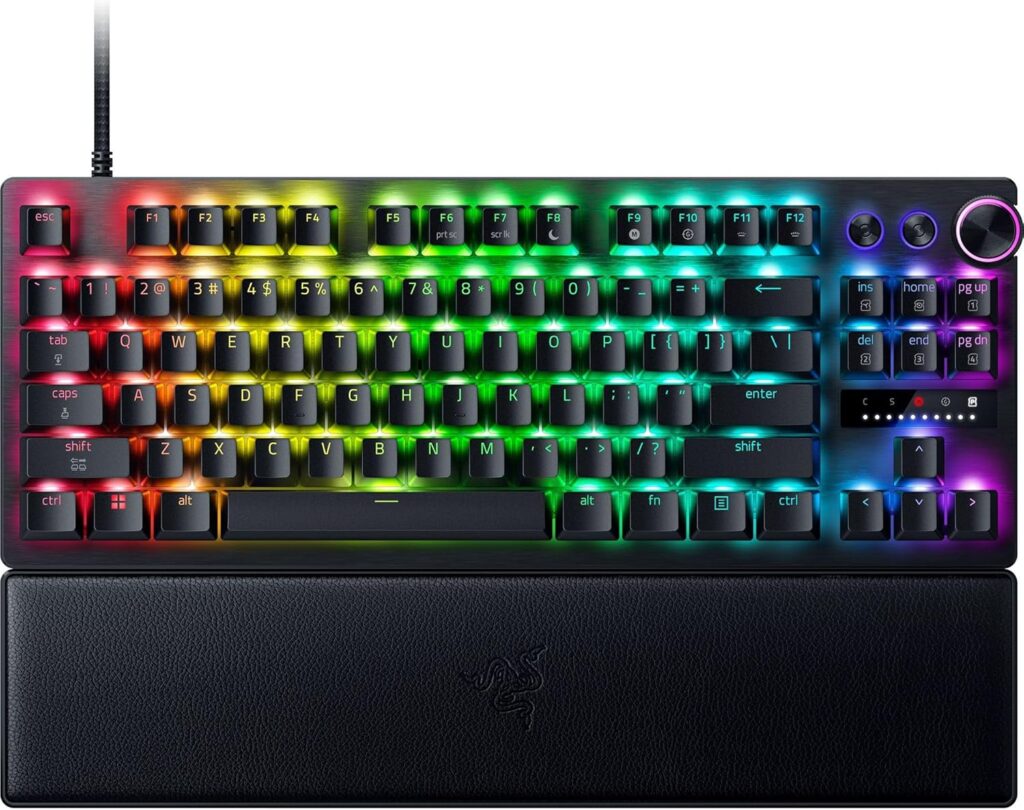
Clicky Switches: Satisfying and Loud
Clicky switches add an audible click to the tactile bump. Cherry MX Blue is the standard, the bump and click happen simultaneously at the actuation point. The click isn’t just noise, it’s a small physical mechanism inside the switch housing that produces the sound, making the feedback both audible and tactile.
Clicky switches are the most satisfying to type on for many users and the most annoying to anyone within earshot. In shared spaces, on voice calls, during late-night sessions, the click is clearly audible to everyone around you. Clicky switches are the personal preference choice that should never be made at someone else’s expense.
Who clicky switches are for: people who work and game alone, want maximum typing feedback, and don’t share their space with anyone who would object to the noise.
On Newegg: Most budget Redragon keyboards ship with Blue clicky equivalents. Dedicated enthusiast boards from Ducky and Leopold use Cherry MX Blue or Kailh Box White.
Hall Effect Switches: The Current Competitive Standard
Hall Effect switches replace the physical contact mechanism with a magnet and a sensor. Instead of two metal contacts touching to complete a circuit, a magnet moves past a Hall Effect sensor that detects its position. No physical wear on the detection mechanism. No contact degradation. Adjustable actuation point, you set where the key registers in the software, from 0.1mm to 4.0mm travel.
The adjustable actuation is what makes Hall Effect relevant for competitive gaming specifically. Rapid Trigger is the feature that flows from it, the switch resets the moment you begin releasing the key rather than after returning past a fixed reset threshold. In CS2, this means you can stop moving the instant you release the key, not 0.4mm of upward travel later. In fast-paced FPS games, Rapid Trigger is a measurable competitive advantage.
The Corsair K70 PRO TKL is built for competitive play with magnetic Hall-effect switches, Rapid Trigger, and an 8000Hz polling rate and is available on Newegg. The Wooting 80HE is the other consistent community recommendation, the Wooting’s software is widely considered the best in the Hall Effect keyboard category.
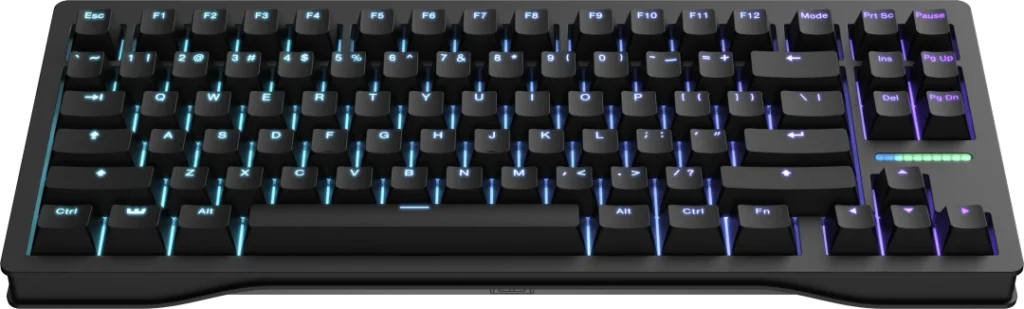
Hall Effect keyboards run $100-$200 at reputable brands. The technology is mature enough that budget brands have started offering Hall Effect at $35-$50, the Redragon K617 HE being the most notable example, though the implementation quality varies.
Who Hall Effect switches are for: competitive FPS players who want Rapid Trigger and adjustable actuation. Anyone upgrading from standard mechanical who wants the competitive advantage of a sensor-based switch.
On Newegg: Redragon K617 HE ($44), Corsair K70 PRO TKL ($219)
TMR Switches: The Next Generation, Not Yet Mainstream
TMR (Tunnel Magnetoresistance) is distinct from and technically superior to Hall Effect. TMR switches are more sensitive, use less power, and are faster than Hall Effect, with improvements to anti-interference. The same technology appears in the Valve Steam Controller’s analogue triggers.
The MSI STRIKE ALLOY TMR uses Tunnel Magnetoresistance switches that strip out the mechanical detection parts entirely, similar to what Valve used in the Steam Controller, meaning no wear on the actuation mechanism over time and a claimed improvement in depth-reading precision over standard Hall Effect competitors.

The practical difference between TMR and Hall Effect in daily gaming use is imperceptible to most players. TMR’s advantages show most clearly in precision analogue input, gaming with analogue key input where small position differences matter, or in environments with significant electromagnetic interference. For standard competitive FPS gaming, a well-implemented Hall Effect switch produces results indistinguishable from TMR.
TMR keyboards are not yet widely available or priced competitively. The MSI STRIKE ALLOY TMR announced at Computex 2026 has no confirmed retail price or release date as of August 2026. Buy Hall Effect now. Consider TMR when products are available at mainstream retail pricing.
Keyboard Layouts: What You Give Up and What You Gain
The layout determines the physical size of the keyboard and which keys are present. There’s no universally correct answer, it depends on what you do with the keyboard and how much desk space matters.


Full Size (100%): Every key including numpad, function row, navigation cluster, and arrow keys. Nothing missing. Takes the most desk space, typically 44cm wide. The right choice if you use the numpad regularly for spreadsheets, data entry, or gaming that uses numpad keys. Poor choice for low-DPI gaming where desk space for mouse movement matters more.
TKL (80%): Full Size minus the numpad. The most popular layout for gaming keyboards, all the keys you need for gaming and most productivity work, in a footprint roughly 35cm wide. The standard recommendation for most gaming setups.
75%: TKL further compacted, function row present, arrow keys present, some navigation keys present but repositioned. The same number of keys as TKL in a smaller chassis. The compromise between TKL completeness and 65% compactness. Popular with users who want a smaller board but can’t give up the arrow keys or function row.

65%: No function row. Arrow keys present. Navigation cluster absent or compressed. Approximately 34cm wide. Forces use of function-layer shortcuts for F-keys, which requires habit adjustment but enables a very compact desk footprint. The right choice for small desks and players who rarely use F-keys in games. If you want the F-keys back without going full size, our be quiet! Light Mount TKL review covers a TKL option.
60%: No function row, no arrow keys, no navigation cluster. Everything accessed through function layers. The smallest mainstream layout at approximately 29cm wide. Popular in the typing enthusiast community. Not recommended as a first mechanical keyboard, the function layers require deliberate learning.
1800 Compact: Full Size with the numpad relocated adjacent to the main cluster rather than offset to the right. The same keys as Full Size in a footprint close to TKL. Rare but genuinely useful for number-heavy work alongside gaming.
The honest recommendation for most SpecClear readers: TKL. It covers everything gaming needs, supports most productivity work, and leaves more desk space for mouse movement than Full Size without requiring function-layer habits.
What to Look For Beyond Switch Type and Layout
Polling rate. Standard gaming keyboards poll at 1,000Hz, sending input data to the PC 1,000 times per second. 4,000Hz and 8,000Hz options have become common on competitive keyboards. The measurable difference between 1,000Hz and 8,000Hz in gaming scenarios is real but small, detectable in precise testing, imperceptible in normal play. Don’t pay a premium specifically for 8,000Hz polling. If a keyboard you want happens to have it, great.
Keycap material. ABS plastic develops a shiny, slightly greasy feel within months of regular use as finger oils wear the surface. PBT plastic is harder, holds texture longer, and maintains its appearance significantly better over time. Pay the small premium for PBT keycaps or budget for an aftermarket PBT keycap set. Every keyboard at the premium tier ships with PBT. Budget keyboards predominantly ship with ABS.

Hot-swap sockets. Hot-swap lets you remove and replace switches without desoldering, useful if you want to change switch type later or replace a failed switch without a soldering iron. At the $100+ tier, hot-swap is increasingly standard. At budget tiers, check the spec before buying.
Build materials. Plastic chassis keyboards flex slightly under firm typing pressure. Aluminium chassis keyboards are rigid and produce a more premium sound and feel. The weight difference is significant, aluminium keyboards are genuinely heavy. Whether that’s a benefit or a drawback depends on your preference.
Sound dampening. Gasket mount construction floats the PCB on silicone or foam isolators rather than screwing it rigidly to the case, producing a deeper, softer sound profile. Five-layer foam dampening absorbs both bottom-out and reset noise. Factory-lubricated switches reduce scratchiness. These features compound into the premium sound profile that enthusiast keyboards are known for. Budget keyboards have none of them. Mid-range keyboards have some. Premium keyboards have all of them.
The Specific Products Worth Buying
Budget: Redragon K552 TKL (~$68 on Newegg)
Steel plate, full anti-ghosting, mechanical switches, TKL layout. The correct starting point for anyone who hasn’t owned a mechanical keyboard before and wants to find out what switch type they prefer without spending $150 first. The Redragon K552 TKL is about $68 on Newegg.

Budget Hall Effect: Redragon K617 HE (~$44on Newegg)
60% layout, Hall Effect switches with adjustable actuation and Rapid Trigger, USB-C. The remarkable specification at this price exists because Redragon is buying the technology at scale. The 60% layout isn’t for everyone but the switch technology is legitimate. Redragon K617 HE ($44)

Mid range: Keychron Q5 Max (~$450 on Newegg)
Full aluminium chassis, gasket mount, hot-swap, QMK/VIA open firmware, available in multiple switch options. Rated the best overall mechanical keyboard by RTINGS, with a heavyweight aluminum case, gasket mount, hot-swap, and QMK/VIA firmware. The typing experience is exceptional. Not optimised for competitive gaming, the weight and acoustic focus suit productivity-heavy use alongside gaming. Keychron Q5 Max ($450)
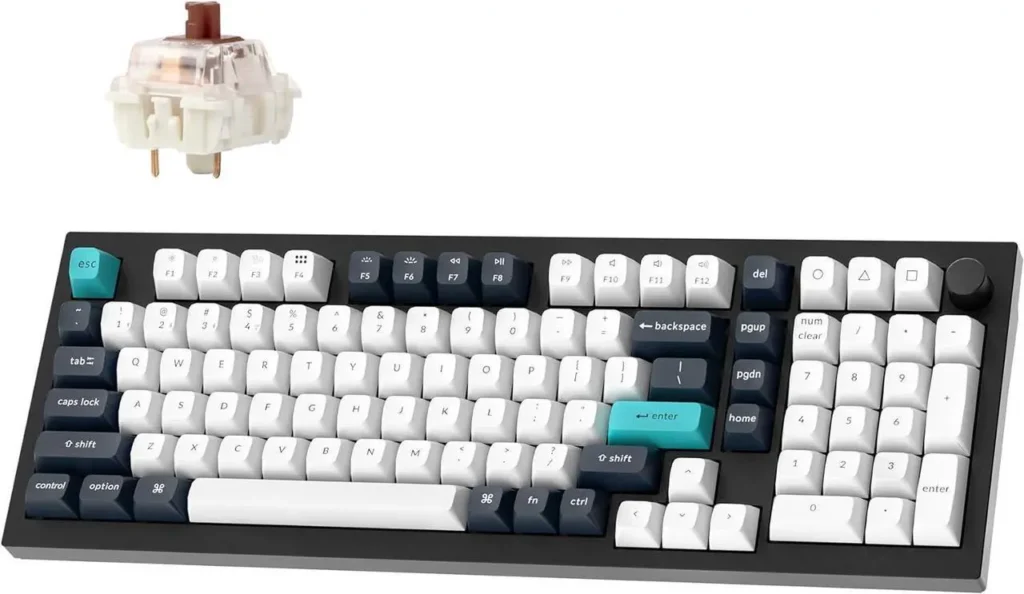
Competitive gaming: Corsair K70 PRO TKL (~$149 on Newegg)
TKL layout, Hall Effect switches, Rapid Trigger, 8,000Hz polling, aluminium chassis. The complete competitive gaming keyboard specification from a brand with established Newegg availability and support infrastructure. Corsair K70 PRO TKL ($219).

Silent premium: be quiet! Light Mount TKL (launching August 2026)
Triple foam dampening, factory-lubricated silent switches, hot-swap, aluminium chassis. The keyboard for shared spaces where the sound of typing and gaming shouldn’t reach anyone else in the room. Check Newegg for availability and pricing when it goes live this month. be quiet! Light Mount TKL ($119)
