
SpecClear earns a commission if you buy through Newegg links on this page, at no extra cost to you.
The Qube 340 costs $45-$55. At that price point the expectation is a plain steel box with a tempered glass panel, one included fan, and compromises on clearance to keep the price down. The Qube 340 doesn’t fit that expectation. It has a movable I/O panel. Reconfigurable metal handles. 3D-printable accessory support from the Qube 540 ecosystem. ATX PSU compatibility in a compact footprint. And clearances that match the Cooler Master Q300L V3, itself a recent recommendation in this exact price bracket.
At $45-$55, this is a lot of thinking for not much money.
What the Qube 340 Actually Is
The Qube 340 is part of Cooler Master’s Qube family, a product line built around modular design philosophy. The Qube 540 is the full-size ATX version. The Qube 340 brings the same design DNA, movable panels, flexible I/O placement, handles, to a Micro-ATX and Mini-ITX footprint measuring 386.1 × 230 × 429.4mm. Cooler Master Qube 340 ($54). For comparison, see our Cooler Master Q300L V3 review.

That footprint is similar in volume to a large LP record crate. It’s compact but not tiny, meaningfully smaller than a standard ATX mid-tower while fitting components that standard mATX cases sometimes struggle with.
The modular I/O panel is the headline feature that separates it from the Q300L V3 at similar pricing. Standard cases have a fixed I/O panel position, top-front or top-rear, chosen by the manufacturer. The Qube 340 supports four different I/O positions: top-rear, front-top, top-front, and front-bottom. If the case sits under your desk and you need the USB ports accessible from above, move the panel to the top. If the case sits on the desk and you want the ports at the front, move them there. This costs nothing beyond initial setup and is meaningfully useful for anyone who regularly plugs and unplugs devices.
The modular metal handles follow the same logic. The handles can be reconfigured for either right-side or left-side grip depending on how the case sits in the workspace. For builders who move their system between locations, LAN parties, travelling setups, desk relocation, the handles are functional rather than decorative.
The 3D-printable accessories are the niche feature that some builders will care about and most won’t. Cooler Master has published a library of printable add-ons compatible with the Qube 540 ecosystem that also fit the Qube 340, custom fan mounts, cable management clips, decorative panels. If you have a 3D printer or access to one, the extensibility is genuine. If you don’t, it’s a feature that doesn’t cost you anything by existing.

The Clearances: Better Than the Price Suggests
The Qube 340 supports graphics cards up to 366mm including RTX 5080 and RX 9070 XT. That’s identical to the Q300L V3. The RTX 5090 Founders Edition at 336mm fits with room to spare. Triple-fan 340-350mm AIB designs also clear it comfortably.
CPU cooler height limit is 178mm, same as the Q300L V3 and meaningfully better than older budget mATX cases that capped out at 155-160mm. Every mainstream air cooler including the Noctua NH-D15 G2 at 165mm, the Cooler Master V8 ACE 3DHP at 167.3mm, and the DeepCool Assassin IV at 175mm fits without issue. Cooler Master Qube 340 ($54)

ATX PSU support is the specification most budget compact case buyers have to check carefully. Some mATX cases restrict PSU length to 160mm, effectively requiring a modular PSU and sometimes an SFX unit. The Qube 340 accepts full-size ATX PSUs, up to 200mm length, which covers every standard PSU on the market. No SFX premium required. That’s one of the main things smaller cases give up, as our Mini ITX case roundup shows.
Storage: up to four 2.5-inch SSDs and one 3.5-inch HDD bay. That’s more storage support than most cases at this price tier offer, and more than most modern gaming builds need given how storage has shifted toward NVMe.
Airflow Design
The Qube 340 enhances cooling capability with larger front panel perforations for improved airflow intake, support for up to six fans, and an upgraded 140mm rear exhaust configuration. The enlarged front panel perforations are visibly larger than the Q300L’s original design, improved airflow without moving to a full mesh panel. For more on how front panel design affects airflow, see our PC case design guide.
Up to six fans means: three at the front, one or two at the top, one at the rear. The 140mm rear exhaust is the same specification as the Q300L V3, a meaningful upgrade over cases that cap rear fan support at 120mm, because 140mm moves more air at the same noise level. No fans are included. Budget for three 120mm front intake fans and one 140mm rear exhaust at minimum, Arctic P12 Pro at $39 for a five-pack covers all positions efficiently.
Radiator support: 240mm front or top. That limits you to a 240mm AIO, the 360mm AIOs that most enthusiast builds use require a 360mm front or top mount that the Qube 340 doesn’t support. For a 9600X or Core Ultra 5 on a budget build, a 240mm AIO or quality air cooler handles the TDP comfortably. For a 9950X3D or any chip regularly approaching 200W sustained, the Qube 340’s cooling headroom becomes the limiting factor.
The Honest Comparison to the Q300L V3
The Q300L V3 costs $49-$55. The Qube 340 costs $45-$54. They’re priced identically in practice.
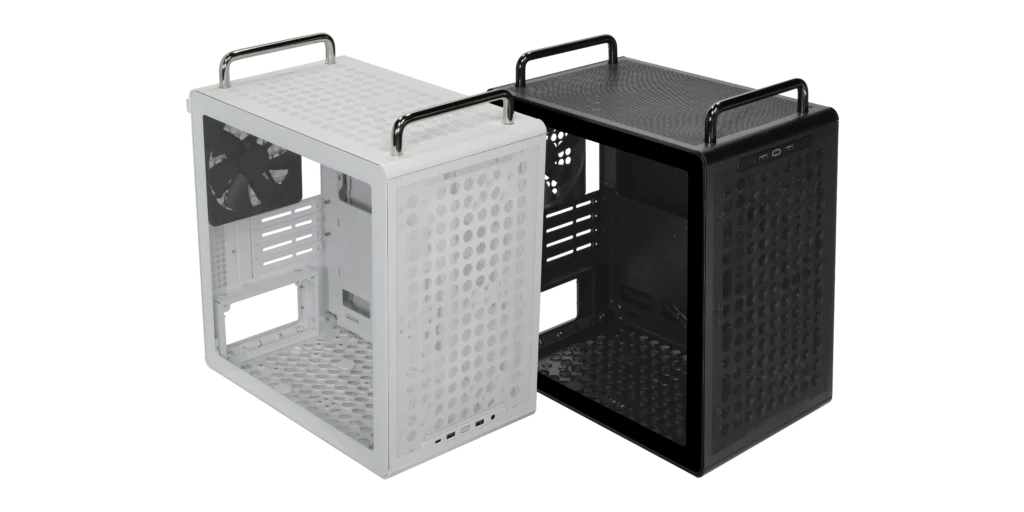
The Q300L V3 has: tempered glass side panel, magnetic dust filters, USB 3.2 Gen 2 Type-C front I/O, 178mm CPU clearance, 366mm GPU clearance, 140mm rear fan support, ATX PSU support. The 140mm rear slot is worth filling, and our case fan airflow guide explains how to balance it against the front intakes.
The Qube 340 has: all of the above plus movable I/O panel, reconfigurable handles, 3D-printable accessory support, and compatibility with the Qube 540 ecosystem. The Qube 340 does not include a tempered glass side panel in the standard configuration, it uses a solid side panel unless you opt for the glass variant, which may cost slightly more. Cooler Master Qube 340 ($54)

The Q300L V3 has a tempered glass side panel standard. The Qube 340 adds modular features the Q300L V3 doesn’t have, but may trade the glass panel for them depending on which version you’re looking at.
The practical question is what you value more: a glass panel for viewing the build, or a movable I/O panel and handles for workflow flexibility. Both are legitimate priorities. Neither case is objectively better, they serve different builders at the same price point.
For first-time builders: Q300L V3. The glass panel provides visibility during assembly and the feature set is simpler.
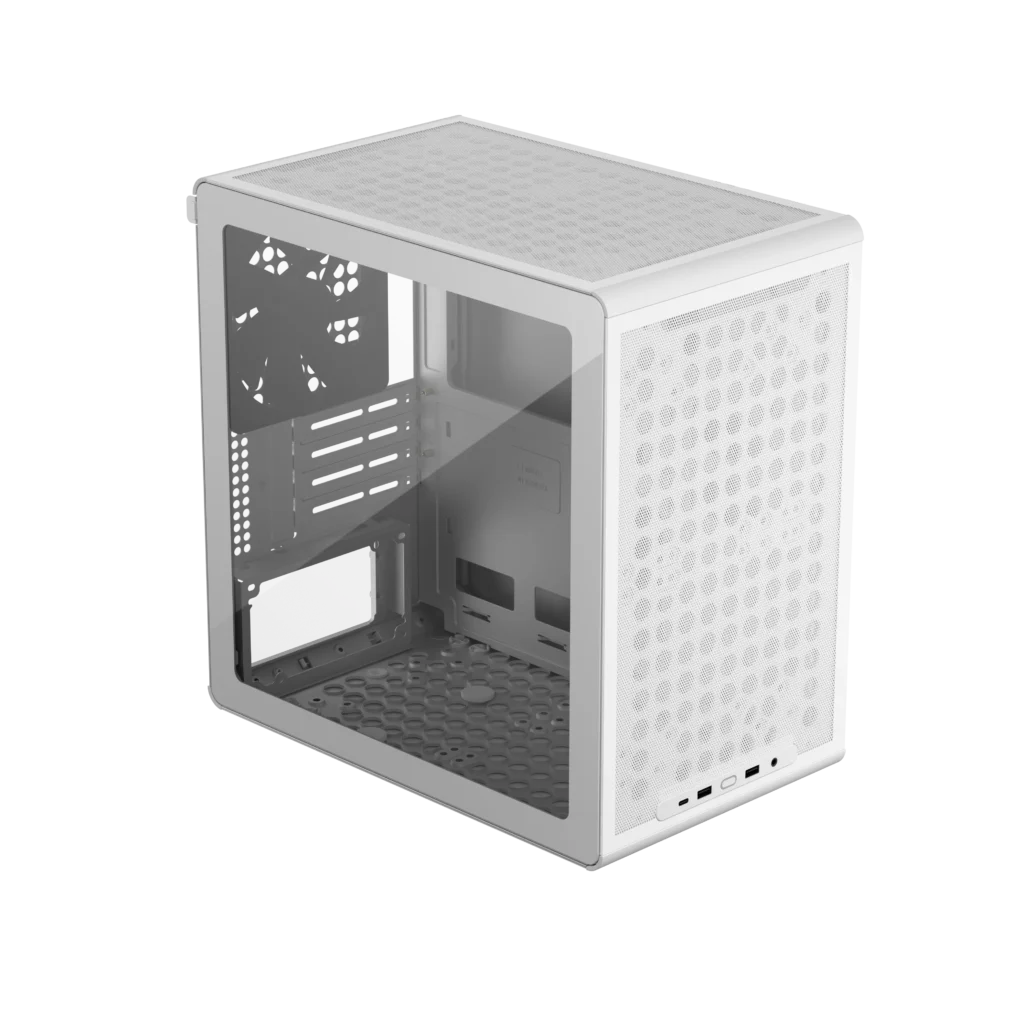
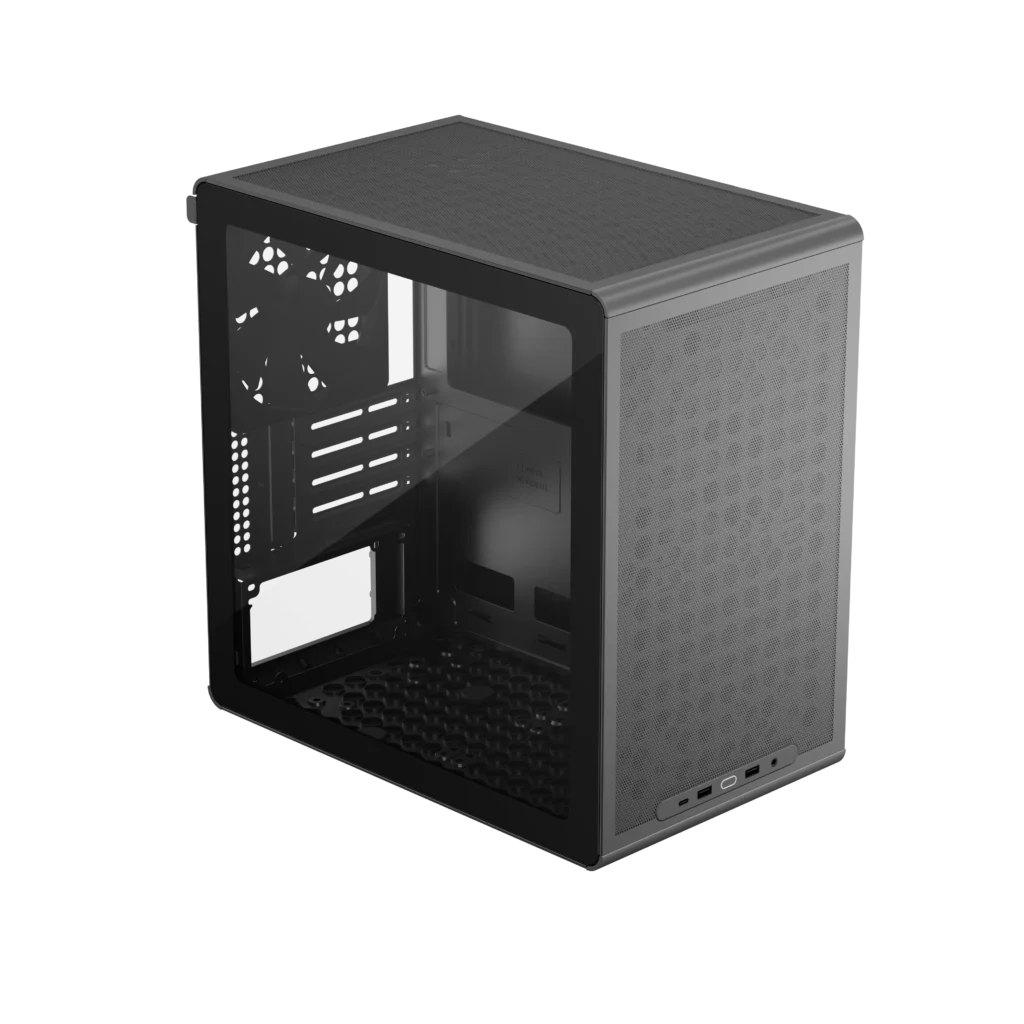
For builders who move their setup regularly, sit-stand desk users who need accessible front I/O, or anyone who values the Qube ecosystem’s 3D-printable accessories: Qube 340.
The White Version
The Qube 340 comes in black and white. The white version is the more unusual offering at this price point, most white cases at $45-$55 use cheaper plastic components that yellow over time. Cooler Master’s white finish on the Qube 340 uses the same steel construction as the black version with a powder-coated white finish. It’s not as pristine as the bright white on the Gigabyte ICE motherboard range, but it’s an honest white that holds its colour better than plastic alternatives. White RAM and a white GPU in a white Qube 340 is a credible aesthetic budget build without spending premium white-build money. If you want to take the look further, our all-white build guide covers matching the rest of the parts.

Who Should Buy It
Budget mATX or Mini-ITX builders who want more than a basic container at $45-$55. The movable I/O panel is the feature that earns the Qube 340 its recommendation over competing cases at identical prices, it’s a genuinely practical differentiator, not a marketing checkbox.
Don’t buy it if you’re running a high-TDP chip that needs a 360mm AIO, the 240mm maximum radiator support limits your cooling headroom. Don’t buy it if you specifically want a tempered glass side panel standard, verify which version you’re buying at checkout.
Do buy it if you move your PC setup regularly, if accessible USB ports matter for your workflow, or if you want budget mATX case with modular thinking behind it rather than a budget case that’s simply cheap.
Specs
| Spec | Detail |
|---|---|
| Form factor | Micro-ATX tower |
| Motherboard support | Micro-ATX, Mini-ITX |
| GPU clearance | 366mm |
| CPU cooler height | 178mm |
| Fan support | Up to 6 × 120mm |
| Rear fan | 140mm support |
| Radiator support | 240mm front or top |
| PSU | ATX full-size (up to 200mm) |
| Storage | 4 × 2.5-inch SSD, 1 × 3.5-inch HDD |
| I/O panel positions | 4 configurable positions |
| Accessories | 3D-printable Qube ecosystem compatible |
| Colours | Black, White |
| Price | $45-$54 |